Blog Menu G
Search
Categories
m
m

Category: Domain Related

transpacificcable

Map published by Facebook Google and Facebook are engaging in a partnership to pay for the laying of what will be one of the highest-capacity undersea data cables - piping data in the form of light all the way across the Pacific; bridging Los Angeles & Hong Kong. This project is the second partnership Facebook has joined in. It is yet another current example recent big business in the submarine-fiber optic cable industry. This internet-centric industry has traditionally been dominated by group of private, and government, carriers. Companies like Facebook, Google, Microsoft, and Amazon operate huge-scale data centers that deliver various internet services to people worldwide. These internet big boys have are quickly reaching a point where their global bandwidth needs are so high that it makes more sense for them to fund cable construction projects directly; rather than to purchase capacity from established carriers. Previously this year, in May 2016, Facebook announced that teamed up with Microsoft on a high capacity cable across the Atlantic called “MAREA”. This cable will be linking internet backbone hubs in Virginia Beach, and Bilbao, in Spain. Telefonica will be administrating this future transatlantic data line. Europe and the Asia Pacific region are important markets internet services giants. The MAREA cable will boost bandwidth levels between both companies’ data centers both in Asia and the US. The submerged fibre line is named the “Pacific Light Cable Network”, named after Pacific Light Data Communications, Inc - the 3rd partner of the project. Both the MAREA and Pacific Light cable will be built by “TE SubCom”; one of the biggest names in the submarine fibre optic cable industry. The 120Tbps (Terabits per second) PLCN system will provide greater diversity in transpacific cable routes, as Facebook recently published. “Most Pacific subsea cables go from the United States to Japan, and this new direct route will give us more diversity and resiliency in the Pacific,” Facebook’s article states. read_more One difference that PLCN and MAREA have from traditional transoceanic cable systems is they will be interoperable with different networking equipment; rather than being designed to function with specific or proprietary landing-station technologies. Companies will...

You may find this interesting too.
4gh update website

Website security is an everlasting major concern, not just for your website host and you - but especially for your site visitors. In 2016 malware infections are down about half as previous years. The major reason for this is because the average internet surfer is paying more attention to the sites they visit and what they download on their computers and phones. A big part of competing in the internet marketplace is proving ‘trust” to visitors. A high-security reputation you’ll capture more customers, leads, and revenue. Now how can you build confidence for your visitors? Below are a few easy techniques on you can secure your website and give it the right kind of impression. Design for a Professional Appearance Above all, 1st impressions count tons. Use high-quality graphics/images. Make sure an appropriate layout of your webpages, and typography, for your site’s purpose. Don’t clutter your pages with too many sponsored ads and flashy elements. If your website resembles a kid’s art project - then you will most likely not be earning trust for those who open your website. Also small errors, such as a misspelled word, or a missing or broken image will rapidly diminish your credibility - so be sure to triple-check all content and graphics on your website. Broken frustrate site visitors and make people wonder if you are sometimes maintaining your web pages. To check for broken links, just drop your domain into a online broken link checker. It important to prove your website represent a real business On your contact page, include your address & phone number on your contact page. Write short employee profiles on your about page, possible with photos - and display Better Business Bureau (BBB) and maybe also your local Chamber of Commerce insignia’s on your website. Further explain why you should be trusted It’s really not enough to simply display “trust seals”. Don’t be shy about letting your site visitors realize that that you have taken much effort in the past to earn their trust. If you have earned it before than plug your special industry awards or positive articles others have written. Display your credentials prominently. Recognize employees on...

You may find this interesting too.
campaign 2016 trump internet handover dns

The name of the organization with seen to remain the same, “ICANN”, but the people is power over the organization is about to shift, without your vote, Oct 1st to an assemblage of the world body politic, mostly compose of despots and dictators. The effect of this is still yet to be seen, but one key person involved in today’s political fray, presidential candidate Donald Trump, opposed the lackluster plan. Basically, the current domain name system as you have grown to know, and trust, is about to go under changes that could easily lead to intimidation and censorship against free speech. Protection of grassroots political speech is also at risk. The world can go on with less adult websites, but the world simply won’t be as good or nice of a place without freedom of speech in other regards. The founders of America frequently stated that the citizenry must always be vigilant and jealously guard their rights and freedoms. This is the attitude now on the podium of Donald Trump; the only candidate opposed to the plan to hand over control of the internet to a conflicted party of those seeking ever more power in the world. U.S. Republican presidential nominee Donald Trump is currently conducting verbal opposition to the semi-secretively planned transition of oversight of the internet's domain name system (DNS) management from the US-based governance to the UN, a global organization of political stakeholders from around the world; which could abrogate and hand-over control of the internet itself to authoritarian regimes such as China and Saudi Arabia and others; foreseeably threatening online freedom. Internet DNS is basically a directory for internet-connected devices that helps translate domain names to numerical IP addresses. He strongly contends that the US Congress should act swiftly block the handover, scheduled to occur next week on Oct. 1 2016, or as his campaign policy director Stephen Miller stated "internet freedom will be lost for good, since there will be no way to make it great again once it is lost." The ‘handover’ of the internet DNS was proposed in March 2014, implying the transfer of oversight from the nonprofit Internet Corporation for Assigned Names...

You may find this interesting too.
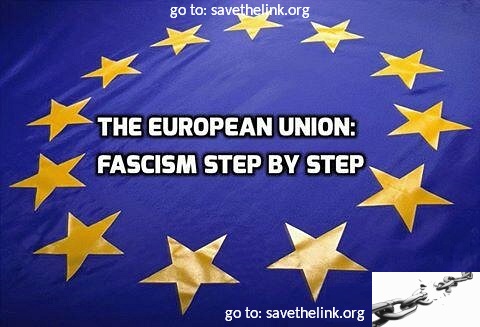
eu fascismstepbystep
reading time Reading Time: 4 minutes

Currently, the European Union has some of the worst copyright laws in the world. If left unopposed, this could quickly leak over into Canada too. The new proposals include the unprecedented new “Link Tax” for publishing giants, allowing them to charge fees for reposting links that contain 100 character snippets of “copyrighted” text. On September 14th, 2016 the EU Commission presented these new rule proposals to the European Parliament. Earlier leaks hinted the rules were worse than originally feared, and the recent announcement proved it. Not only Europeans, but everyone simply has to help stop this now. Despite online opposition leading up to this point from over 100,000 Internet users, and many dozens of civil society groups, the EU Commission has charged full force ahead with its’ abusive anti-free-speech and anti-free-association plan. We must demand that our so called “decision-makers” and the entirety of the government absolutely reject such crazy Link Tax proposals, along with any other forthcoming disastrous copyright measures. We must all speak out now or the internet as we know it will be much more corporate and state, rather than grassroots controlled. In addition, the EU Commission’s new rule proposals include invasive and expensive methods for 1) monitoring and 2) “filtering” user content. In other words, the censoring of content and creativity online. In more detail: The “Court of [In]Justice” of the European Union has ruled that it can now be illegal for websites merely to *link* to copyrighted content - such as news articles. Again, we are talking about the “mere act of linking” (or perhaps even just printing a link) to copyrighted content can in and of itself be a breach of copyright. Today’s decision went against the previously published advice of the CJEU’s own Advocate General, who stated earlier this year that the simple act of linking should never be made illegal. Although the CJEU created a narrow exception where links are not posted for profit, the sweeping ruling will affect any commercial enterprise, even news startups and small-audience hobby bloggers, that share links with their readers, especially those who monetize their websites by selling advertisements. The ruling will be directly binding on the...

You may find this interesting too.
4gh new twitter features article
reading time Reading Time: 3 minutes

Twitter is now adding ‘read receipts’, typing indicators, and automatic web-link previews to its “direct messages” giving it chat-like functionality. These new dynamic Twitter Direct Messages allow you to see who is reading and responding to your messages. Below is a recent tweet from Twitter itself: New! Direct Messages are more dynamic than ever with read receipts, typing indicators, and web link previews. pic.twitter.com/VEU92V5Gqj — Twitter (@twitter) September 8, 2016 Over the years that Twitter has been mainstream, the “tweet” has morphed from a simple 140-character text message now beholden to more creative expression featuring: hashtags, images/photos, videos, vines, and now more. Twitter has added the ability to poll your community, react quickly and cleverly with GIFs, and share and enjoy Periscope broadcasts in Tweets. You can now do a lot in a Tweet. In the coming months Twitter will be making changes to simplify tweets including what counts towards the 140 character limit. For example, @names in replies and media attachments (like photos, videos, & polls) will no longer use up valuable characters. Here’s a summary of planned changes: · Replies: When replying to a Tweet, @names will no longer count toward the 140-character count. This will make having conversations on Twitter easier and more straightforward, no more penny-pinching your words to ensure they reach the whole group. · Media attachments: When you add attachments like photos, GIFs, videos, polls, or Quote Tweets, that media will no longer count as characters within your Tweet. More room for words! · Retweet and Quote Tweet yourself: We’ll be enabling the Retweet button on your own Tweets, so you can easily Retweet or Quote Tweet yourself when you want to share a new reflection or feel like a really good one went unnoticed. · Goodbye”.@: These changes will help simplify the rules around Tweets that start with a username. New Tweets that begin with a username will reach all your followers. (That means you’ll no longer have to use the ”.@” convention, which people currently use to broadcast Tweets broadly.) If you want a reply to be seen by all your followers, you will be able to Re-tweet it to signal that...

You may find this interesting too.
20160706142953 facebook business social media 768x512
reading time Reading Time: 4 minutes

Mobile advertisements are the new big market arena and will likely stay that way for a long time. That is, perhaps until we become telepathic? Mobile ad spending will account for more than 60% percent of the industry by 2017. Smartphones, tablets,even watches are already what today’s shopper uses to discover products and services across the internet. Perpetually siphoning in endless content and digital social venues. Shopkeepers and service providers have already smelled the blood. Nowhere is this shift to mobile more noticeable than with Facebook. Facebook interaction is also mostly happening over mobile devices; more than a billion daily active users/losers. Over 80% percent of ad revenue on Facebook revenue is mobile. If you are hoping to rope in conversions/customers from FB advertising, the double your mobile. First, beware of the common FB advertising money-pit-falls. Don’t Ignore call conversions As people are naturally staring at their phone in hand whenever noticing an interesting digital advertisement, they usually prefer to call rather than type. The number of mobile advertisement call conversion to businesses is expected again to triple over 35 billion inquiries by 2019. Call conversions are not something most digital marketers have given much attention to - yet click-to-call and ‘whatsapp’-type free-voip functionality is heavily re-landscaping the marketplace. Today’s supercomputer phones are still phones. Even better, click-to-call is therefore the easiest conversion path for consumers considering a purchase. Motto of this paragraph is to make sure to optimize your FB ad campaigns for call conversions. · Include an easily-readable phone number or call button on every ad or banner on your website. · Test your ad’s “call now” button; your ad’s main call to action. · Do your best to accurately measure “cost per lead” to prove and/or improve ROI, return on your “advertisement” read_more Location, ditto, ditto Somebody close to your store or business is going to most likely be a higher-quality lead; rather than someone at a different state, or country. (chuckle) So FB now offers “geo-targeting” options to help you get your advertisement into the eyes of the most lucrative prospects, and even at the right time. For example, you can aim your ads to consumers...

You may find this interesting too.
4gh article decentralizingtheweb
reading time Reading Time: 2 minutes

Tim Berners-Lee is a famous name on the internet. Back in the early 1900’s Tim was the programmer, at the right place at the right time, who first successfully served a webpage from a web server to a client computer through the newly invented “http” (“Hyerptrext Transport Protocol”). The web was initially dreamed to be a decentralized democracy, enabling free speech forum of all networked computers around the world. However, in recent years, the attraction to big brand services, such as Google, Youtube, Facebook, Yahoo, you name it - has caused a ‘centralization of the internet” - making it ever more easy for those corporations, and America’s “NSA” to spy on the bulk of your online activity. Now Tim is again wishing to help restore the web to a decentrailized, more open, more free, more private internet. He is spearheading a project named “Solid”. The goal of it is to let you solely “own” your personal data. Digital Trends recently reported this in detail. With “Solid”, you store your data in “pods” (personal online data stores) that are hosted wherever you would like. But Solid isn’t just a storage system: It lets other applications ask for data. If Solid authenticates the apps and — important — if you’ve given permission for them to access that data, Solid delivers it. The paragraphs below offer a quick summarization: Solid’s name is derived from the phrase “social linked data” and it stores your data in personal online data stores, or pods. You can then choose which applications have access to your data and how much of it they can see. According to the website for Solid, the system is "modular and extensible"; and relies as much as possible on existing W3C standards & protocols. Development of the project is taking place at MIT and the Qatar Computing Research Institute. Solid has similarities to ”Diaspora”, a social network that was built on a decentralized architecture, but which failed to become the “Facebook killer” data ownership and privacy advocates were hoping for. Thank you for reading the weekly 4GoodHosting.com blog.

You may find this interesting too.
4goodhosting drupal joomla wordpress

You may have heard of the 3 more popular content management applications: Wordpress, Drupal, Joomla - but you are not sure which one is best for your needs. Perhaps you remain curious; so we will focus the the two ‘other’ choices besides Wordpress: Drupal & Joomla. Each particular CMS will provide the basic functions of: adding, deleting, and publishing various types of content. Each program has different strong points (and weaknesses) which should be considered whole-cloth, prior to making your ultimate decision. First write down your business’ objectives and goals. This should be is the first step in selecting the best CMS application suited for your particular business needs. Ultimately, optimally serving your business’ unique target audience. Choosing the right CMS (by the way, easily confused with CNS (Central Nervous System)), is the backbone for your project it will save you a great deal of headaches later. A reliable web host, with super customer support, also saves you from initial and future headaches. With 4GoodHosting.ca you can get both ultra-reliable hosting and the CMS of your choice for free: Joomla, Drupal, or of course; Wordpress - or any of the 200+ free scripts we offer you with any of our hosting package. Drupal: In 2016, there is an estimated 1 million+ websites built atop the Drupal CMS. Drupal is common to government offices, universities and colleges, Non-government Organization, Canadian & otherwise global enterprises. America’s White House website is taking advantage of Drupal’s strong website security features. Drupal is a comprehensive, expandable, powerful content management framework suitable to be the foundation of virtually any type of website. Drupal’s Advantages: * Tested Enterprise-level security; advanced control over URL structure * Lots of functionality - including advanced menu management, graphics modification utilities, poll management, and administration/users management * Built for high performance; pages load fast because of its defaulting caching features * Ability to handle large amounts of content & data * Extensive selection of themes, modules & extensions * Ideal for community platform sites (requiring multiple users - admin, editors, logged in users requiring customized content, private groups, etc.) * Large robust community generally responsive to inquiries and concerns. * Good SEO...

You may find this interesting too.
4gh dumbmain names
reading time Reading Time: 6 minutes

For company names- how much “creativity” is just too much? Google is undoubtedly the most recognized domain name the whole world round. More people have typed in g o o g l e . com than any other domain; Youtube, Amazon, you name it. These are 10/10 (perfect) domain names. Here we will contrast and compare to less easily memorable domain names. A lot of companies with good plans, and good service or products have failed at their current choice of business/domain/brand names. It’s never too late to change your company/domain name. The proliferation of domain-name squatting has led online start-ups to resort to increasingly ridiculous branding. So many companies, especially technology companies, have and still are making quite a mockery (some would argue an ‘evolution’) of the English language. The saddest part is that it is often not their business model or core company’s fault that their start-up business has flopped over time. Reviewing failed start-ups in the past couple of years, it has become obvious that about 9 out of 10 companies that have gone downhill over time - have had domain names that made it quite difficult to tell what they did (by looking at the name of the company/domain ). In contrast, if you look at the companies in the Fortune 100, you can pretty much figure out what they do - Shell Oil, International Business Machines, United Parcel Service, Microsoft, etc... Most of the successful company's have names that match what they do - making it pretty clear upfront. Fledgling companies, that have had to spend more than a minute, teaching each consumer ‘what it is they do’ have inadvertently positioned themselves to swim against the tide from day one. It takes a lot of skill with the English language - to think up the best names and brands that are catchy to consumers within a particular service or product-line. But there is the additional modern problem of coming up with a domain name that isn’t already taken or “squatted”-upon. For example: think up a dozen-or-so names for a new business and then look them up to see if those domain names are available. read_more...

You may find this interesting too.
4gh benefits of blogging
reading time Reading Time: 4 minutes

Question: Does your business (or personal) site also have a blog on it? Have you considered adding a blog but aren’t sure about the return on your time investment? Adding a blog is free (Wordpress, etc.) but we are not talking a standalone blog which “is” the website. (Standalone blogs are typically created around an interest or hobby, a cause, usually as a way to attract web surfers - in order to generate advertising income for the blogger.) In this article we will review the top reasons for making the decision to add a blog to your website. TOP 3 reasons to add a blog to a business website: * 1st - search engines eat them up and keep coming back for more. Blogs are particularly savory to the appetite of Google’s stomach (and the other various search portal out there). * 2nd -it a marvelous way to provide current, or chronological information, to educate and entertain your visitors about your: industry, products, services, etc. * 3rd - a blog gives a more ‘human’ face to your website - making it potentially more appealing than your competitor’s sites. 1) Blogging SEO (Search Engine Optimization) benefits Every webmaster, that is paying attention, would like for their website to appear on the “first page” of the search engines for particular keyword searches. Considering the bigger picture, the reality is there are a lot of other sites (and webmasters/marketing agents) striving for the same high ranking spots. Search engines wisely don’t reveal the secrets they use to determine or program which sites will display above others, for a given keyword search. However, we all can agree that search engines rank higher for fresh, relevant, high-quality content. Google (and others) have the same goal as webmasters: they want their visitors to keep coming back. So logically they need to make sure the most relevant, high quality, (and often fresh/recently-updated) links are returned for searches. A problem many small to medium sized businesses currently face is that their websites lack extra text content. The typical site contains 1-2 dozen pages of static page content. Also it is not uncommon for the pages to *not contain*...

You may find this interesting too.
4gh fraud alertb
reading time Reading Time: 6 minutes

External fraud is the enemy of all businesses. It can be argued that internal fraud is also an enemy of business, but this article will focus on common types of fraud that customers commit against a variety of e-commerce businesses - especially ones that sell tangible items that need to be shipped. Knowing what people do to trick businesses out of their own products (and time) can help defuse these techniques. How much is customer-driven ecommerce fraud costing online businesses? Customer-driven fraud cost merchants billions (with a “B”) every year. Some reports and statistics show that the level of fraud exceeds 10 Billion each year. Where online business really feel the pinch is with “charge-backs”. When the payment processors receive a complaint from a customer - they tend to believe the customer. Keeping investigation time to a minimum they typically process a charge-back transaction again the merchant. More often than not it is the merchants who are getting the short end of the stick. Customer-driven fraud has been on the rise. It has simply been easier for the payment processor to screw the merchant - even when the facts points the other way. Also, online transactions are often “card-not-present” situations, therefore making online stores particularly vulnerable to “stolen-card” fraud too. One type of fraud, particularly on the rise, occurs when scammer-customers order physical (or digital) goods, with the covert intentions to make a false claim to their bank (or even their victims bank) that products were “not delivered” - and fraudulently demand a charge-back. Fraud stings online merchants of all kinds, no matter how big or how small. In fact, it is on the rise in online world because E.M.V. [ (E)uropay, (M)astercard, (V)isa ‘smart card’] controls have made it more difficult to commit fraud over the counter. So thieves have been shifting their energy to e-commerce storefronts - which are more vulnerable to credit card fraud. [ EMV is a technical standard for smart payment cards and for payment terminals and automated teller machines that can accept them. EMV cards are smart cards (also called chip cards or IC cards) that store their data on integrated circuits in addition...

You may find this interesting too.
4gh openvpninstallation
reading time Reading Time: 5 minutes

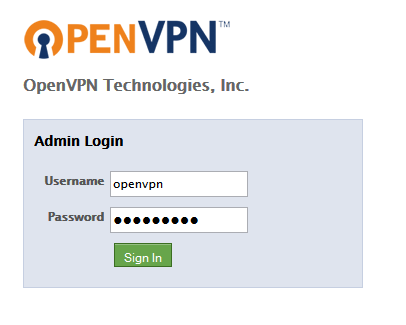
OpenVPN has become the most widespread VPN (Virtual Private Network) protocol used by today’s commercial VPN providers. However, did you know you can set up your own VPN service on a VPS (Virtual Private Server) which provides a closed environment situated as a physically remote server? If you lease a VPS from 4GoodHosting you can do anything you want with it, such as installing any operating system, and basically treating the VPS as your own personal remote server. If you are interested in running a VPN service on your VPS then this article will be helpful. Using automated installation scripts, the process has become easier for the average person to use. The following is how to install OpenVPN on your own VPS server running Centos 6.x or 7, Debian (or Ubuntu) Linux. - download an auto-installer for OpenVPN, such as this one openvpn-install - Next: login to your VPS (as root) and run the following: - wget http://git.io/vpn --no-check-certificate -O openvpn-install.sh; chmod +x -openvpn-install.sh; If you are not logged in as root you type: sudo ./openvpn-install.sh The OpenVPN auto installer will execute and it will then prompt you for more information as follows: 1. The script will first autodetect your public IP address. (if you have multiple IP addresses on your VPS you can set it via the script to utilize a specific one.) 2. Next, type in the port number used for incoming OpenVPN connections (or use the default of “1194”). Any port can be used, any random one will likely do - as long as it is not in-use by other application server, or service. Select whether to listen on port 53 too; which is useful for covert connections. 3. Next, you will be asked for a name of client certificate. You can use anything such as “user1”, “anonymous”, “johndoe”, yourdog’s name, etc. That’s all the OpenVPN installer needs to know. Subsequently it will download the packages, generate the encryption keys and certificates and then after that it will attempt to start the server. OpenVPN uses 2048bit RSA keys for authentication and the 128 bit Blowfish algorithm for data encryption. If everything went smoothly, the auto-installer will notify...

You may find this interesting too.
4goodhosting vpns
reading time Reading Time: 8 minutes

If you are not currently using a VPN ( a “Virtual Private Network” [remote server connection]) to help restore privacy to your online world, then you probably are not aware that about 20% internet users worldwide in 2016 already periodically use a VPN to help them connect to the full global internet; especially in totalitarian countries that ban such services such as youtube. People’s motivations vary from reason to reason (and there are quite a number of good reasons; many of them we’ll cover in this article). Reasons typically vary from a desire for privacy & increased anonyminity and general security, to overcoming censorship, and even *improving* their internet connection globally as some ISP restrict, limit (or as it is termed “shape”), connection speeds to certain websites - making them less attractive to use, some ISPs block p2p (peer to peer connection such as torrents) , and some VPNs supply data buffering to help even out slower, or shaped/moderated, connections. How did VPNs come about? In this article we will go over the history of this technology of how VPN use has generally progressed over time. In a subsequent article we’ll go more into advanced topics such as encryption. The Beginnings of a Secure Internet In the late 1990s, PPTP (that is “Point-to-Point Tunneling Protocol”) was developed. PPTP was the first internet protocol for creating virtual networks. This is one aspect of technology Microsoft was a leader (instead of a follower or hijacker in some cases) in pioneering; as much of PTPP was initially developed in-house at Microsoft. Microsoft saw the growing need to allow internet users to have a secure/encrypted connection to work effectively and securely from home - for companies to be able to provide a work-from-anywhere infrastructure. PTPP a big milestone event and henceforth set the stage for the birth and evolution Virtual Private Networks. VPN Technology Over the years, different types of VPN technology have come about. Today there are different types of VPNs (mainly Personal and Corporate) with different protocols (PPTP, OpenVPN, L2TP/IPsec, SoftEther, SSTP). How does VPN security work? A VPN is technically a WAN (Wide Area Network). the front end (that is, your...

You may find this interesting too.
4goodhosting shared hosting
reading time Reading Time: 6 minutes

There has been a lot of buzz recently about “Cloud Hosting”. But how does that really relate to how websites are hosted, with the great majority of hosting accounts hosted in a manner known as ‘shared hosting’. Cloud offers distributed scale-out storage as well as virtualized infrastructure. However, more than 9 of 10 websites out there are small business, personal or hobbyist websites - which see no visible benefit to the site administrators or the site visitor when served from a conventional standalone shared server compared to from a virtualized and distributed cluster of servers. The benefits of a cloud or hosting based on a clustered arrangement of servers are recognized with larger scale websites, deploying enterprise level applications, or websites is expected to suddenly serve enormous spike in traffic at times - such as hosting a video conference with hundreds or thousands of participants. At 4GoodHosting, we have been serving out thousands of long-term (and happy) hosting customers for well over a decade. Our servers today are state-of-the-art and powerful. About every two years, we upgrade our shared hosting server with new faster equipment, RAID hard-drive data redundancy, plus disaster recover servers, and also solid-state SSD storage for SSD-hosting customers. Our up-time for the past year has been better than 99.9%; and besides infrequent server restarts, our shared hosting servers have been 100% reliable. Whenever a hard-drive, in one of our dozens of shared hosting servers, starts showing a sign of wear-and-tear (and we have special monitoring software for that), we replace it immediately with no downtime for our clients - due to our redundant RAID storage architecture. So, in order to keep our hosting consistently low, we plan to continue hosting our customer’s website on state-of-the-art stand-alone shared hosting servers. We don't see shared hosting or virtual private server (VPS) hosting going away, we see it continuing strong into the future. Also, we believe in standard monthly pricing to give our customer’s more peace of mind; as we strive to keep our prices as low as possible across the board. Shared hosting and virtual private servers have traditionally offered standardized pricing which is not variable. In contrast, the...

You may find this interesting too.
4goodhosting website migration
reading time Reading Time: 4 minutes

Migrating to a better web hosting company is so risky or difficult risky as you might think. 4GoodHosting makes it easy to migrate all of your data, domains, emails, and entire websites - with our *free* (that is; no hidden strings attached) transfer/migration service; while all you have to do is relax and trust our A+ BBB rating. 4GoodHosting’s server engineers, or admins/technicians are already in place to guide you through the process and ensure your migration is completed successfully to your full satisfaction. Our experienced professionals are expertly trained at transferring websites: your files, applications, databases, and email accounts. Our service agents will guide you through all the typical steps, and we will begin your website transfer the very same day that you sign up for web hosting with 4GoodHosting! Note: If your previous host utilizes cPanel (control panel), then your website can be migrated seamlessly with zero downtime! We’ve even have a special offer for those customers who are reading this blog and have decided to switch from a competitor! You just need to ask for it by writing us at support @ 4goodhosting.com You will receive an extra complimentary month (for shared hosting accounts) with a year of pre-paid hosting (13 months - a baker’s dozen if you will). Note: we do require a yearly billing schedule and 1-year pre-payment 4 our free transfer service. Make the decision to signupfor hosting with 4GoodHosting 4GoodHosting has been dedicated to providing Canadian based web hosting solutions for small, medium & large scale businesses as well as hobbiest websites for folks from around the world. See our web hosting plans. (link: http://4goodhosting.com/linux-web-hosting ) Once you have signed up (and paid up), you will receive a 4GoodHosting welcome email in your inbox. Save this email as it will contain the login details for your cPanel (that is, control panel) - as well as 4GoodHosting’s domain name servers (DNS). Ready - Set -Transfer Your Site! Now that you have an active account with 4GoodHosting, please then submit a support ticket for your transfer request from customer portal account. (or you can simply email us at support@4goodhosting.com). Just let us know how we...

You may find this interesting too.
4goodhosting websitedesign 1024x894
reading time Reading Time: 3 minutes

Once in a while, about every 3-4 years of years, your website should be updated ensuring it has a fresh modern look; utilizing the latest and greatest web design methods. A website which looks outdated can damage your credibility & ultimately cost you new customers. A redesign starts by planning what you want create from your existing website into the next finished upgrade. Step 1 - Planning the project... A good exercise is to list what you like about other websites that you have encountered and bookmarked. Consider how you can integrate the features that you like into your own website. While perusing through other websites you will also get a better feel for what your site already does well and where it doesn’t shine so well. Before you begin, you have to work out what you want your website to do exactly. The goals should be realistic and specific. Ask yourself: who and what is my website for ? · A means to communicate with customers? · To build brand awareness? · Is it’s main function to be a sales funnel? Every website has a slightly different purpose. Define what your website’s purpose is precisely. At the start of your project you should create time-line of of what needs to be done; and when. If you have a project team of other people you should also include who is responsible for each part. Step 2 - Design for building a high level of trust between yourself & your audience Getting your visitor(s) to trust your brand should be the overall goal. Mostly your website to be considered credible & trustworthy is to continuously update it with original high-quality content. Original content helps customer prospects find you in search engines; and in turn establishes you as a thought leader in your market segment. Also keep in mind that you don’t want your visitors to see you as just selling something. The first goal should be to get your visitors to trust your website as an authority. The other avenue to build trust with your customers is to create and maintain an active social media presence. Today’s consumers expect some communication...

You may find this interesting too.
4gh flatdesign
reading time Reading Time: 4 minutes

Since about the beginning of 2016 a new simplifying trend in website design is coaxing website managers and businesses to rethink their web presence strategy. A significant number of websites have begun redesign sites that have visual depth and 3d-elements to flattened out plainer versions which project more “flat” “single-surface” experiences. “Flat design” is becoming one of the hottest trends in 2016 web design. Looking into this trending web design model is, we can consider both the pros & cons. Here is a great gallery of flat design examples: http://www.awwwards.com/websites/flat-design/ (Make sure you give this a look to see better what is being talked about.) 1 step flatwards, 2 steps forwards... There is an age-old theory that simply states that history repeats itself, - fashion trends, hairstyles, marketing campaigns. Flat design isn’t new. However in 2016 taken on a fresh modern flair; which appears to be resonating with “millennials” who are most tethered to their handheld computers. Using smartphones by default demands bigger text and larger images; which happen to be key elements in flat site design. The advent of responsive design considerations for mobile screen necessitated a need for easily scrollable 2-dimensional designs which depend more on unique colors & shapes rather than realistic-looking 3d graphics and animated GIFs; popular on “skeuomorphic“ designs. Efficient responsive design, with faster page load time along with with a sleek appearance, all which is great on on mobile devices, is the main advantage to flat design for websites. Form & Function What is a flat website designs? And what isn’t. Flat designers take a minimalistic approach that values function over most everything, except the content itself. Today mobile-active consumers today are looking for responsive brands, mobile friendly and functional. When online forms social share buttons first appeared, people were unfamiliar with these design elements and had to guided through the process. One example is fields forms. Before people needed to be helped by stating “Type your e-mail address here” or “Type First name”. Nowadays, the average person knows more intuitively about how to get around a web page or site; therefore the simplicity of flat design are became more popular. With flat design...

You may find this interesting too.
4goodhosting wordpress
reading time Reading Time: 4 minutes

After you have secured hosting and installed WordPress (or another CMS), it is time to pick out a theme. Figuring out which theme is best is definitely overwhelming at first because there are about 40,000, free and fee, templates and themes to choose from. In order to help you get through the process of theme selection, the most important things to consider while choosing a theme are listed below. If you utilize these tips, you will have an easier time getting started in the right direction. Customization One of the great things about themes is that it gives you a place to start and you don’t have to spend days or weeks of work to make it all look good. Another more expensive option is to hire a talented designer to create a personalized blog theme for you, but it’s also great to have some customizable options. This details include being able to alter the general color of your theme, being able to change the header image, and perhaps also the ability to tailor the theme code, that is - if you know what you are doing. The more options you have for customization, the better. High Readability A very important aspect of theme selection to consider is to make sure it provides for high readability. The main point of getting visitors to your website or blog is for them, not just to see colors and fancy graphics, but to actually consume and be influenced by your content. So you should choose a theme that utilizes a font which is easy on the eyes and consistent. Even if you think a particular font is cute - if it makes the word is hard to read; then skip that theme if you are unable to easily customize the overall font. Some additional tips to increase the readability of your website/blog: * The important of adequate amounts of “whitespace”. Try to find a theme that allows plenty of blank whitespace. Pictures, graphics, text and other design elements can go a long way - there also should plenty of whitespace, in between blocks, in order to give your visitor’s eyes a break. *...

You may find this interesting too.
html5.1
reading time Reading Time: 3 minutes

In this article we will help bring you up to date with current website development standards. HTML5 was a many year project that was launched in 2014; mostly as the concerted effort by the W3C organization. The plan was, from that point forward to continue to publish regular incremental updates to the HTML standard; but a few things didn’t happen as planned. Now a newly named organization, the Web Platform Working Group (WP WG) is working towards a HTML5.1 to be released within the next 6 months. The project centers around a general workflow; which means the group will be releasing a stable version of HTML, as a W3C recommendation, about once annually moving forward. HTML Specification Goals The core goals for future HTML specifications are to: * match reality better, * make the specification as clear as possible to readers, * to make it possible for all stakeholders to propose improvements, * and to understand what makes changes to HTML successful. HTML 5.1 Timeline The current schedule is to ship an HTML5.1 recommendation in September 2016. This implies they will need to have a Candidate Recommendation by the middle of June 2016, following a “Call For Consensus” based on the most recent working draft. The updated working draft is published approximately once a month; changes are noted within the specification itself. They practice an evolutionary schedule of “rinsing and repeating”; making regular incremental updates to HTML that is relatively straightforward to implement. If you are interested you can see current chatter from the working group members @HTMLWG on Twitter. read_more Specification development The HTML 5.1 specification is on a public Github server so anyone who can make a “pull request” and can propose changes. Simple changes will generally be accepted by the editors after their review. The group is tasked with generally removing things which don’t have adequate support in at least two shipping web browser engines. HTML is a quite a large specification. It is developed from a set of source files. This automates links between the various sections; such as sectional element definitions. For substantial new feature requests/implementations, they prefer submissions separate modules to be developed or...

You may find this interesting too.
4goodhosting websiteredecorating
reading time Reading Time: 2 minutes

Truly a picture is worth hundreds or thousands of words. Often we do not apply that knowledge towards improving the quality of our personal and small business websites. Images are naturally better, in many cases, because they are much much more conducive at communicating emotion, setting a mood or creating impact. There are many different kinds of visual media: video, artwork photographs, charts, infographics. Video is the new black Wherever presentable, video is becoming a “must-have” media for almost any professional marketer. Amazingly, all you need today is a smart-phone. We have all become video camera men and women. It becomes easy to film a basic overview or any kind of video on your phone, and touch it up by utilizing many video editing software applications which make it ready to add to your blog or website. Video can even create more engagement than static graphics; making it easier for you to allow your brand to shine. It can make it easier to explain the value of your products in a more engaging style and in more detail. People have limited time and limited attention span on the internet: so try to keep your video: smart, basic, and simple. Photography Today we have high definition cameras in our pockets and persons in the form of a smartphone. Ironically we still seem to find it a chore to present great or the best images for small business websites. If you’re not a DIY photographer, there are dozens of stock art websites. Here is our recent blog post detailing that: read_more https://4goodhosting.com/blog/two-dozen-free-valuable-wordpress-plugins/ Regardless of the imagery or video source, once in a while, spend time to make sure your site provides powerful & relevant images that will bring various content of your message to life. Graphs & Charts It turns out most people especial enjoy information when it presented visually; near 99% of time no matter who your customers are. For example, you can diagram the value of or the savings your product or service creates. You can also chart the performance of your product vs. a competitor? Intuitively simple graphics which express ideas in a focused, visual style; can have great...

You may find this interesting too.
On This Page G
Explore 4GOODHOSTING
Copyright © 2026 4GoodHosting. All Rights Reserved.
.CA by CIRA
+1 866 708 4678