 Most advice on “the art of emailing customers” stops at the craft: write a good subject line, keep it short, have one clear call to action, don't email too often. That advice is correct as far as it goes, and worth taking seriously — but it quietly assumes two things that, for a Canadian business, are not automatic. It assumes the email is legally allowed to be sent in the first place, and it assumes the email actually arrives in the inbox rather than the spam folder.
Both of those assumptions have real answers, and neither is covered by generic copywriting advice. Canada has one of the strictest anti-spam laws in the world, with specific requirements around consent, identification, and unsubscribe mechanisms that apply regardless of how well-written the email is. And even a perfectly compliant, well-written email can land in spam if the sending domain isn't configured correctly at the DNS level — a detail that has nothing to do with writing and everything to do with hosting and infrastructure.
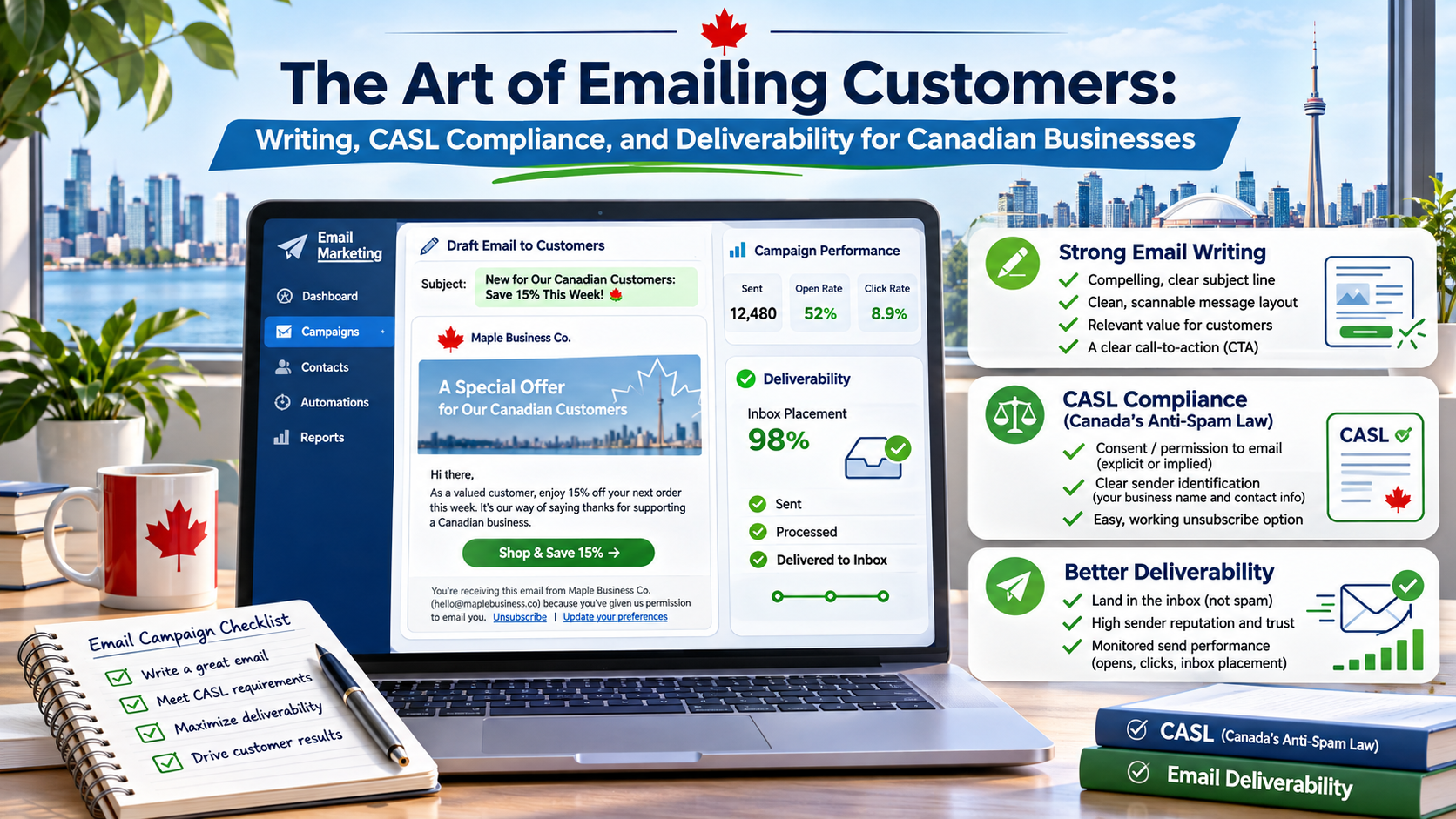
This piece covers all three layers together: what makes a customer email worth opening, what Canadian law actually requires before you send it, and what has to be true about your domain and hosting setup for it to reach the inbox at all. Treating these as one connected system, rather than three separate concerns handled by three different people who never talk to each other, is what actually produces an email program that works.
What Makes a Customer Email Worth Opening
The craft side of this is genuinely well understood, even if it's inconsistently applied. A subject line that describes a specific, concrete benefit outperforms a clever or vague one almost every time — “Your order ships tomorrow” beats a pun, and “20% off your next service call” beats “We miss you!”. Personalization helps, but only the kind that's actually relevant to the recipient; a first name in the subject line does very little on its own, while referencing a specific past purchase or service does a great deal.
Structure matters as much as wording. An email built around a single, clear call to action outperforms one trying to get the reader to do three different things, because every additional option is a chance for the reader to do nothing instead. Mobile formatting is no longer optional either — the majority of customer email is opened on a phone first, which means short paragraphs, a button-style CTA that's easy to tap, and a subject line that doesn't get cut off in a narrow preview pane.
Timing and Frequency: The Part Most Businesses Get Wrong
Frequency is where well-intentioned email programs quietly turn into spam complaints. A customer who signed up for occasional updates and instead receives three emails a week will often not bother unsubscribing — they'll just mark the message as spam, which damages sender reputation far more than an unsubscribe would have. Setting an explicit, stated cadence when someone subscribes, and sticking to it, does more for long-term inbox placement than almost any subject-line trick.
Timing within a send also matters, though less than most guides suggest: testing a handful of send times against an individual business's own open-rate data will always beat a generic “best time to send” recommendation pulled from an industry-wide average, since every customer base has its own rhythm.
Segmentation: Treating Different Customers Differently
A single list sent the same message regardless of purchase history, engagement level, or stage in the customer relationship is leaving an easy improvement on the table. Separating a list by something as simple as “purchased in the last 90 days” versus “hasn't engaged in six months” already supports two very different messages — a cross-sell for the first group, a win-back offer or a re-confirmation of interest for the second — and both will outperform one generic message sent to everyone.
This doesn't require sophisticated marketing automation to start. Even a basic segmentation built from whatever purchase or engagement data is already on hand — a CRM export, an e-commerce platform's own customer tags — is enough to stop sending the same re-engagement offer to someone who bought something last week.
The Legal Side Most “Art of Emailing” Guides Skip
Canada's Anti-Spam Legislation, known as CASL, took effect on July 1, 2014, and is widely considered one of the stricter anti-spam frameworks in the world — stricter, notably, than the United States' CAN-SPAM Act, which permits sending until a recipient opts out. CASL instead requires consent before a commercial electronic message is sent in the first place, which puts the legal burden on the sender from the start rather than treating an unsubscribe as sufficient after the fact.
CASL rests on three requirements for any commercial electronic message, or CEM: valid consent, clear sender identification, and a working unsubscribe mechanism. Consent comes in two forms — express consent, where the recipient has actively agreed (a checked opt-in box, never a pre-checked one, since CASL explicitly disallows using a default-on toggle as a substitute for a genuine opt-in), and a narrower implied consent, which applies only in specific circumstances such as an existing business relationship or a recipient's publicly disclosed, business-related contact information, and only when the message itself is relevant to that person's business role.
What Counts as a Commercial Electronic Message
A CEM is broadly defined as any electronic message that encourages participation in a commercial activity, which captures most marketing and promotional email without much ambiguity. Purely transactional messages — order confirmations, shipping updates, password resets, appointment reminders — are generally exempt from the consent requirement specifically because they're not promotional in intent, though they still need to meet CASL's identification requirements if they include any marketing content alongside the transactional purpose.
Every CEM, regardless of which consent basis applies, needs to clearly identify the sending business and include a physical mailing address and a way to contact that business, plus a functioning unsubscribe mechanism that doesn't bury the option behind multiple steps, and an unsubscribe request has to be honoured within 10 business days. Enforcement sits across three federal bodies — the CRTC, the Competition Bureau, and the Office of the Privacy Commissioner — and penalties for violations can reach into the hundreds of thousands to millions of dollars, which is a meaningful deterrent even though CASL's individual right to sue for damages has been suspended by the federal government since 2017, leaving enforcement to those three agencies rather than private lawsuits.
Keeping Proof of Consent, Not Just Having It
CASL places the burden of proof on the sender, not the recipient — if a complaint is made, the expectation is that the business can demonstrate when and how consent was obtained, not that the recipient has to prove they never agreed. In practice, that means a consent record worth keeping is more than a checked box in a database somewhere; it's a timestamped record of what the person agreed to, through what form or interaction, and when.
Most modern email platforms log this automatically for online opt-ins, which is one more reason a business collecting email addresses through a paper form, a trade-show sign-up sheet, or a verbal request at the counter needs a deliberate process for getting that same information into the system with a timestamp, rather than just adding the address to the list and treating the consent question as settled.
Why Good Copy Still Ends Up in the Spam Folder
A perfectly written, fully CASL-compliant email can still land in spam, because inbox placement is decided by a separate set of technical checks that have nothing to do with the email's content or legal standing. Mailbox providers like Gmail and Outlook evaluate whether a sending domain has properly authenticated itself using three DNS-based standards — SPF, DKIM, and DMARC — before deciding how much to trust a message from that domain.
SPF (Sender Policy Framework) is a DNS record that lists which mail servers are authorized to send email on a domain's behalf, letting a receiving mail server check whether an incoming message actually came from where it claims to. DKIM (DomainKeys Identified Mail) attaches a cryptographic signature to outgoing messages, which lets the receiving server verify the message wasn't altered in transit and genuinely originated from the claimed domain. DMARC (Domain-based Message Authentication, Reporting, and Conformance) sits on top of both, telling receiving mail servers what to do with a message that fails SPF or DKIM checks — quarantine it, reject it outright, or simply report the failure back to the domain owner.
The DNS Records Your Hosting Provider Should Help You Set Up
All three of these live in a domain's DNS settings, which puts them squarely in hosting-and-domain-management territory rather than email-writing territory. A business switching email providers, adding a new marketing platform, or migrating to new Canadian web hosting plans needs these records updated every time a new sending source is added — a common and avoidable deliverability failure is adding a new email marketing tool without updating the SPF record to authorize it, which causes that tool's messages to fail authentication and land in spam regardless of how well they're written.
Sender reputation compounds on top of correct authentication: a domain with a history of low spam complaints, low bounce rates, and consistent sending patterns earns more trust from mailbox providers over time, while a domain that suddenly sends a large volume after months of inactivity, or one riddled with invalid addresses, trains mailbox providers to treat its messages with more suspicion. List hygiene — removing hard bounces promptly and not emailing addresses that have gone silent for a long stretch — protects that reputation directly.
Warming Up a New Sending Domain
A brand-new domain, or one that hasn't sent email in a long time, has no sending history for mailbox providers to judge it by — which counts against it, not for it. Starting with a smaller volume to the most engaged part of a list, and increasing volume gradually over several weeks as open and reply rates confirm the domain is being well received, builds the sending history that mailbox providers use to extend more trust over time. Skipping this step and sending a full list's worth of volume on day one from a cold domain is one of the more common, avoidable causes of a new email program landing in spam despite otherwise correct setup.
Transactional vs. Marketing Email: Different Rules, Different Infrastructure
It's worth treating transactional and marketing email as genuinely separate systems, not just separate categories of content. CASL treats them differently, as covered above, but the technical side benefits from the same separation: transactional email — a password reset, an order confirmation, an appointment reminder — is time-critical and expected by the recipient, and is often sent through a dedicated transactional email service specifically because that keeps its deliverability isolated from the sending reputation of bulk marketing campaigns.
Mixing the two on the same sending infrastructure means a marketing campaign that triggers spam complaints can drag down the deliverability of time-sensitive transactional messages like password resets, which is a far more damaging failure than a promotional email landing in spam. Separating sending domains or subdomains for transactional versus marketing mail — a practice many Canadian web hosting providers can help configure — keeps one category's reputation problems from bleeding into the other.
What a Compliant Footer Actually Looks Like
It's one thing to say a message needs “identification and an unsubscribe mechanism” and another to see what that means in a real footer. A CASL-compliant footer for a commercial message typically includes the sending business's legal or operating name, a physical mailing address (a street address or a registered postal box, not just a city), a phone number or support email for direct contact, and an unsubscribe link described in plain language rather than buried in fine print.
A common mistake is treating the unsubscribe link as a formality to be made as small and unobtrusive as possible. CASL's standard is the opposite: the mechanism needs to be easy to find and use, processed within 10 business days, and not require the recipient to log into an account or jump through additional steps just to opt out of future messages. A footer that makes unsubscribing genuinely easy also tends to reduce spam complaints, since a frustrated recipient who can't find an unsubscribe link quickly will often report the message as spam instead — which hurts sender reputation far more than a clean unsubscribe ever would.
Building a Compliant, Deliverable Email Program From Scratch
Putting the craft, legal, and technical pieces together into an actual checklist makes this manageable rather than overwhelming.
- A documented consent capture mechanism — an unchecked opt-in box, a clear statement of what the recipient is agreeing to, and a record of when and how consent was given, since CASL puts the burden of proof on the sender.
- A footer on every commercial message identifying the business by name, with a physical mailing address and a working contact method.
- An unsubscribe link that works in one click and is actually monitored, with requests processed well inside the 10-business-day requirement.
- SPF, DKIM, and DMARC records configured and verified for every domain and subdomain used to send email — re-checked whenever a new sending tool or platform is added.
- Separate sending reputations for transactional and marketing email, so a marketing misstep can't take down password-reset or order-confirmation deliverability.
- Regular list hygiene — bounce handling and removal of long-dormant addresses — to protect sender reputation over time.
Where This Connects to Broader Marketing
A well-written, compliant, deliverable email is still only one part of the funnel — it drives a click, and what happens after that click depends on the page it lands on. A promotion that reaches the inbox perfectly but lands on a slow, poorly optimized page converts a fraction of what it could. This is where email work and broader search and content strategy start to overlap: a Canadian SEO agency handling a business's organic search presence is often the right partner to make sure the landing pages an email campaign points to are actually built to convert that traffic, rather than treating email and SEO as two unrelated channels run by two teams that never compare notes.
The Canadian Hosting Angle
Email infrastructure and web hosting overlap more than most businesses realize, since DNS records, sending domains, and the servers that host both the website and its email all typically live with the same provider. The hallmarks worth expecting from a leading Canadian web hosting provider on this front are specific: straightforward help configuring SPF, DKIM, and DMARC records, Canadian web hosting plans that bundle email hosting rather than treating it as a bolt-on, and Canadian data centres for businesses that want customer and CRM data handled domestically, which matters for PIPEDA-conscious organizations on top of the CASL obligations already covered above.
4GoodHosting, operating Canadian data centres in Vancouver and Toronto, supports exactly this kind of setup — domain and DNS configuration alongside web hosting in Canada — which is worth asking about directly if an email deliverability problem keeps tracing back to a misconfigured DNS record rather than anything about the message itself.
FAQ
Do I need consent to email my existing customers in Canada?
It depends on the message. Purely transactional messages (receipts, shipping updates) are generally exempt from CASL's consent requirement. For marketing or promotional messages, you need express consent (an active opt-in) or, in narrower cases, implied consent based on an existing business relationship — and even implied consent only covers messages relevant to the recipient's business role.
What's the difference between express and implied consent under CASL?
Express consent is an active, unambiguous opt-in — a checked box the recipient checked themselves, never a pre-checked one. Implied consent applies only in specific, narrower circumstances, such as an existing business relationship or publicly disclosed business contact information, and only when the message content is relevant to that person's business role or duties.
Why does my email end up in spam even though I'm not sending unsolicited messages?
Legal compliance and technical deliverability are separate systems. A compliant, well-written email can still fail inbox placement if the sending domain's SPF, DKIM, and DMARC records aren't correctly configured, or if the domain has a weak sender reputation from past bounces or spam complaints — none of which relates to whether the recipient consented to receive it.
What are SPF, DKIM, and DMARC, in plain terms?
SPF lists which mail servers are allowed to send email for a domain. DKIM attaches a verifiable signature to outgoing messages so recipients can confirm they weren't altered in transit. DMARC tells receiving mail servers what to do with a message that fails those checks. All three are configured as DNS records, which is typically handled through a domain's hosting or DNS provider.
Can individuals in Canada sue a business directly for a CASL violation?
No — CASL's private right of action, which would have allowed individuals to sue for damages, was suspended by the federal government before it took effect in 2017 and remains suspended. Enforcement currently rests with the CRTC, the Competition Bureau, and the Office of the Privacy Commissioner, not private lawsuits.
Key Takeaways
- A well-written customer email, a CASL-compliant one, and a deliverable one are three different requirements — meeting one doesn't automatically satisfy the others.
- CASL requires valid consent (express or narrowly implied), clear sender identification, and a working unsubscribe mechanism honoured within 10 business days.
- Transactional messages are generally exempt from CASL's consent requirement, but marketing messages are not — and mixing the two on shared sending infrastructure risks dragging down both.
- SPF, DKIM, and DMARC are DNS-level authentication standards that determine inbox placement independently of the message's content or legal compliance.
- Sender reputation and list hygiene compound over time; a sudden volume spike or a stale, bounce-heavy list damages deliverability even for fully compliant, well-written email.
- Email, SEO, and hosting overlap more than they're usually treated as overlapping — DNS records, landing-page performance, and sending infrastructure all affect whether an email program actually works.
Conclusion
The craft of writing a customer email people want to open is real and worth investing in, but it's only one-third of what actually determines whether an email program succeeds in Canada. CASL sets a legal floor that most generic email-marketing advice simply doesn't address, and DNS-level authentication determines inbox placement regardless of how compliant or well-written the message is. Treating these as one connected system — copy, compliance, and deliverability together — is what separates an email program that quietly works from one that generates complaints, bounces, and spam-folder placements no one can quite explain.
If email deliverability problems keep tracing back to DNS configuration, 4GoodHosting can help set up and verify SPF, DKIM, and DMARC records alongside managed web hosting in Canada, from Canadian data centres in Vancouver and Toronto. Explore the options at 4goodhosting.com and get a straight answer on what's misconfigured before assuming the problem is the email itself.