Blog Menu G
Search
Categories
m
m

Category: Domain Related

chatgpt image nov 19 2025 07 43 12 pm 200x300

WordPress site migration to a new hosting provider can be scary if you have never done it before. Data loss, site breakage, or unexpected downtime are some fears that creep in. But once you move to 4GoodHosting Managed WordPress Hosting, everything is made simple, secure, and surprisingly easy. If your current hosting environment feels slow, unstable, or outdated, a managed hosting platform can drastically improve your website's speed, stability, and overall efficiency in the long run. The guide takes you through the whole process with 8 smooth beginner-friendly steps. You will learn about the steps to take before migration, the actual transfer of files and database safely, correct DNS setting updates, and checks to conduct once your website is up and running on 4GoodHosting. The step-by-step sections are clear and are detailed to ensure you know the how-and-why behind each of them. If you are still in doubt whether it's the right time to migrate or are intimidated about doing an independent migration, this guide should bring you all the clarity. Why Switch to 4GoodHosting's Managed WordPress Hosting? Before we dig into the step-by-step migration process, we must understand why thousands of businesses, bloggers, and agencies are upgrading to Managed WordPress Hosting-with 4GoodHosting, in particular. Managed hosting entails much more than simple server space. It gives you a fully optimized WordPress environment with performance, security, and stability prioritized based on intelligent automation and expert support. What separates 4GoodHosting from the rest? Lightning-Fast Speed The servers are fully optimized for WordPress, which means your pages load quickly even during traffic spikes. Features like server-side caching, CDN integration, and optimized PHP versions ensure users enjoy a smooth browsing experience every time. Advanced, Proactive Security You’re protected around the clock with: malware scanning firewalls automated threat detection brute-force protection real-time monitoring These layers minimize your risk of attacks and vulnerabilities. Timely Automatic Backups: You won’t need to worry about losing data ever again. Backups are performed automatically on a daily basis, and restoring your website only takes a few clicks. Automatic WordPress Updates: Your WordPress core, plugins, and themes are updated automatically, ensuring peak performance and closing any security loopholes without requiring your...

You may find this interesting too.
chatgpt image nov 19 2025 06 25 31 pm 1 200x300.webp

A brand-new launch of any website, whether for business, a blog, or an online store, levels up the excitement in 2026. But with millions of new websites sprouting every month, Google ranking is not about just entering a few keywords and hoping for the best. Algorithms have gotten smarter when it comes to ranking sites today, choosier about who to rank, and most importantly, that factors like identity, trust, and true value come first above all. If making it fast with rankings and visitors for a newborn site is your desire, then even the best comprehensive plan must include some smart basic components of SEO with trust signals to top it all off, and, lastly, the best hosting environment. It even includes the best web hosting for SEO in Canada`, such as 4GoodHosting, because of its contribution to validating prettily fast loading speeds, uptime, and operational reliability-all pivotal in 2026. It will teach you everything. Why SEO for a New Site Matters New site owners tend to ask, "Do I need SEO from the start?" Yes. Here are the reasons that SEO is important for new sites in 2026. SEO makes a web page visible to search engines and gives them a good idea of what the site is all about. Attracting organic traffic instead of trying to soak up as much paid traffic as possible. SEO invests money once and continues to work after optimization without further investments. Those who discover the brand in result pages usually tend to trust the business, interact with the content, and buy products. It helps the overall ecosystem of marketing by making it able to be integrated with email and social media, among others. So far, 2026 will also see SEO being closely intertwined with AI searches, such as ChatGPT, Gemini, Perplexity, etc. So ranking goes beyond being there in Google to being there in those platforms too. Major Changes in SEO for 2026 SEO today is not the same as what SEO was five years ago. Below is the major development that website owners should adapt to: Identity Matters More Than Keywords Google is really looking at E-E-A-T: Experience, Expertise, Authoritativeness, and...

You may find this interesting too.
chatgpt 200x300.webp

Running a WooCommerce store on WordPress can be the best decision for your online business. It's flexible, scalable, and open-source—but let's face it, it can achieve so much more with the appropriate plugins on board. The appropriate set of WooCommerce plugins can assist you to increase sales, improve SEO, automate marketing, and render a seamless shopping experience. Most of these tools are free or have freemium plans, so you do not need to spend a lot to grow your store efficiently. At 4GoodHosting, a renowned hosting provider in Canada, we have seen hundreds of eCommerce stores rocket to new heights, all thanks to a combination of fast hosting with the right plugins. With Managed WordPress hosting Canada, your online store will be running smoothly while the plugins do the rest. According to expert opinions and real-world testing from reputable sources such as WPBeginner, here is our list of the 32 best WooCommerce plugins to help your store perform better, sell smarter, and scale faster. Quick Picks: Top 5 WooCommerce Plugins for WordPress If short on time, consider starting off with these core necessities: OptinMonster : Best for lead generation and popups All in One SEO : Best for WooCommerce SEO optimization FunnelKit : Best for sales funnels and automation Advanced Coupons : Best for boosting sales with creative campaigns Constant Contact : Best for email marketing automation The growth of a store usually depends on these 5 tools working on the major areas-impacting traffic, conversions, and retention. How We Tested and Reviewed These WooCommerce Plugins Each plugin was evaluated based on: Ease of use: Simple installation and setup Performance: Minimal effect on loading speed Reliability: Regular updates and active support Affordability: Free or low-cost premium versions We also analyzed how each plugin improves store speed, SEO, and conversion rates. When paired with Calgary hosting, your WooCommerce store runs at peak performance, ensuring every plugin works flawlessly. Why to Trust 4GoodHosting Recommendations 4GoodHosting is reputable among hosting companies in Canada, and we know that the right hosting setup can make all the difference between success and failure. Our tailored servers will guarantee that all WooCommerce plugins run optimally, without a hitch...

You may find this interesting too.
chatgpt image nov 11 2025 10 28 41 pm 768x768.webp

By the year 2026, having a website is almost useless unless it is tailored to the specifics of the digital world: fast loading times, secure with a combination of various defenses against attacks, and complete adherence to the reshuffling privacy laws. For millions of businesses operating on WordPress, this need becomes a constant call for functionality improvement without much increase in overhead. The exciting part? Within this broad repository of free WordPress plugins lie many tools that can enable a rank beginner to quickly turn their website into a full-fledged-performing professional digital asset. But with more than 60,000 plugins available, the battle is with finding the ones to really rely on for the modern web. You want those geared for speed, tested for security, and compliant when it counts. Here comes your grooming guide. We will show you in detail which of the 50+ most useful free WordPress plugins, sorted by function, we have tested and compiled for your site to give your business the edge in competition as it stands today. We shall show you the tools you will need to optimize SEO, secure your site, and provide an exceptional user experience-all while being gentle on your budget. Security & Maintenance: The Unshakeable Foundation Cyber-attacks against websites are constantly changing. In 2026, security is no luxury but a bare necessity. One breach that leaks sensitive information, and a small firm's name, can be buried through damage to its reputation before it even has time to recover from the costs of the shutdown. One good thing is that there are several free plugins that manage protection on an industrial scale. Firewalls, Malware Scanners, and Intrusion Prevention : Your website needs proactive defense. These plugins act as digital bouncers, blocking malicious traffic before it ever reaches your core files. Wordfence Security: The gold standard for a reason. Its free version offers a robust firewall (Web Application Firewall) that blocks threats like brute force and SQL injection attacks, along with a malware scanner that checks core files, themes, and plugins for infections. Sucuri Security: An excellent companion tool. While Wordfence excels at server-side protection, Sucuri focuses on website integrity monitoring, file change...

You may find this interesting too.
chatgpt image nov 11 2025 09 41 57 pm 768x768.webp

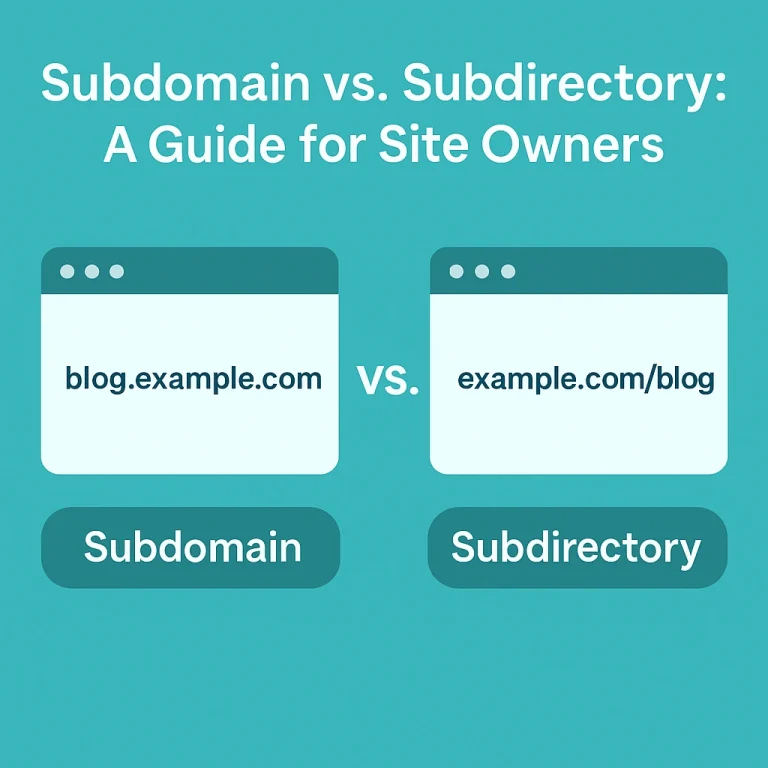
When you have a growing website, you might be faced with a question thrown up by the businessperson or developer managing the site as to whether the site should be extended as a subdomain or a subdirectory. Each of these has certain pros and cons that can have significant effects on how the site performs through its SEO, end-user experience, and future scalability. When business websites in Canada are concerned, choosing the best structure becomes a priority in achieving optimum performance and compliance. And even with subdomains or subdirectories, the technical foundation of your site is always strong, thanks to a reliable host like 4GoodHosting, one of Canada's best hosting companies. With this guide, you will learn what subdomains and subdirectories are and what advantages they offer, as well as what others try to pose in their search engines and when to decide on using one option over the other for your site. Understanding the Basics Before diving into a comparison, let's clearly define what each structure means. What is then a subdomain? A subdomain is actually a different segment of your primary website, one that generally operates independently from the main website, probably for the purposes of organizing different content types or targeting other groups. For example: blog.yourwebsite.com store.yourwebsite.com support.yourwebsite.com Each subdomain can have its own content management system, design, and even hosting configuration. It is often treated by search engines as a separate website. What Is a Subdirectory? A subdirectory (or subfolder) is a section of your main domain, The website consists of three subdirectories: such as: yourwebsite.com/blog yourwebsite.com/store yourwebsite.com/support Similar to having subdomains, all subdirectories are sharing the domain power and SEO value; hence it becomes easier to consolidate the ranking power of the entire website. Distinguishing Between Subdomains and Subdirectories As far as search engines and users are concerned, that is where the difference lies. A subdomain is treated as a separate site by search engines. A branch of your main site tree is referred to as a subdirectory. They both have the potential for organizing content; however, they differ in SEO implications, analytics tracking, and site administrative management. Benefits of a Subdomain : Subdomains are...

You may find this interesting too.
chatgpt image nov 7 2025 07 44 44 pm 200x300.webp

Selecting an appropriate web host is not just an important personal decision; it can also prove to be very critical as a business choice. The web hosting service becomes a silent engine that drives the entire online presence. Poor selection can lead to anything from slow and annoying websites to lax security that invites intrusions or lost sales by website servers. Good choice, however, makes speed efficiency, reliability, and growth available to businesses. For Canadian companies, the stakes are higher, and it is not negotiable when it comes to legal and privacy compliance. At 4goodhosting, we understand everything about the challenges faced by the Canadian digital space. We have compiled over decades the 10 must-consider conditions before signing a contract with any hosting provider. Forget all the introductory offer glitz. Here are the core things that really define if a hosting provider is partner or liability. Security & Compliance: Beyond the Firewall When it's primarily about prevention, security is important. However, for companies that either operate in Canada or use Canadian user data for business, one compliance with federal privacy law is mandatory. The PIPEDA compliant web hosting must embrace the commercial activity of private sector entities regarding how they govern the collection, use, disclosure, and transfer of private information. It will be unwise to ignore; it will shoot a legal risk. Your Host Should Be PIPEDA Compliant: A host that takes note of the application of technical safeguards as it best qualifies under PIPEDA is not a provider but rather, a compliance partner. This means that it must have solid policies regarding data handling-storage and breach response. 4goodhosting designs its infrastructure with these regulations in mind, giving you peace of mind that the engine room of your site meets Canada’s rigorous standards. Resources of Secure Canadian Data Centers Data Location On one side, PIPEDA doesn't talk about data localization, which would mean that a data set would only be stored in Canada; it really is a big plus to keep your data in secure Canadian data centers, and this entices many countries. Jurisdiction simplifies, almost always yields faster local access, and gives those Canadian customers a little more peace...

You may find this interesting too.
chatgpt image nov 6 2025 07 20 06 pm 768x768.webp

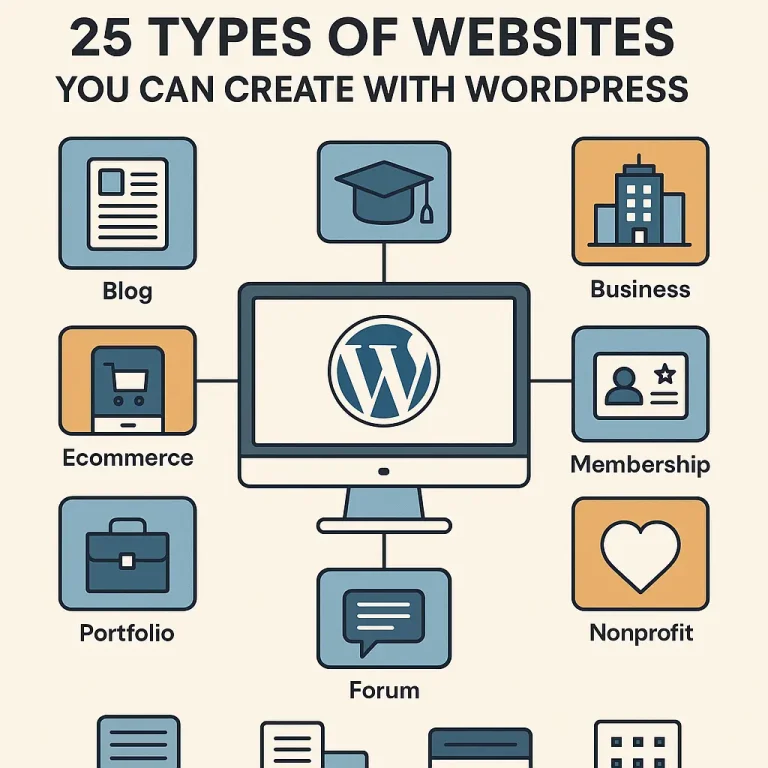
The most influential piece about your online presence in the vast world of the internet exists. There is absolute proof that an option meets all business needs whether a firm that has recently come up in Vancouver or a conglomerate with a global presence that requires a flexible and scalable website. What is nearly half of the internet? WordPress. So If you’re exploring different types of websites you can build with WordPress, it’s equally important to understand why this platform remains the top choice for small business owners worldwide. From affordability and scalability to SEO-ready performance and thousands of customizable themes, WordPress offers unmatched flexibility for business growth. To learn more about how it helps entrepreneurs expand their online presence, check out our in-depth guide — 10 Reasons Why WordPress is the Ultimate Growth Engine for Your Small Business — and see why WordPress is the foundation for long-term success. Now let's go into the what before we jump straight into the how. WordPress is extremely flexible with "n" number of customization possibilities, and it gives the user a platform, which is not just a template; it allows the user to design a website in any form. This guide covers 25 Types of Websites You Can Create with WordPress, combined with essential points concerning hosting considerations in Canada-as you will realize, it is the best fit for websites in a WordPress environment recommended by 4goodhosting. The Foundational 10: Essential Business and Content Sites Where most WordPress sites start and, quite frankly, where it shines, these sites are the cornerstone of the digital economy. Business & Corporate Websites Cheap, yet glossy online brochures. The only showcase for all services, values, history, and contact information—all companies, big and small, national or local, thousands of miles away from the Amazon rainforest or the Arabian desert—stand a chance. WordPress Advantage: Professional themes, easy integration with CRMs, and clear Call-to-Action (CTA) placements. Hosting Requirement: Site speed and very high reliability are name bearers. Dakshin IT may provide you with the best hosting solution for WordPress to ensure that business is always accessible. Professional Blogs The ultimate use-case for WordPress and still its favorite; a blog...

You may find this interesting too.
chatgpt image nov 5 2025 07 31 58 pm 768x768
reading time Reading Time: 9 minutes

Have you ever been scrolling through Instagram or Pinterest, watching travelers capture stunning vistas, quaint little cafés, and hidden gems around the world, when you thought, "Whew! I wish I could do that too!"? Here's the fact: You can. A travel blog is not just for the professional writer or influencer with a fancy camera. It is for anyone who loves to travel and would like to share their stories, experiences, and insights with the world. Whether it is to inspire others, document your adventures, or possibly turn this passion into a money-making business, starting a travel blog is something of the most gratifying creative task in the planet. But, for this to work out just fine, it takes more than just some wanderlust and a camera — It takes a proper strategy and tools, and most importantly, it needs a dependable web hosting service. This guide will walk you through every step of starting your travel blog, from deciding on your niche and setting up your website to finding great Canadian hosting for WordPress travel blogs — such as 4GoodHosting — so your site will be fast, safe, and fully compliant with Canadian privacy laws. Step 1: Define Your Travel Niche Before domains and hosting plans take over your thought process, start with clarity. The travel universe is huge and so are the opportunities. What will make your blog unique and attractive? A niche channelizes your content and helps attract a specific audience. Instead of trying to reach out to everyone, focus on one area you have the most to offer or one in which you have unique perspective to share. Here are a few examples to set the ball rolling for you: Budget Travel: Tips for seeing the world without going broke. Luxury Travel: Featuring five-star accommodations, fine dining, and other luxury experiences. Adventure Travel: For all your thrill-seeking endeavors: climbing, hiking, diving, and more. Family Travel: Guides for parents traveling with children. Cultural Travel: Insights into locals' customs, festivals, and their people. Eco-Friendly Travel: Travel sustainably and responsibly. Once you select your niche, make sure your blog name represents it and is catchy, relevant, and easy to...

You may find this interesting too.
chatgpt image nov 4 2025 08 41 17 pm 768x512.webp
reading time Reading Time: 8 minutes

There is never going to be any criticism warranted if someone needs to be putting together their business website on the cheap. In fact it’s quite understandable a lot of the time, and there are always plenty of new businesses coming into existence in scenarios where they need to be extremely judicious about where every penny goes with regards to their start up costs. One of the big advantages of choosing a WordPress website is that it won’t cost much to use the product, and with WordPress you can put together a fairly attractive and fully functional website that will do just fine for many business. If that’s the direction you choose to go in then the next step is going to be getting affordable managed WordPress hosting services. There’s a whole host of reasons why it’ll be best to do that. One is that you’re going to be very busy taking care of everything that comes with starting a business and getting it up, running and profitable sooner rather than later. Then there’s also the fact that better search engine rankings are going to play a BIG part in the profitable part of that equation. Higher SERPS mean a much greater chance you’ll have new customers both finding you and making purchases of whatever it is you have to offer - goods, services, whatever. What’s also good is that that there is Local managed WordPress hosting for Vancouver, Toronto, Montreal and other big cities in Canada. That’s where many of these new businesses will be located, and looking to have maximum visibility with potential new customers in these areas. Local hosting is always better for that aim too, and in large part because the server requests are always going to be answered very quickly if the web host’s servers are nearby. As they will be if it’s local hosting, and so choosing to go with managed hosting from a local host is going to make so much sense for businesses that want the entirety of what’s needed taken care of for them and having pages load quickly when these new would-be customers find the website and then enter it...

You may find this interesting too.
chatgpt image nov 3 2025 06 55 45 pm 768x512

In the fast-paced world of digital assets today, your website is more than an online business card; it is essentially an integral part of the brand's digital visage and is equally important for trustworthiness and credibility. Everybody — customers and clients or partners alike — is depending upon it to interact, trust, and transact with your brand. Keeping a website secure is no longer a best practice; with hacks proliferating, it is a necessity. From malware to phishing attacks and brute-force intrusions to data breaches, hackers seek their prey. They zoom in on any and every vulnerability in every conceivable nook and cranny. A single weakness exploited can incur adverse outcomes such as data loss, monetary harm, or a sullied reputation with incalculable consequences. For those running WordPress sites, exploring 10 WordPress Security Plugins You Can Actually Trust can be a game-changer in minimizing such risks and fortifying your website’s defense mechanisms. On the plus side, protecting your website does not require a Ph.D. With the right combination of security tools, implementing proactive practices, and having a trustworthy hosting provider as your ally, you can build formidable defenses against attackers trying to bring down your site and harm your visitors. In this post, you will find 22 tried and trusted methods for website security, ensuring that whether you are running a small business website or a WordPress blog, they will secure your digital assets, thus contributing to building online resilience. Work with a Trusted Web Hosting Provider The security of your website begins with the basics-got to ensure a good host. It really doesn’t matter how many security plugins you have; if the host is insecure, then the site will remain vulnerable. A trusted host like 4GoodHosting gives you secure Canadian web hosting with backups and guarantees that all your data will stay on Canadian soil and protected under strong national privacy laws. This will not only ensure your compliance with local data regulations but also result in fast performance and uptime reliability. A reliable web host does not merely offer server space; it also extends protection. With daily backups, DDoS mitigation, firewall defenses, and malware monitoring, 4GoodHosting protects your...

You may find this interesting too.
On This Page G
Explore 4GOODHOSTING
Copyright © 2026 4GoodHosting. All Rights Reserved.
.CA by CIRA
+1 866 708 4678