
4GoodHosting
Live Help
24/7 Support
4GoodHosting Canada 1 866 708 4678
Blog Menu G
Search
Categories
m
m

Category: WordPress

chatgpt image nov 11 2025 10 28 41 pm 768x768.webp

By the year 2026, having a website is almost useless unless it is tailored to the specifics of the digital world: fast loading times, secure with a combination of various defenses against attacks, and complete adherence to the reshuffling privacy laws. For millions of businesses operating on WordPress, this need becomes a constant call for functionality improvement without much increase in overhead. The exciting part? Within this broad repository of free WordPress plugins lie many tools that can enable a rank beginner to quickly turn their website into a full-fledged-performing professional digital asset. But with more than 60,000 plugins available, the battle is with finding the ones to really rely on for the modern web. You want those geared for speed, tested for security, and compliant when it counts. Here comes your grooming guide. We will show you in detail which of the 50+ most useful free WordPress plugins, sorted by function, we have tested and compiled for your site to give your business the edge in competition as it stands today. We shall show you the tools you will need to optimize SEO, secure your site, and provide an exceptional user experience-all while being gentle on your budget. Security & Maintenance: The Unshakeable Foundation Cyber-attacks against websites are constantly changing. In 2026, security is no luxury but a bare necessity. One breach that leaks sensitive information, and a small firm's name, can be buried through damage to its reputation before it even has time to recover from the costs of the shutdown. One good thing is that there are several free plugins that manage protection on an industrial scale. Firewalls, Malware Scanners, and Intrusion Prevention : Your website needs proactive defense. These plugins act as digital bouncers, blocking malicious traffic before it ever reaches your core files. Wordfence Security: The gold standard for a reason. Its free version offers a robust firewall (Web Application Firewall) that blocks threats like brute force and SQL injection attacks, along with a malware scanner that checks core files, themes, and plugins for infections. Sucuri Security: An excellent companion tool. While Wordfence excels at server-side protection, Sucuri focuses on website integrity monitoring, file change...

You may find this interesting too.
chatgpt image nov 6 2025 07 20 06 pm 768x768.webp

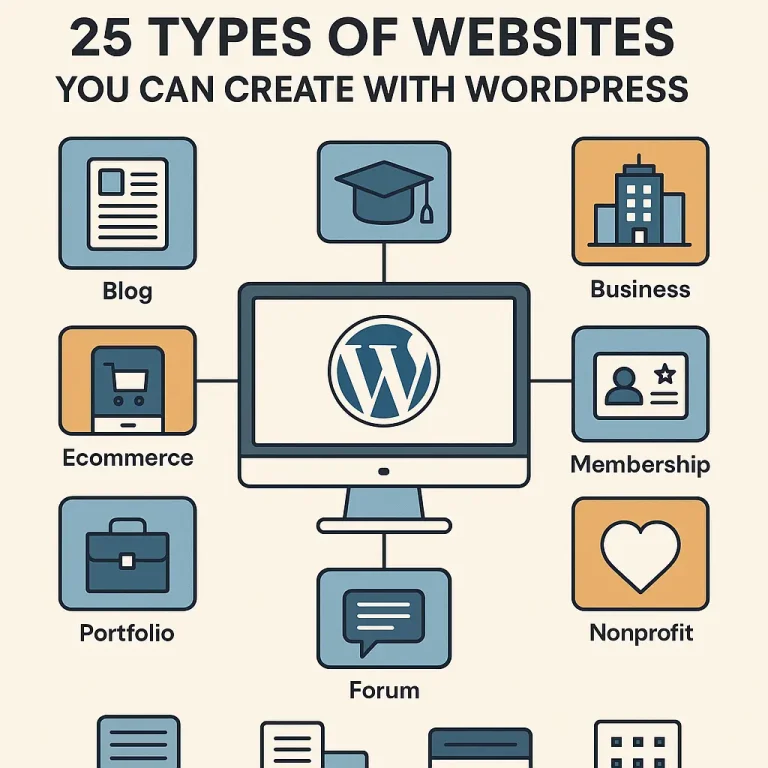
The most influential piece about your online presence in the vast world of the internet exists. There is absolute proof that an option meets all business needs whether a firm that has recently come up in Vancouver or a conglomerate with a global presence that requires a flexible and scalable website. What is nearly half of the internet? WordPress. So If you’re exploring different types of websites you can build with WordPress, it’s equally important to understand why this platform remains the top choice for small business owners worldwide. From affordability and scalability to SEO-ready performance and thousands of customizable themes, WordPress offers unmatched flexibility for business growth. To learn more about how it helps entrepreneurs expand their online presence, check out our in-depth guide — 10 Reasons Why WordPress is the Ultimate Growth Engine for Your Small Business — and see why WordPress is the foundation for long-term success. Now let's go into the what before we jump straight into the how. WordPress is extremely flexible with "n" number of customization possibilities, and it gives the user a platform, which is not just a template; it allows the user to design a website in any form. This guide covers 25 Types of Websites You Can Create with WordPress, combined with essential points concerning hosting considerations in Canada-as you will realize, it is the best fit for websites in a WordPress environment recommended by 4goodhosting. The Foundational 10: Essential Business and Content Sites Where most WordPress sites start and, quite frankly, where it shines, these sites are the cornerstone of the digital economy. Business & Corporate Websites Cheap, yet glossy online brochures. The only showcase for all services, values, history, and contact information—all companies, big and small, national or local, thousands of miles away from the Amazon rainforest or the Arabian desert—stand a chance. WordPress Advantage: Professional themes, easy integration with CRMs, and clear Call-to-Action (CTA) placements. Hosting Requirement: Site speed and very high reliability are name bearers. Dakshin IT may provide you with the best hosting solution for WordPress to ensure that business is always accessible. Professional Blogs The ultimate use-case for WordPress and still its favorite; a blog...

You may find this interesting too.
chatgpt image nov 4 2025 07 38 54 pm 200x300

Being a small business owner would truly mean facing an ocean of overwhelming decisions made in a day. From inventory to answering customer calls, every hat is on your head in the company. So when the time comes to create an online presence, the last thing you wish for is another complicated decision. You're looking for something powerful, affordable, and easy to use. This is where WordPress comes into play. There's no longer significant blogging; rather, it's over 40% of the entire internet. But before we really explore the advantages of WordPress, it's time for a very important step: If you’re still wondering whether investing in a professional website is worth it before choosing a platform like WordPress, it’s essential to understand the real value a website brings to your business. From establishing credibility and reaching more customers to improving conversions, having an online presence is no longer optional—it’s a necessity. Before diving deeper into WordPress benefits, explore our detailed guide on why your business needs a website right now to see how a well-built site can transform your growth and brand visibility. Now that we have established that your business must have a website, let's look into the 10 non-negotiable reasons as to why WordPress should be the base upon which you build it. Unmatched Cost-Effectiveness Let's face it: when it comes to a small business, the budget will almost always be paramount. Every dollar really needs to count. The basic software of WordPress is 100% free and open-source. This is an enormous but underappreciated advantage. You would save thousands of dollars that any proprietary platform or custom development firm would charge for licensing fees. This allows you all to channel those funds for other purposes within the business, like promoting or stocking up on merchandise. You would still need to have a domain name, and naturally, hosting is necessary, yet all of these, compared to what else is out there, are a very low entry cost. You're essentially getting access to a world-class platform-for-free. That's precisely why WordPress has become the actual affordable website builder for small business success. You're getting a platform capable of handling complicated e-commerce...

You may find this interesting too.
chatgpt image nov 3 2025 06 55 45 pm 768x512

In the fast-paced world of digital assets today, your website is more than an online business card; it is essentially an integral part of the brand's digital visage and is equally important for trustworthiness and credibility. Everybody — customers and clients or partners alike — is depending upon it to interact, trust, and transact with your brand. Keeping a website secure is no longer a best practice; with hacks proliferating, it is a necessity. From malware to phishing attacks and brute-force intrusions to data breaches, hackers seek their prey. They zoom in on any and every vulnerability in every conceivable nook and cranny. A single weakness exploited can incur adverse outcomes such as data loss, monetary harm, or a sullied reputation with incalculable consequences. For those running WordPress sites, exploring 10 WordPress Security Plugins You Can Actually Trust can be a game-changer in minimizing such risks and fortifying your website’s defense mechanisms. On the plus side, protecting your website does not require a Ph.D. With the right combination of security tools, implementing proactive practices, and having a trustworthy hosting provider as your ally, you can build formidable defenses against attackers trying to bring down your site and harm your visitors. In this post, you will find 22 tried and trusted methods for website security, ensuring that whether you are running a small business website or a WordPress blog, they will secure your digital assets, thus contributing to building online resilience. Work with a Trusted Web Hosting Provider The security of your website begins with the basics-got to ensure a good host. It really doesn’t matter how many security plugins you have; if the host is insecure, then the site will remain vulnerable. A trusted host like 4GoodHosting gives you secure Canadian web hosting with backups and guarantees that all your data will stay on Canadian soil and protected under strong national privacy laws. This will not only ensure your compliance with local data regulations but also result in fast performance and uptime reliability. A reliable web host does not merely offer server space; it also extends protection. With daily backups, DDoS mitigation, firewall defenses, and malware monitoring, 4GoodHosting protects your...

You may find this interesting too.
chatgpt image oct 31 2025 06 30 30 pm 768x768

Your WordPress website being lost is indeed a worst-case scenario since time and energy worked on it may all dissipate in a matter of moments, along with customer information and the platform that supposedly sustains your business. Be it a hack, an error in plugin updates, a server crash, or merely human error, all it takes is one click for disaster to strike a WordPress installation. This is no meant to frighten you; it is just a fact. Given this reality of digital life, the most important thing you can do for your website is to ensure that there is a good backup system in place. Your backup is your digital lifejacket; pull that cord the second your ship begins to sink. In 2025, facing worse and more advanced threats, simpler days of WordPress will never work; what you need now are tools that are smarter, automated, and easy to use. This is especially vital when using PIPEDA compliant WordPress hosting to ensure the protection of Canadian customer data We have dived deep into the latest features, pricing structures, and user reviews to bring you the ultimate list of 15 Best WordPress Backup Plugins in 2025. This guide will help you find the right digital life vest so you can restore your site with the least fuss and zero panic. The True Heavyweights (The Gold Standard) These are the market leaders for a reason. They offer the most comprehensive features, reliability, and support. UpdraftPlus Why it is a winner: With millions of active installations, UpdraftPlus has continued to remain ever since the most trusted of WordPress backup plugins worldwide. The free version is filled up with powerful features that include scheduled backups and one-click restoration, with integrations for popular cloud storage providers such as Dropbox, Google Drive, and Amazon S3. The Premium version takes the plugin far beyond offering incremental backups, automatic backups prior to plugin or theme updates, multi-site support, and priority expert support. Whether you're a complete newbie or a professional managing several WordPress websites, you will find UpdraftPlus exceedingly trustworthy and convenient. With its brightly laid-out dashboard and flexible settings, backup should be a breeze. Key Features:...

You may find this interesting too.
chatgpt image oct 30 2025 07 08 28 pm 768x768.webp

The correct question in today's digital-first economy is: "How quick can I get my professional and secure hosting set up locally?" For small and mid-sized enterprises in Canada, establishing a credible online presence is an engine for growth and sustainability. From a corner bay in Toronto or a tech hub in Vancouver, or even a remote community in the Maritimes, you are literally everywhere with your customers surfing the internet seeking more products or services. If you are not there, then you cannot be found. A website is thus more than a digital brochure; it is your business outlet, your tireless salesman, and your primary customer service officer, all rolled into one, and this is the basis of your digital marketing strategy. We understand the unique challenges that Canadian businesses face and the legal environment in which that business operates. Hence, here at 4GoodHosting, we stress having a very strong online home base; it must, however, be fast, extremely secure, and compliant with Canadian laws. Why wait in making your digital launch the biggest mistake a business can make? Examine those nine compelling reasons your business needs a website TODAY. Instant Credibility and Professionalism Consider two typical Canadian SMEs. The first business is all social-media pages. It looks good but feels a little temporary and somewhat scattered. The second company is on a custom domain name and has professional email addresses. It has an appealing yet straightforward website that shows what it does, who it's team is, and what they're on mission about. Which one would you think is worthy of large purchases? By instant credibility and professionalism at every www.yourbusinessname.ca custom web site is: That it says to possible customers, suppliers and potential workers that you are serious about being reputable and getting the job done. It's digital equivalent of a well-maintained office space. With it, you might even look a little amateurish or worse, non existent. Your Digital Storefront Is Always Open. Unlike brick-and-mortar stores with set opening hours, a website never sleeps. On a broad basis, a customer from St. John's browses your products at 2:00 AM. On Christmas day, someone in Calgary fills out a service...

You may find this interesting too.
chatgpt image oct 29 2025 06 37 22 pm 200x300.webp

Are you always thinking about your next meal? Do your friends always hit you up to ask for your one amazing recipe? Are you the one who is notorious for photographing their dinners before they've even touched the food? If you said yes to all of them, you were probably born with the soul of a food blogger. Food blogging might seem terribly like such an overdone environment. However, there are those star-like exceptions that create a real hunger in the world for true voices with gorgeous visuals and, mostly, delicious food. People want your real story, your honest personal touch, and your fervor for everything on your plate. It's not only sharing recipes; it is about defining your brand, reaching out to a community, and yes, establishing an online presence. This guide is your must-have first step for the lunch prepared for the culinary journey. I will guide you through the list of steps that are really out there and work on how to start your blog so that it becomes truly successful with human input. Step 1: Defining Your Unique Flavor – Niche and Voice The most essential first step within the bigger picture is to carve out your niche. This is a guarantee that any brand/entity or publisher/marketer fails if it tries to do everything that food blogs do. Niche Identification. Rather than including just a "recipes" tab, try to get more specific. Think about the meeting point of things you are crazily passionate about and things people are genuinely searching for. An idea of a semi-Canadian blog would be a stepping stone enough, but you could go even deeper: Actual Regional Focus: Are you in the Maritimes? Kelp and oysters and molasses and brown bread and anything else sea-related in the east or north end; there’s a sea of cool stuff in the Marian and Saint John River Basin. Are you in the Prairies? Dive into grain-based cooking, support local farmers' markets, and take in some bison or elk. The more hyperlocal you get, the closer you’re to being the ultimate authority. Themed Cuisine: For example, you might specialize in "Weeknight Vegetarian Meals for Busy Canadian...

You may find this interesting too.
chatgpt image oct 28 2025 06 22 02 pm 768x768.webp

Fast-forward to the year 2026, and the world of SEO has evolved into something stricter and even more competitive than before. For any serious owner of a website, particularly if it's built using the cutting-edge power plant WordPress, a sound SEO strategy is a prerequisite. Winning Google and bringing in organic traffic requires two ingredients: Top-Tier WordPress Plugins for SEO and SEO-friendly hosting for Canadian businesses. This guide is going to introduce in-depth the essential software that is going to give your WordPress site a competitive advantage, alongside highlighting why the choice of the best WordPress hosting in Canada, further backed by a provider of like 4GoodHosting, is really the foundation and the best first step for success. Unbeatable Trio: Foundational SEO Plugins This is how your on-page SEO strategy begins, with one of these three all-in-one powerhouses that do all the core things: meta titles, descriptions, sitemaps, and content analysis. Here is the most crucial choice to be made for your SEO framework. Rank Math SEO With its modular design and extensive feature set (even in the free version), Rank Math had rapidly become the darling of WordPress power-users. It aims to end the proliferation of multiple plugins by packing many advanced features directly within it. Key Features: Multiple Keyword Optimization: Analyze and optimize your content for an astonishing five focus keywords for every single post (at least in the free version), which is a fantastic competitive advantage. Inbuilt Schema Markup: Does not require a separate plugin to add structured data for rich snippets such as FAQs, Articles, Products. 404 Monitor and Redirection Manager: Track and fix broken links and 404 errors directly from your dashboard, a vital technical SEO component. Content AI: An AI-powered suggestion tool that analyzes your content against top-ranking pages to provide actionable, data-driven optimization tips (Premium feature). Yoast SEO A true pioneer in the WordPress SEO space, Yoast SEO remains trusted and solid for users-the perfect tool for content quality and readability, making it most suited for bloggers and content marketers. Key Features: SEO and Readability Analysis: Testing boasts a real-time blend by means of its famous traffic-light system that will enable users to...

You may find this interesting too.
chatgpt image oct 22 2025 06 05 25 pm 1 768x768.webp

Looking for a Canada GoDaddy replacement? You are not alone in this. Many Canadians start their websites with well-known global service providers but tend to face problems as the site grows: soaring renewal hikes, sluggish speed for Canadian audiences, data-sovereignty issues, and costs for benefits that should come standard with every package. This is where 4GoodHosting becomes a very solid option - a GoDaddy alternative in Canadian internet hosting with local performance, legally strong compliance, and long-term value. This review delves into how 4GoodHosting is gradually emerging as one of the best GoDaddy alternatives for Canadian businesses by 2025 onward. Why Considered 4GoodHosting as a GoDaddy Alternative in Canada For a long time, most people have relied on GoDaddy because it seemed easily manageable — everything from domains to hosting is available under one account, along with sweet discounts for the first year. But renewal dates beckoned, and as websites matured, people realized they needed something better in the future-something with real value, quicker support, and honorable pricing. This awareness compelled several Canadian businesses to search for a credible alternative to GoDaddy, while 4GoodHosting emerged as an interesting contender in quick time. This is why millions of website owners are moving on and recommending it to others going through the same challenges: Transparent and Affordable Pricing: GoDaddy's starting prices looked good at the beginning, but then the renewal time came, and suddenly they shoot up significantly, and the add-ons begin to pile on. 4GoodHosting, on the other hand, keeps pricing straightforward and affordable, even after the first year. What you see is what you pay, and most essentials (like SSL certificates, backups, and domain privacy) are already included in the base plans. No hidden surprises — just honest, Canadian-based value. Everything You Need — Without Extra Fees: One of the biggest issues with GoDaddy was paying extra for basics like email, SSL, and website backups. These are features every site should have from the start. With 4GoodHosting, there’s no need to worry about those hidden costs. The plans come packed with the essentials, allowing businesses to focus on running smoothly—not chasing add-ons. A Clean, Intuitive Dashboard : The GoDaddy dashboard...

You may find this interesting too.
chatgpt image oct 21 2025 06 58 15 pm 768x768.webp

When searching for web hosting options, most people finally see Invisible Bluehost. It is always floating around- endorsed by WordPress, and the promotional prices are difficult to ignore. But this does not make it the best choice for "popular" Canadian businesses, developers, and serious traders. For a myriad of reasons, among them extremely high renewals, inconsistent client support, or simply due to a Canadian being a business, or infrastructure-of-some-type, many users find themselves looking for a reliable alternative to Bluehost. If you want web hosting, especially for a performance-heavy WordPress instance, or a sufficiently reliable sub-200 millisecond latency infrastructure for specialized applications (like Forex trading or similar), you should be going with 4GoodHosting directly. The spunky, Canadian provider is truly unique in its powerful, local-oriented, and privacy-compliant hosting environment, which far exceeds the token lists of minimum features provided by the many other global players. This document will detail all of the reasons why, therefore, 4GoodHosting is your best alternative to Bluehost hosting in Canada: high performance, excellent privacy compliance, and custom solutions. Canadian Focus: The Definitive Best Bluehost Alternative in Canada For any website or business in Canada, hosting in a Canadian data center is often not an option but rather an absolute must. While Bluehost is a behemoth in the hosting space due to its primacy in the United States, 4GoodHosting, which has multiple Canadian data centers (such as Vancouver and Toronto) has several key benefits to getting your hosting in a data center located in Canada: Increased Speed and Performance via Lower Latency The distance data must travel has a huge impact on the speed of loading a website. This measure of time is called latency. The farther your data center is from your intended audience, the larger the effect it will have on every action that is occurring, whether it’s a visitor viewing the page or when completing a transaction. Local Connectivity: 4GoodHosting provides Canadian servers, guaranteeing the lowest latency possible for any visitor in Canada. This allows for extremely fast page-load time, significantly increasing user experience, minimizing bounce rates, and improving overall Search Engine Optimization (SEO) ranking. Targeted Audience: If your business is focusing on...

You may find this interesting too.
On This Page G
Explore 4GOODHOSTING
Copyright © 2026 4GoodHosting. All Rights Reserved.
+1 866 708 4678