Blog Menu G
Search
Categories
m
m

Category: WordPress Hosting

chatgpt 7 768x512.webp

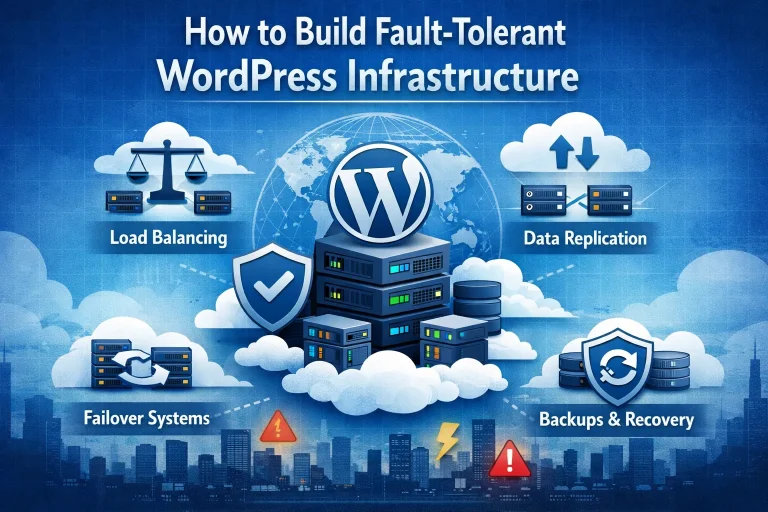
The appeal of creating a small business website with WordPress is always going to be centered on the simplicity and cost-effectiveness of using the platform. You’ll be paying immeasurably less than what you’d probably need to give to a web designer to have them build your website, and it’s really quite simple to build it yourself with WordPress. But it’s one thing to put a site together and another to have it build to the extent that you can always rely on it to be fully functioning and best serving your online business interests. A lot of having that consistent performance will be tied into high availability WordPress hosting, and it’s also good to know how to build fault-intolerant WordPress infrastructure. So that’s what we will look at with this week’s blog entry here. At any given time there’s a whole host of people who are putting together a WordPress website for the first time, and it may well be that some of them are having their website hosted by us here at 4GoodHosting. If that’s the case then we need to stress the superiority of Managed WordPress hosting for fault tolerance, as there are all sorts of areas where you’re safeguarded if you have website optimization taken care of for you. Part of receiving this service is having your host conduct regular site overviews and checking for any instances of sub-par performance or component failures. Starting at the the start it may be necessary to define what are WordPress faults and what it means to have fault tolerance for your website. These faults are everything from connection errors to slow speeds, 404 errors, and the colloquially well-known ‘white screen of death’ that can occur if a WordPress site has any type of code that becomes misconfigured after it was initially created. High availability WordPress hosting means there is less of a chance of that happening, but if you’re going to take on these issues yourself you’ll need to be proficient with debugging tools, component deactivation, and / or knowing how to increase memory limits. Tall order for some, so what’s best is to build your infrastructure to be fault-tolerant...

You may find this interesting too.
canadian vps hosting bg 768x411

Regularity is important with a lot of aspects of running a business online, and when it comes to content marketing and publishing quality content it is definitely something where it’s best to be uploading content at the same time each week. This type of consistency does factor into having better SEO for your site, and when you have a small Wordpress business website then coming up higher in SERPs with your customer base is a clear necessity. In a lot of ways the viability of your business will depend on it, especially if you are in the online retail space. The WordPress Cron system is a built-in mechanism for handling scheduled, time-based tasks and webmasters will want to be pairing it with the best hosting for WordPress cron jobs. Much of the time the answer for that will be to go with VPS hosting, and that’s because of all the many performance-enhancing benefits that you get with a virtual private server. There’s no sharing of resources as will always be the case with shared web hosting, although it’s fair to say that shared hosting will be sufficient for a lot of people who have their WordPress site for a small side venture or something of that sort. But if you’re in business and you want to make sure your site can handle changing requirements - including traffic spikes - then it’s going to better to have VPS hosting for WordPress automation. Being consistent with your publishing and ensuring it adheres to a regular timeline does require some measure of focus, and for a lot of small business owner’s that something that is spoken for in large amounts. They’re busy, and so taking advantage of WordPress cron makes a lot of sense. Further along the line of having everything taken care of for you it’s at this point that we suggest going with managed WordPress web hosting. It’s shown itself to be a really popular option for people that want to have the peace of mind in knowing that all aspects of site optimization are being handled by the web hosting provider. Indeed, managed WordPress hosting performance is almost always going...

You may find this interesting too.
chatgpt 3 768x512.webp

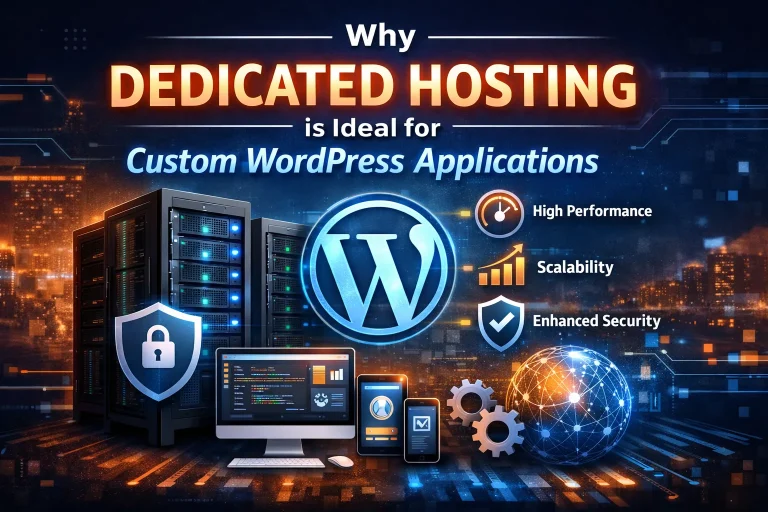
Put the time and effort into making your WordPress website have the superior functionality and ‘pop’ that you want from it and you’re going to want to make sure there’s nothing that’s going to take away from it. By and large there shouldn't be, but as is the case with a website of any type there can be instances where the bandwidth made available based on your type of web of hosting can be insufficient. Shared hosting is probably going to be fine for the average small business with a basic WordPress site, but if you’ve chosen to have custom applications making your site better then dedicated hosting for WordPress is probably going to be a more suitable choice. It really will depend on the scope of your business and to what extent you are relying on your website to bring new customers into your sphere and contributing to your profitability. Your operating budget will be a factor too of course, as having a dedicated server means you will be paying significantly more for web hosting each month. However, if that level of service reliability and the assurance that you site ALWAYS has everything it needs for optimized function then it is usually money well spent. Most folks these days get a significant amount of new business coming to them through their website, and this is overwhelmingly true if they’re in online retail. Many such retailer will have a WordPress business website, and if that’s the case for you and you have a site that has a more detailed makeup then you want to be looking for the best hosting for custom WordPress applications. We have that here for you at 4GoodHosting, and as you’d expect with us we have the best mix of reliability and affordability for anyone who needs hosting for their website in Canada. It’s a favorable scenario for a lot of people, as WordPress makes it possible to have a basic yet functional and attractive website without having to hire web developers and the like. Small business owners can then take those savings and redirect them towards Enterprise WordPress hosting and the ability to have a...

You may find this interesting too.
chatgpt image dec 8 2025 07 30 15 pm 200x300

It’s so very true that wholesale changes can take place in a very short period of time, and the way social media has altered the landscape of marketing is a really good example of that. The ‘social’ aspect it may be something that’s more pertinent for younger generations, but even if you’re the furthest thing from young but in business of any sort you need to be onboard with social media marketing. All of you are going to have a website for your business, as that’s been a necessity for 2+ decades now. If you are active on social these days the data on click-throughs are going to show you that so many of the people that arrive at your homepage do so through a link on social media. This is in part why Canadian managed WordPress hosting for small businesses. That’s assuming you have a WordPress website for your business, but that’s true for a lot small businesses in Canada and it often makes sense as it’s a cost-effective means of putting together as simple yet fully functional and attractive website. Often times these business DIY webmasters are going to be very open to getting additional included help for optimizing their website, and it’s for that reason too that Toronto managed hosting for bloggers and brands will be a good choice for anyone in Canada’s biggest city who’s looking to get the most of their active involvement in social media for business. The same can be said for Canada’s other big city and Vancouver managed WordPress hosting for social media sites. With managed hosting your hosting provider will take care of most of the small details that will have your site coming back higher up in SERPS - search engine results pages - and that works well in conjunction with having other site visitors arriving via a social media platform. SEO is a broad and very worthwhile topic of discussion for improving any business website’s visibility with would-be new customers, but what we’ll focus on exclusively with this blog entry is the social media end of it and what are the best social media sharing plugins for WordPress websites....

You may find this interesting too.
chatgpt image dec 3 2025 08 19 05 pm 768x512.webp

A WordPress website should be built exactly so without having the feel of acquiring a new language. Yet so many Canadians get stuck right from the instance they enter the WordPress dashboard. There are menus going everywhere, settings are hidden in different tabs, and the theme editor bears no resemblance to the actual website. That explains why page builder plugins took the market by storm; they empower regular, non-technical people to create beautiful and professional websites without writing even a single line of code. And as of 2026, these builders are now smarter, faster, and easier to use for beginners than they have ever been. Tools work great, but not better without reliable hosting. The best performance of every website explained in this guide is backed by solid infrastructure: WordPress Hosting Canada or VPS hosting Canada for WordPress websites from companies like 4GoodHosting. Let's dive into page builders that actual Canadians are using in 2026: why they like them, and which may suit your personality. Why Page Builders Matter More Than Ever in 2026 The last couple of years has brought a lot of change. More businesses went online. More creators launched side hustles. And more civilians than ever are taking the matter into their own hands and building their own websites, rather than hire a developer. Page builders take these processes and make them simpler. They let you: Design visually (what you see is exactly what you get), Drag and drop elements, Start from beautiful templates, Create pages without touching HTML or CSS, Make quick changes anytime you want. For Canadians, independence happens to be the biggest plus. No more waiting for a developer to update your banner or change your headline, or fix a spacing issue. You can take care of it in seconds by yourself. Let us now take a look at the enabling tools. Elementor Pro Suppose a person is setting up his or her WordPress site in 2026 in Canada, and he or she does not have any technical knowledge about the platform. In that case, there is a 70% chance this person is using Elementor, owing to its speed, simplicity, and gratification it gives...

You may find this interesting too.
chatgpt image dec 1 2025 06 53 08 pm 1 768x768.webp

The only situation where a business isn’t going to need to be entirely preoccupied with better search engine rankings for Google and other engines is if they are so reputable and well-established that they’ve got no shortage of loyal customers for the long foreseeable future. Sure, there are some businesses that have such a situation for themselves but they tend to be few and far between. Many businesses haven’t been around long enough to have built that kind of a name for themselves, and there’s also others who’ve been around plenty long but still need to be pushing as hard as possible for new customers or clientele. So having a website that ranks higher is important, and managed WordPress hosting for SEO can help with that. That’s because with managed hosting your website SEO optimization is a part of what’s taken care of for you, and really one of the bigger advantages of paying for managed hosting. There are other big pluses too, and if you’ve got a WordPress website for your business but a thousand and one other things taking up most of your time then it may be advisable to pay a little more for managed web hosting. It can be good to know that your site is optimally hosted and will be getting maximum results from search engine results when you choose to go with this option. Secure managed WordPress for Canadian business often makes a lot of sense. People who will consider having this type of web hosting for their site will also be likely to put a priority on Canadian secure hosting too. No business wants to have any chance of customers having their sensitive information leaked to those with bad intentions in the event of a cyber security breach or anything similar, and with that in mind it’s good for website owners to know that improved website security is also a part of what you get with managed hosting. Even if you don’t have it you’re still going to need to have SSL certificates installed for your site if you are selling anything with the option for customers to make those purchases using credit...

You may find this interesting too.
chatgpt 7 768x768.webp

The most obvious question about technology, as a matter of course, is, "Will AI take web developers' jobs?" [This is also why many people search for Will AI Replace Web Developers (And How Should You Adapt)?] A pretty substantiated question, but we can witness huge software codes generating itself and builders doing intelligent development more than ever before or, into the future, futuristic-looking tools, great boring jobs-ChatGPT, GitHub Copilot, Claude, Cursor, and all those AI site builders. But fact remains AI is changing web development, but not in a time when web developers will suddenly find themselves replaced by the new kid on the block. Certainly not in the nearer future, and definitely not for those willing to change. This is the Age of AI, and lucky enough, it has been closely following the pattern of the technology revolution, in which vehicles took over horses. Initially, there was a whole lot of panic amidst the scribbles of newspaper editorialists, but instead of actually "destroying" transportation, the automobile has been rather successful in redefining it, by creating a plethora of new jobs, new industries, and more. AI does to web development nowadays. Now, this post will discuss AI benefits and downsides and how developers (and agencies) can go with the social change by updating their strategies, mindsets, and tools. This shift also increases demand for best web hosting Canada for AI-powered websites. Section 1: How AI Is Transforming Web Development Direct-and- obvious, though. AI has proved itself: it has phenomenal capacity in performing some tasks. Automation of repetitive tasks: Work that would have taken several hours shrinks to a few minutes. Some of the areas of work involved in automated tasks include: Writing boilerplate codes Creating CSS layouts Generating components Bug fixing Running tests Writing documentation I even created a content scheduling tool for making the calendar, and normally I would spend six hours to eight hours on it, but two hours later, with AI-based development, I had my first working version-all productivity boost, no real replacement skill. Faster than human code writing. Modern tools can in a few seconds create full-fledged live applications in HTML, CSS, Javascript, or WordPress plugins....

You may find this interesting too.
chatgpt 6 200x300.webp

For the first time in history, more people would be working for themselves, not because working for oneself is so much easier, but it is freer. Whether you are an introvert who thrives behind the screen, a creative who loves bringing ideas to life, or a hustler who wants to build something meaningful, solopreneurship lets you earn on your terms. From online services and cool gigs up to scalable online business ideas, you can start to build your very own laptop-based operation that can make big bucks for one person. And yes- right, because with the right tools, more likely the right web hosting, pretty much every online business is going to run practically overhead-free. Guide viands you through: 33 most-actionable ideas for business Real examples & case studies Tip-for-step actions to get rolling Smart tips to pick the best host for solopreneurs: Canadians Internal linking suggestions to strengthen SEO A powerful CTA at the end If you’re exploring creative solopreneur business ideas and have a strong or expressive voice, voice work could be a perfect fit. From audiobooks and podcasts to YouTube narration and voiceover gigs, there are many ways to turn your voice into a profitable asset—without needing a big team or complex setup. In fact, using just a basic home recording space and your natural talent, you can launch a rewarding side hustle or full-time career. For actionable steps and trusted platforms to get started, check out our detailed guide on " How to Make Money With Your Voice: Full Guide (+ 9 Top Sites) ". It’s a must-read for aspiring voice entrepreneurs. Solopreneur Business Ideas for Introverts For those who like silence and prefer quiet, focused work while requiring minimal social interaction: the potential for earning a lot remains huge. Freelance Writing Considerately one of the easiest and most flexible solopreneur paths, all you really need for freelancing is a laptop and writing skills. You can write blog articles, email newsletters, website copy, or specialized writing in finance, health, or real estate. You'll find lots of platforms from Upwork to Fiverr to LinkedIn to help you find clients without having to do the sales-calls. Case study:...

You may find this interesting too.
chatgpt image nov 24 2025 08 59 14 pm 768x768.webp

There are all sorts of examples in life where there’s much to be gained if you know how to coax someone into volunteering valuable information. If you’re a service-oriented business of any sort then this really applies to getting leads for new business submitted through your website, and lead capture is how this is done. Many smaller businesses will have a WordPress business website and if that’s the case for yours and you are a service provider then you will want to be taking advantage of site plugins of all sorts. But lead capture plugins in particular as they will make it more likely that someone who’s expressing interest in purchasing your services makes themselves know to you. Managed WordPress plans with automatic backups will also be a better choice if you have these plugin types in place, and that’s because there’ll be less chance of submitted data being lost in the event it is entered into your site before you’re able to view / collect it. Automated backups for a website are very beneficial and they’re just one of many benefits you gain when the entirety of your website maintenance and optimization are handled for you with managed web hosting. And Canada-bases hosting will be better too if you’re business is operated out of this country, and especially if the nature of your business means the bulk of your client base will be local. We’ve talked about why local web hosting is important before here, and with a real focus on how web pages load faster when the servers are closer to the sources of the requests. A fast loading home page is a huge plus for retaining potential customers no matter what type of online business you have, and it’s also conducive to having people be more likely to fill out forms where they establish themselves as a lead. Someone who may become a customer for you in the near future. There are different ways of making that submission available for them, and forms, popups, and funnels are the most common of them. So what we’ll look at with this week’s blog entry are the top lead capture...

You may find this interesting too.
chatgpt image nov 19 2025 07 43 12 pm 200x300

WordPress site migration to a new hosting provider can be scary if you have never done it before. Data loss, site breakage, or unexpected downtime are some fears that creep in. But once you move to 4GoodHosting Managed WordPress Hosting, everything is made simple, secure, and surprisingly easy. If your current hosting environment feels slow, unstable, or outdated, a managed hosting platform can drastically improve your website's speed, stability, and overall efficiency in the long run. The guide takes you through the whole process with 8 smooth beginner-friendly steps. You will learn about the steps to take before migration, the actual transfer of files and database safely, correct DNS setting updates, and checks to conduct once your website is up and running on 4GoodHosting. The step-by-step sections are clear and are detailed to ensure you know the how-and-why behind each of them. If you are still in doubt whether it's the right time to migrate or are intimidated about doing an independent migration, this guide should bring you all the clarity. Why Switch to 4GoodHosting's Managed WordPress Hosting? Before we dig into the step-by-step migration process, we must understand why thousands of businesses, bloggers, and agencies are upgrading to Managed WordPress Hosting-with 4GoodHosting, in particular. Managed hosting entails much more than simple server space. It gives you a fully optimized WordPress environment with performance, security, and stability prioritized based on intelligent automation and expert support. What separates 4GoodHosting from the rest? Lightning-Fast Speed The servers are fully optimized for WordPress, which means your pages load quickly even during traffic spikes. Features like server-side caching, CDN integration, and optimized PHP versions ensure users enjoy a smooth browsing experience every time. Advanced, Proactive Security You’re protected around the clock with: malware scanning firewalls automated threat detection brute-force protection real-time monitoring These layers minimize your risk of attacks and vulnerabilities. Timely Automatic Backups: You won’t need to worry about losing data ever again. Backups are performed automatically on a daily basis, and restoring your website only takes a few clicks. Automatic WordPress Updates: Your WordPress core, plugins, and themes are updated automatically, ensuring peak performance and closing any security loopholes without requiring your...

You may find this interesting too.
chatgpt111111 768x768.webp

No matter what your aim is when you have a website, it’s going to be preferable if you’re able to stand out from the crowd. After all, it’s almost certain that there’s plenty of similar sites all over the world wide web with people behind them that have those same aims, interests, and profit-minded ambitions a lot of the time if it’s a small business website. People with WordPress sites for their persona ventures may have less to gain from standing out, but it’s still something they’re going to want to for themselves. There can be a surprisingly extensive level of work involved for those folks too, and this leads to looking at the best managed WordPress hosting in Canada for workflow automation. We’ve got that for you here at 4GoodHosting. The straightest line to standing out with a website is actually less based on visual appeal, and more related to good content. More often than not that’s determined by what you post, and with WordPress sites that makes even more sense as they got their start as a content-publishing platform and are still more optimized for that purpose within a standalone website. Creating that high-quality content is going to be entirely up to you, but if you’re knowledgeable about the subject matter it shouldn’t be too challenging. And then from there it becomes all about using custom post type plugins to improve the functionality of your WordPress site as you assemble it. Being choosy about which ones of those plugins you go with, and how to best utilize them, is what we’ll look at with this week’s blog entry. Another consideration for some of you is going to be PIPEDA compliant hosting, and it is something that is important for anyone with a small-business website where personal information is going to be be collected and / or user for customer service or retention purposes. That’s going to be the case for most WordPress business websites in Canada and with similar interests it may be good to know that we also specialize in providing GeoTrust SSL certificates for small business websites. Enough about that part of it for now. Considering...

You may find this interesting too.
chatgpt 200x300.webp

Running a WooCommerce store on WordPress can be the best decision for your online business. It's flexible, scalable, and open-source—but let's face it, it can achieve so much more with the appropriate plugins on board. The appropriate set of WooCommerce plugins can assist you to increase sales, improve SEO, automate marketing, and render a seamless shopping experience. Most of these tools are free or have freemium plans, so you do not need to spend a lot to grow your store efficiently. At 4GoodHosting, a renowned hosting provider in Canada, we have seen hundreds of eCommerce stores rocket to new heights, all thanks to a combination of fast hosting with the right plugins. With Managed WordPress hosting Canada, your online store will be running smoothly while the plugins do the rest. According to expert opinions and real-world testing from reputable sources such as WPBeginner, here is our list of the 32 best WooCommerce plugins to help your store perform better, sell smarter, and scale faster. Quick Picks: Top 5 WooCommerce Plugins for WordPress If short on time, consider starting off with these core necessities: OptinMonster : Best for lead generation and popups All in One SEO : Best for WooCommerce SEO optimization FunnelKit : Best for sales funnels and automation Advanced Coupons : Best for boosting sales with creative campaigns Constant Contact : Best for email marketing automation The growth of a store usually depends on these 5 tools working on the major areas-impacting traffic, conversions, and retention. How We Tested and Reviewed These WooCommerce Plugins Each plugin was evaluated based on: Ease of use: Simple installation and setup Performance: Minimal effect on loading speed Reliability: Regular updates and active support Affordability: Free or low-cost premium versions We also analyzed how each plugin improves store speed, SEO, and conversion rates. When paired with Calgary hosting, your WooCommerce store runs at peak performance, ensuring every plugin works flawlessly. Why to Trust 4GoodHosting Recommendations 4GoodHosting is reputable among hosting companies in Canada, and we know that the right hosting setup can make all the difference between success and failure. Our tailored servers will guarantee that all WooCommerce plugins run optimally, without a hitch...

You may find this interesting too.
chatgpt image nov 11 2025 10 28 41 pm 768x768.webp

By the year 2026, having a website is almost useless unless it is tailored to the specifics of the digital world: fast loading times, secure with a combination of various defenses against attacks, and complete adherence to the reshuffling privacy laws. For millions of businesses operating on WordPress, this need becomes a constant call for functionality improvement without much increase in overhead. Plugins are easier to live with when someone else keeps WordPress itself up to date. With our managed WordPress hosting, automatic updates and daily backups are included on every plan. The exciting part? Within this broad repository of free WordPress plugins lie many tools that can enable a rank beginner to quickly turn their website into a full-fledged-performing professional digital asset. But with more than 70,000 free plugins in the WordPress.org directory, the battle is with finding the ones to really rely on for the modern web. You want those geared for speed, tested for security, and compliant when it counts. Here comes your grooming guide. We will show you in detail which of the 50+ most useful free WordPress plugins, sorted by function, we have tested and compiled for your site to give your business the edge in competition as it stands today. We shall show you the tools you will need to optimize SEO, secure your site, and provide an exceptional user experience-all while being gentle on your budget. Updated for 2026: we re-checked every plugin on this list against the WordPress.org directory in October 2026. Each one is still free, still listed and has been updated this year. We replaced one plugin that has been closed (P3 Plugin Performance Profiler) and updated the names of plugins that were rebranded. If you only install a handful, start with these: Security: Wordfence Security or Kadence Security, plus WP 2FA for two-factor logins Backups: UpdraftPlus Speed: a caching plugin that matches your server (WP Super Cache or LiteSpeed Cache) and an image optimizer such as Smush or EWWW SEO: Yoast SEO, Rank Math or All in One SEO (pick one, never two) Forms: WPForms Lite or Contact Form 7, protected by Akismet Privacy: Complianz or Cookie Compliance for...

You may find this interesting too.
chatgpt image nov 6 2025 07 20 06 pm 768x768.webp

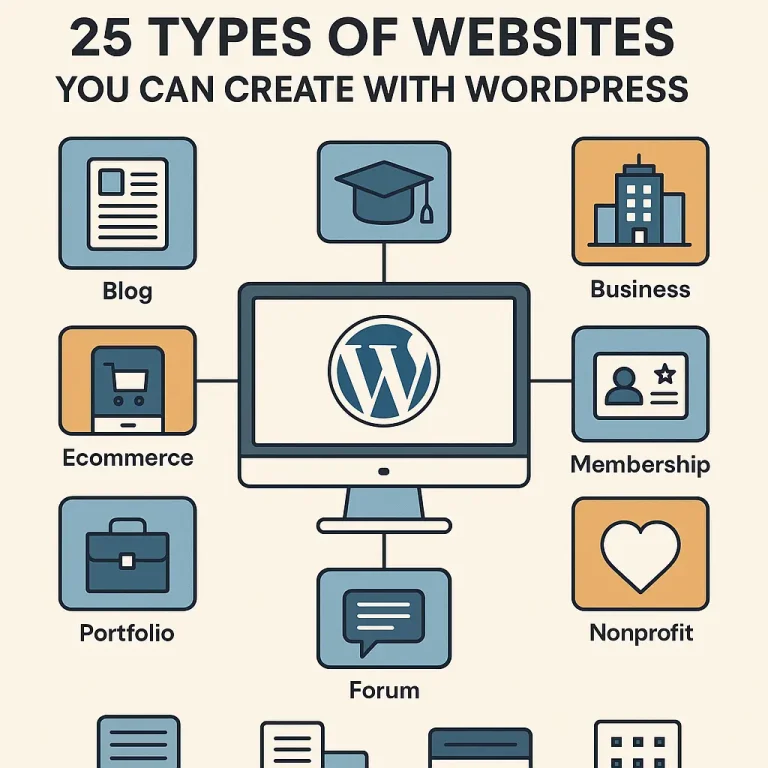
The most influential piece about your online presence in the vast world of the internet exists. There is absolute proof that an option meets all business needs whether a firm that has recently come up in Vancouver or a conglomerate with a global presence that requires a flexible and scalable website. What is nearly half of the internet? WordPress. So If you’re exploring different types of websites you can build with WordPress, it’s equally important to understand why this platform remains the top choice for small business owners worldwide. From affordability and scalability to SEO-ready performance and thousands of customizable themes, WordPress offers unmatched flexibility for business growth. To learn more about how it helps entrepreneurs expand their online presence, check out our in-depth guide — 10 Reasons Why WordPress is the Ultimate Growth Engine for Your Small Business — and see why WordPress is the foundation for long-term success. Now let's go into the what before we jump straight into the how. WordPress is extremely flexible with "n" number of customization possibilities, and it gives the user a platform, which is not just a template; it allows the user to design a website in any form. This guide covers 25 Types of Websites You Can Create with WordPress, combined with essential points concerning hosting considerations in Canada-as you will realize, it is the best fit for websites in a WordPress environment recommended by 4goodhosting. The Foundational 10: Essential Business and Content Sites Where most WordPress sites start and, quite frankly, where it shines, these sites are the cornerstone of the digital economy. Business & Corporate Websites Cheap, yet glossy online brochures. The only showcase for all services, values, history, and contact information—all companies, big and small, national or local, thousands of miles away from the Amazon rainforest or the Arabian desert—stand a chance. WordPress Advantage: Professional themes, easy integration with CRMs, and clear Call-to-Action (CTA) placements. Hosting Requirement: Site speed and very high reliability are name bearers. Dakshin IT may provide you with the best hosting solution for WordPress to ensure that business is always accessible. Professional Blogs The ultimate use-case for WordPress and still its favorite; a blog...

You may find this interesting too.
chatgpt image nov 4 2025 07 38 54 pm 200x300

Being a small business owner would truly mean facing an ocean of overwhelming decisions made in a day. From inventory to answering customer calls, every hat is on your head in the company. So when the time comes to create an online presence, the last thing you wish for is another complicated decision. You're looking for something powerful, affordable, and easy to use. This is where WordPress comes into play. There's no longer significant blogging; rather, it's over 40% of the entire internet. But before we really explore the advantages of WordPress, it's time for a very important step: If you’re still wondering whether investing in a professional website is worth it before choosing a platform like WordPress, it’s essential to understand the real value a website brings to your business. From establishing credibility and reaching more customers to improving conversions, having an online presence is no longer optional—it’s a necessity. Before diving deeper into WordPress benefits, explore our detailed guide on why your business needs a website right now to see how a well-built site can transform your growth and brand visibility. Now that we have established that your business must have a website, let's look into the 10 non-negotiable reasons as to why WordPress should be the base upon which you build it. Unmatched Cost-Effectiveness Let's face it: when it comes to a small business, the budget will almost always be paramount. Every dollar really needs to count. The basic software of WordPress is 100% free and open-source. This is an enormous but underappreciated advantage. You would save thousands of dollars that any proprietary platform or custom development firm would charge for licensing fees. This allows you all to channel those funds for other purposes within the business, like promoting or stocking up on merchandise. You would still need to have a domain name, and naturally, hosting is necessary, yet all of these, compared to what else is out there, are a very low entry cost. You're essentially getting access to a world-class platform-for-free. That's precisely why WordPress has become the actual affordable website builder for small business success. You're getting a platform capable of handling complicated e-commerce...

You may find this interesting too.
chatgpt image nov 3 2025 06 55 45 pm 768x512

In the fast-paced world of digital assets today, your website is more than an online business card; it is essentially an integral part of the brand's digital visage and is equally important for trustworthiness and credibility. Everybody — customers and clients or partners alike — is depending upon it to interact, trust, and transact with your brand. Keeping a website secure is no longer a best practice; with hacks proliferating, it is a necessity. From malware to phishing attacks and brute-force intrusions to data breaches, hackers seek their prey. They zoom in on any and every vulnerability in every conceivable nook and cranny. A single weakness exploited can incur adverse outcomes such as data loss, monetary harm, or a sullied reputation with incalculable consequences. For those running WordPress sites, exploring 10 WordPress Security Plugins You Can Actually Trust can be a game-changer in minimizing such risks and fortifying your website’s defense mechanisms. On the plus side, protecting your website does not require a Ph.D. With the right combination of security tools, implementing proactive practices, and having a trustworthy hosting provider as your ally, you can build formidable defenses against attackers trying to bring down your site and harm your visitors. In this post, you will find 22 tried and trusted website security best practices. Whether you are running a small business website or a WordPress blog, they will help secure your digital assets and make your site more resilient. The 22 website security tips at a glance: choose a trusted host, install an SSL certificate, keep WordPress core, themes and plugins updated, use strong unique passwords, turn on two-factor authentication, limit login attempts, back up regularly, use a trusted security plugin, delete unused plugins and themes, secure wp-config.php, run a current PHP version, disable file editing, use a web application firewall, scan for malware, apply least-privilege access, monitor activity, defend against DDoS attacks, follow PIPEDA-friendly privacy practices, change the default login URL, transfer files over SFTP, review user roles, and train your team. Work with a Trusted Web Hosting Provider The security of your website begins with the basics-got to ensure a good host. It really doesn’t matter how many...

You may find this interesting too.
chatgpt image oct 31 2025 06 30 30 pm 768x768

Your WordPress website being lost is indeed a worst-case scenario since time and energy worked on it may all dissipate in a matter of moments, along with customer information and the platform that supposedly sustains your business. Be it a hack, an error in plugin updates, a server crash, or merely human error, all it takes is one click for disaster to strike a WordPress installation. This is no meant to frighten you; it is just a fact. Given this reality of digital life, the most important thing you can do for your website is to ensure that there is a good backup system in place. Your backup is your digital lifejacket; pull that cord the second your ship begins to sink. In 2025, facing worse and more advanced threats, simpler days of WordPress will never work; what you need now are tools that are smarter, automated, and easy to use. This is especially vital when using PIPEDA compliant WordPress hosting to ensure the protection of Canadian customer data We have dived deep into the latest features, pricing structures, and user reviews to bring you the ultimate list of 15 Best WordPress Backup Plugins in 2025. This guide will help you find the right digital life vest so you can restore your site with the least fuss and zero panic. The True Heavyweights (The Gold Standard) These are the market leaders for a reason. They offer the most comprehensive features, reliability, and support. UpdraftPlus Why it is a winner: With millions of active installations, UpdraftPlus has continued to remain ever since the most trusted of WordPress backup plugins worldwide. The free version is filled up with powerful features that include scheduled backups and one-click restoration, with integrations for popular cloud storage providers such as Dropbox, Google Drive, and Amazon S3. The Premium version takes the plugin far beyond offering incremental backups, automatic backups prior to plugin or theme updates, multi-site support, and priority expert support. Whether you're a complete newbie or a professional managing several WordPress websites, you will find UpdraftPlus exceedingly trustworthy and convenient. With its brightly laid-out dashboard and flexible settings, backup should be a breeze. Key Features:...

You may find this interesting too.
chatgpt image oct 30 2025 07 08 28 pm 768x768.webp

The correct question in today's digital-first economy is: "How quick can I get my professional and secure hosting set up locally?" For small and mid-sized enterprises in Canada, establishing a credible online presence is an engine for growth and sustainability. From a corner bay in Toronto or a tech hub in Vancouver, or even a remote community in the Maritimes, you are literally everywhere with your customers surfing the internet seeking more products or services. If you are not there, then you cannot be found. A website is thus more than a digital brochure; it is your business outlet, your tireless salesman, and your primary customer service officer, all rolled into one, and this is the basis of your digital marketing strategy. We understand the unique challenges that Canadian businesses face and the legal environment in which that business operates. Hence, here at 4GoodHosting, we stress having a very strong online home base; it must, however, be fast, extremely secure, and compliant with Canadian laws. Why wait in making your digital launch the biggest mistake a business can make? Examine those nine compelling reasons your business needs a website TODAY. Instant Credibility and Professionalism Consider two typical Canadian SMEs. The first business is all social-media pages. It looks good but feels a little temporary and somewhat scattered. The second company is on a custom domain name and has professional email addresses. It has an appealing yet straightforward website that shows what it does, who it's team is, and what they're on mission about. Which one would you think is worthy of large purchases? By instant credibility and professionalism at every www.yourbusinessname.ca custom web site is: That it says to possible customers, suppliers and potential workers that you are serious about being reputable and getting the job done. It's digital equivalent of a well-maintained office space. With it, you might even look a little amateurish or worse, non existent. Your Digital Storefront Is Always Open. Unlike brick-and-mortar stores with set opening hours, a website never sleeps. On a broad basis, a customer from St. John's browses your products at 2:00 AM. On Christmas day, someone in Calgary fills out a service...

You may find this interesting too.
chatgpt image oct 28 2025 06 22 02 pm 768x768.webp

Fast-forward to the year 2026, and the world of SEO has evolved into something stricter and even more competitive than before. For any serious owner of a website, particularly if it's built using the cutting-edge power plant WordPress, a sound SEO strategy is a prerequisite. Winning Google and bringing in organic traffic requires two ingredients: Top-Tier WordPress Plugins for SEO and SEO-friendly hosting for Canadian businesses. This guide is going to introduce in-depth the essential software that is going to give your WordPress site a competitive advantage, alongside highlighting why the choice of the best WordPress hosting in Canada, further backed by a provider of like 4GoodHosting, is really the foundation and the best first step for success. Unbeatable Trio: Foundational SEO Plugins This is how your on-page SEO strategy begins, with one of these three all-in-one powerhouses that do all the core things: meta titles, descriptions, sitemaps, and content analysis. Here is the most crucial choice to be made for your SEO framework. Rank Math SEO With its modular design and extensive feature set (even in the free version), Rank Math had rapidly become the darling of WordPress power-users. It aims to end the proliferation of multiple plugins by packing many advanced features directly within it. Key Features: Multiple Keyword Optimization: Analyze and optimize your content for an astonishing five focus keywords for every single post (at least in the free version), which is a fantastic competitive advantage. Inbuilt Schema Markup: Does not require a separate plugin to add structured data for rich snippets such as FAQs, Articles, Products. 404 Monitor and Redirection Manager: Track and fix broken links and 404 errors directly from your dashboard, a vital technical SEO component. Content AI: An AI-powered suggestion tool that analyzes your content against top-ranking pages to provide actionable, data-driven optimization tips (Premium feature). Yoast SEO A true pioneer in the WordPress SEO space, Yoast SEO remains trusted and solid for users-the perfect tool for content quality and readability, making it most suited for bloggers and content marketers. Key Features: SEO and Readability Analysis: Testing boasts a real-time blend by means of its famous traffic-light system that will enable users to...

You may find this interesting too.
chatgpt image oct 22 2025 06 05 25 pm 1 768x768.webp

Looking for a Canada GoDaddy replacement? You are not alone in this. Many Canadians start their websites with well-known global service providers but tend to face problems as the site grows: soaring renewal hikes, sluggish speed for Canadian audiences, data-sovereignty issues, and costs for benefits that should come standard with every package. This is where 4GoodHosting becomes a very solid option - a GoDaddy alternative in Canadian internet hosting with local performance, legally strong compliance, and long-term value. This review delves into how 4GoodHosting is gradually emerging as one of the best GoDaddy alternatives for Canadian businesses by 2025 onward. Why Considered 4GoodHosting as a GoDaddy Alternative in Canada For a long time, most people have relied on GoDaddy because it seemed easily manageable — everything from domains to hosting is available under one account, along with sweet discounts for the first year. But renewal dates beckoned, and as websites matured, people realized they needed something better in the future-something with real value, quicker support, and honorable pricing. This awareness compelled several Canadian businesses to search for a credible alternative to GoDaddy, while 4GoodHosting emerged as an interesting contender in quick time. This is why millions of website owners are moving on and recommending it to others going through the same challenges: Transparent and Affordable Pricing: GoDaddy's starting prices looked good at the beginning, but then the renewal time came, and suddenly they shoot up significantly, and the add-ons begin to pile on. 4GoodHosting, on the other hand, keeps pricing straightforward and affordable, even after the first year. What you see is what you pay, and most essentials (like SSL certificates, backups, and domain privacy) are already included in the base plans. No hidden surprises — just honest, Canadian-based value. Everything You Need — Without Extra Fees: One of the biggest issues with GoDaddy was paying extra for basics like email, SSL, and website backups. These are features every site should have from the start. With 4GoodHosting, there’s no need to worry about those hidden costs. The plans come packed with the essentials, allowing businesses to focus on running smoothly—not chasing add-ons. A Clean, Intuitive Dashboard : The GoDaddy dashboard...

You may find this interesting too.
On This Page G
Explore 4GOODHOSTING
Copyright © 2026 4GoodHosting. All Rights Reserved.
.CA by CIRA
+1 866 708 4678