

4GoodHosting
Live Help
24/7 Support
Blog Menu G
Search
Categories
m
m

Day: January 5, 2026

chatgpt 9 768x768.webp

As an online business owner, your website is available 24 hours a day, 7 days a week (this includes all time zones). It makes no difference if your customers are on the other side of the world in Toronto (2:00 p.m.) or Vancouver (3:00 a.m.), you should always be ready to assist them with their purchases or inquiries. People often associate the term "Uptime" as an indicator of how often you cannot utilize your website due to some sort of breakdown (e.g., the screen is blank; you are not receiving emails or generating revenue). The ability to maintain an ongoing presence online is not a matter of luck; it’s about the framework of support for your company’s brand. The risk of losing a customer’s trust due time (just a few) has never been greater, and this is why Managed Services are critical. At 4goodhosting, we have had the opportunity to see firsthand how the proper setup can turn a poorly built website into an impenetrable digital workplace. This guide will outline the mechanics of how Managed Services deliver a WordPress uptime guarantee managed hosting users can count on, and explain why Managed Services are the secret to reliable hosting for your business website. Beyond the Percentage: What Uptime Really Means Most of the hosting providers on the web feature a "guaranteed 99.9% uptime". It sounds nice when it's put on an advertisement page, yet let's do some numbers and reflect on these numbers for a moment. In a year, 0.1% downtime equates to nearly 9 hours of your website being completely down. For high-traffic e-Commerce businesses or professional service businesses, a 9-hour period of downtime doesn't mean a slow afternoon; you're talking the potential loss of thousands of dollars in sales, wasted resources from marketing/advertising, and a drop in your SEO ranking. Managed Hosting Services' assurance of uptime is not just a claim from the manufacturer of your managed hosting account, but the experience you will have when you have a managed hosting account. Managed Hosting provides numerous methods to avoid outages. 4GoodHosting takes a "preventative medicine" approach and does not simply allow you to fix your server after it...

You may find this interesting too.
chatgpt 7 768x512.webp

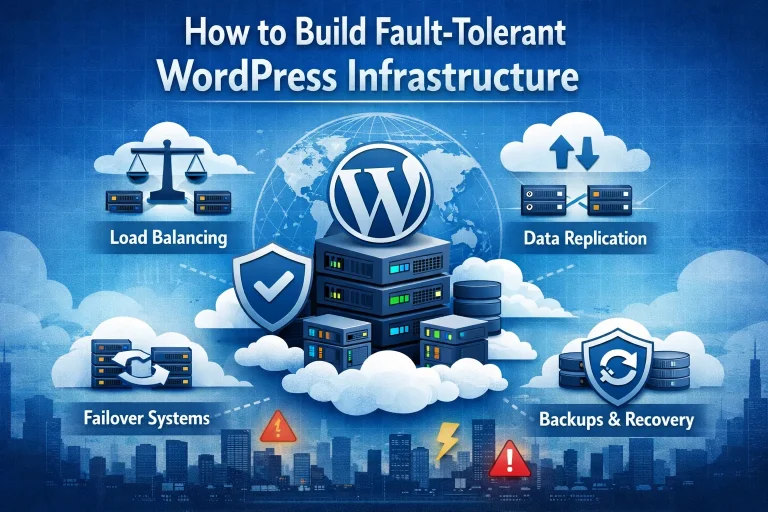
The appeal of creating a small business website with WordPress is always going to be centered on the simplicity and cost-effectiveness of using the platform. You’ll be paying immeasurably less than what you’d probably need to give to a web designer to have them build your website, and it’s really quite simple to build it yourself with WordPress. But it’s one thing to put a site together and another to have it build to the extent that you can always rely on it to be fully functioning and best serving your online business interests. A lot of having that consistent performance will be tied into high availability WordPress hosting, and it’s also good to know how to build fault-intolerant WordPress infrastructure. So that’s what we will look at with this week’s blog entry here. At any given time there’s a whole host of people who are putting together a WordPress website for the first time, and it may well be that some of them are having their website hosted by us here at 4GoodHosting. If that’s the case then we need to stress the superiority of Managed WordPress hosting for fault tolerance, as there are all sorts of areas where you’re safeguarded if you have website optimization taken care of for you. Part of receiving this service is having your host conduct regular site overviews and checking for any instances of sub-par performance or component failures. Starting at the the start it may be necessary to define what are WordPress faults and what it means to have fault tolerance for your website. These faults are everything from connection errors to slow speeds, 404 errors, and the colloquially well-known ‘white screen of death’ that can occur if a WordPress site has any type of code that becomes misconfigured after it was initially created. High availability WordPress hosting means there is less of a chance of that happening, but if you’re going to take on these issues yourself you’ll need to be proficient with debugging tools, component deactivation, and / or knowing how to increase memory limits. Tall order for some, so what’s best is to build your infrastructure to be fault-tolerant...

You may find this interesting too.
On This Page G
Explore 4GOODHOSTING
Copyright © 2026 4GoodHosting. All Rights Reserved.
+1 866 708 4678