

4GoodHosting
Live Help
24/7 Support
4GoodHosting Canada 1 866 708 4678
Blog Menu G
Search
Categories
m
m

Month: February 2026

chatgpt 24 768x512.webp
reading time Reading Time: 11 minutes

The bulk of a website’s functionality is determined by the server where the site is hosted. Site architecture does factor into it too, but nearly to the same extent. And as far as site usability is concerned it has everything to do with the server being able to handle requests. Which is what happens every time a visitor to your site clicks through to homepage and from there to one of the secondary pages or to a specific site component. Not all servers are the same, and neither are web hosting packages. The primary difference between them is whether that servers is shared between other sites, or whether it’s private and for one site only. Managed WordPress hosting with NVMe is another consideration if it’s a WordPress site for a small business. That’s because with managed WordPress hosting the provider takes care of every aspect of ongoing site optimization. A website is never a set-it-and-forget-it proposition, and site architecture and other approaches like scalability plus SEO audits and the like are requirements if your site is serving business interests. It’s important that you have the visibility and new customers streams that make up the reason you have a website in the first place. Managed hosting tends to be best when a site owner is looking at high-performance WordPress hosting, and that goes doubly if the decision-maker for that business is a very busy individual with a lot on their plate. Which usually tends to be the case, and a lot of them may not have much web savvy to begin with. Many will never have even heard of PIPEDA compliant hosting and why it’s something that’s often needed for eCommerce websites. The flip side of that is going be the way developers are going to look at all of this, and for those folks who are equipped with sufficient web wherewithal then we are happy to explain why NVMe powered servers are usually the best choice when they can be incorporated into a website and web hosting arrangement. So that’s what we’ll look at with this blog entry, and having these types of web servers be preferable is really reinforced...

You may find this interesting too.
chatgpt 22 768x512.webp
reading time Reading Time: 9 minutes

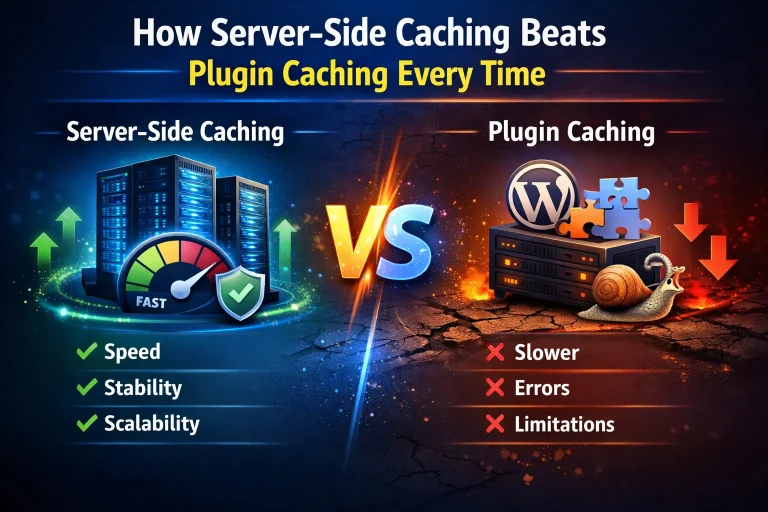
It is an entirely different imperative when a WordPress website is seeing business interests in comparison to one that it in existence for simpler aims. If you’re relying on your site to be making your business visible and bringing in new customers then it’s going to be entirely essential that those people have a fully positive user experience right from the very second they land on your homepage for the first time. It’s important they don’t ‘bounce’ for whatever reason, and you want everything that should be visible to them to be just that - readily visible and inviting interactivity with the site. It’s for this reason that WordPress hosting with server-side caching for Canada sites is best. All of this is explicitly related to the use of plugins, and for most WordPress sites the single biggest factor in making the site distinctive and featuring better functionality is going to be its selection of plugins. The need to clear caches for webpages is well understood, but with WordPress sites there is a more specific needs for caching because of the way failing to do so may mean that some plugins aren’t visible - and usable - on the front end for site visitors. There’s a lot for small business owners to gain by going with Managed WordPress web hosting but your selection of site plugins and the administration / overview of them isn’t one of them.7 You need to be at least somewhat in the know about your plugins, and it’s best to be familiar with webpage caching because of the way plugin visibility and accessibility can be dependent on that page caching. Those site plugins are going to load with more pop if the site is backed by fast WordPress hosting for business, but as far as as the caching part of regular maintenance is concerned the user will need to be choosing between plugin caching or server-side caching. Plugin caching may be easier, and there are caching plugins for WordPress that make the task as easy as possible. But for certain sites equipped with certain plugins this convenience may hide the fact that it’s not the best route...

You may find this interesting too.
4gh blog post pic.webp

It is said that everything gets its start somewhere, and unless we’re talking about something ethereal, existential, or unexplainable then that tends to be true. The source of whatever it is that’s being discussed is going to have great significance for the quality of what’s being delivered from that source. This is true for digital content and the ideal functionality of websites. Where that page content and similar site components get their start is from the site database, and if having a site that can operate at full-throttle for customers is important then managed WordPress hosting for fast database performance is likely the way you’ll want to go. We’ve gone at length here about why managed web hosting tends to be money well spent for businesses that may have started small, but are getting bigger all the time. Make the investment in getting the most out of your website and you can have that assurance that it’s being optimized at al times, and this will included regular audits of your database and determining what needs to be done so that it’s able to ideally serve as the source for all the information needed for server requests. Which is only just a part of the picture with what goes on as a site works to provide a user experience for people who may become purchasing customers. So the recommendation is always there, but we also know that there are plenty of small business owners who have a sufficient amount of know-how when it comes to website maintenance. So if you choose to stay on a shared hosting arrangement then it’s good to be knowledgeable about the best database optimization techniques for WordPress, and then utilize that information any time you review your site and determine that you’re not getting the most out of your database for whatever reason. This is what we’ll look at with this week’s blog entry. What we can say in advance of getting into the meat of this subject is that much of what’s effective for database optimization is not difficult at all, and often is quite straightforward. Let’s get right into it, and before this entry...

You may find this interesting too.
chatgpt 20 768x512.webp

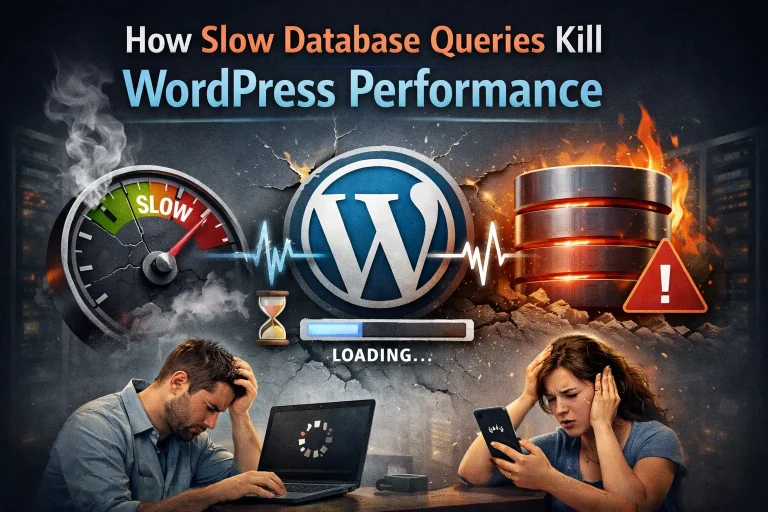
In the context of human interactions there’s a very clear distinction between an inquiry and a request, but in the digital realm there’s much less of that firm difference as it relates to web servers handling queries / requests made for a website. This is what is involved in that for laypeople who aren’t especially web-workings savvy. When you use your mouse or trackpad to click through to a website via search page results - or to move from one webpage to another once you’re in the website - there are database queries made to the server that’s operated by the web hosting provider. This starts to explain why having a good Canada-based WordPress hosting provider is a must for any small business considering all will have websites. These database queries need to be both delivered and responded to with sufficient speediness, because if they are not handled this way then user experience declines significantly. There’s much to what’s possible there, but the primary way in which the click-through person staring at their smartphone, notebook, or desktop is going to be disillusioned is with slow page loading speeds. And we’ll also skip over a lot of what else undesirable can occur and tell you directly that VPS hosting optimized for WordPress is a surefire way to ensure this doesn’t happen for your small business website. Which is plenty important, as web users and potential customers tend to be impatient and intolerant with this sort of stuff. If they’re looking for an online retailer or service provider and they’re directed towards you it is often the case that you only have one chance to make a good first impression on them. If your WordPress site is slow to load and then similarly slow to operate for them once they’re there then it will usually result in them moving on fairly quickly. If you’re in a business where there is plenty of of competition and plenty of other websites showing up in those same SERPs then it’s very unlikely they’ll be back. So what we’ll do with this week’s blog entry is discuss how slow database queries kill WordPress performance, with an...

You may find this interesting too.
On This Page G
Explore 4GOODHOSTING
Copyright © 2026 4GoodHosting. All Rights Reserved.
+1 866 708 4678