

Blog Menu G
Search
Categories
m
m

Month: November 2026

1111111111111111111 768x402
reading time Reading Time: 26 minutes

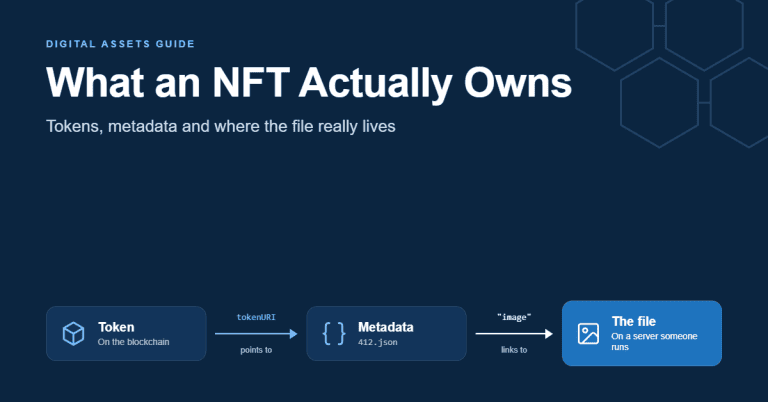
Most people who have bought an NFT believe they own a picture, a song or a ticket. In most cases, what they own is a line in a public ledger that says a particular token belongs to their wallet. That token usually holds a web address. The address leads to a small text file, and the text file leads to the picture. The picture itself sits on a server somewhere, and somebody has to keep that server running. That chain of pointers is the part of the NFT story that rarely gets explained, and it's where NFTs meet ordinary web hosting. When the server goes offline, the domain expires or the files are never backed up, the token survives but points to nothing. An NFT (non-fungible token) is a unique token recorded on a blockchain that proves which wallet holds a specific entry in a smart contract. The token normally stores a link to a metadata file describing the item, and that file links to the media. The image, video or document is usually stored somewhere else, not inside the token. This guide explains what an NFT is, what it actually records, and where NFT files are stored in practice. It covers how NFTs end up pointing to nothing, what buying one does and doesn't give you, and how to check one before you buy or issue it. It finishes with the business uses that outlasted the hype, and what it takes to host NFT media and metadata properly. What Is an NFT? An NFT is a token created by a smart contract, a small program running on a blockchain. The contract keeps a list of token IDs and the wallet address that holds each one. When an NFT is sold or transferred, the contract updates that list, and every node on the network records the change. "Non-fungible" means each token is distinct. One Canadian dollar is interchangeable with any other, which makes it fungible. A concert seat is not: row F, seat 12 is a different thing from row F, seat 13. An NFT works like the seat. Each token ID is unique within its contract, so the pairing...
You may find this interesting too.
featured image 1200×628@1x 1 768x402

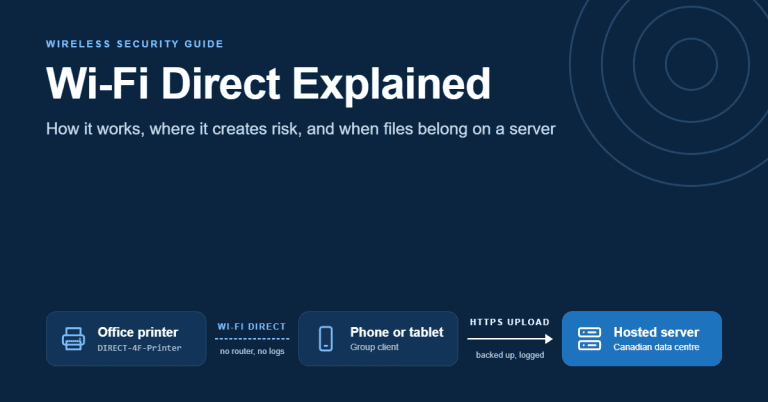
Open the Wi-Fi list on your phone in almost any office lobby and you will probably see a network nobody set up on purpose. It might be called DIRECT-4F-Printer-2ndFloor or DIRECT-xy-Boardroom. It doesn't appear on the network diagram and IT never configured it, yet it is broadcasting from a device a few metres from the accounting team. That network is Wi-Fi Direct at work. It's the reason a topic that sounds like gadget trivia belongs in a business conversation about infrastructure. Wi-Fi Direct is a Wi-Fi Alliance standard that lets two or more devices connect to each other over ordinary Wi-Fi radios without a router, access point or internet connection. One device takes on the job an access point would normally do. The others join it, and data moves directly between them at Wi-Fi speeds. The convenience is real. A guest can print from their phone, a laptop can mirror to a meeting-room display, and a large video can move between two phones in seconds. The same design also creates small, self-managed networks that sit outside the controls an organization relies on. They have no firewall policy, no central logging and no backup, and they pair using methods that were never built for hostile environments. This guide explains what Wi-Fi Direct is and how a connection actually forms. It compares Wi-Fi Direct with Bluetooth and newer peer-to-peer options, shows where it creates security exposure in an office, and sets out how to lock it down without breaking printing. It ends with the point where business files should stop moving device to device and start living on a properly hosted server. What Is Wi-Fi Direct? Wi-Fi Direct is a peer-to-peer mode of Wi-Fi. Standard Wi-Fi works like a hub with spokes: every laptop, phone and printer connects to an access point, and the access point moves traffic between them and out to the internet. Wi-Fi Direct removes the hub. Two devices that support it can find each other, agree on which one is in charge, set up an encrypted link and exchange data, with no router involved. The Wi-Fi Alliance, the industry body that certifies Wi-Fi products, launched its Wi-Fi Direct...

You may find this interesting too.
featured image 1200×628@1xqqqqqqqqqqqqqqqqqqqqqqqqqqqqqqqqqqqqqqqqqq 768x402
reading time Reading Time: 27 minutes

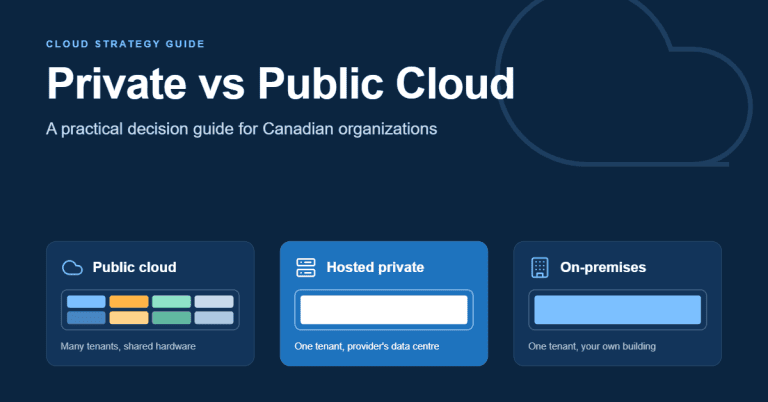
Most organizations don't choose between private and public cloud once. They make the choice workload by workload, often without noticing. A marketing team signs up for a software-as-a-service tool, developers spin up servers on a large public platform, finance keeps its accounting system on hardware nobody wants to touch, and the website sits with a hosting company. A few years later, someone asks where the customer data actually lives and who is responsible for protecting it. The honest answer is usually "several places, under several sets of rules". That's why the private vs public cloud question deserves a deliberate answer. The decision affects cost, security responsibilities, performance, flexibility and, for Canadian organizations in particular, privacy and data-sovereignty obligations. Public cloud is computing infrastructure run by a provider and shared among many customers, who rent capacity on demand. Private cloud is infrastructure dedicated to a single organization, either in its own facility or hosted by a provider. Hybrid cloud combines the two, with workloads placed in whichever environment suits them best. This guide explains the difference between the models using recognized definitions, compares them on cost, control, security, compliance, performance and lock-in, and looks closely at the Canadian rules that shape the decision. It ends with a step-by-step way to decide which model fits each of your workloads. What Is the Difference Between Private and Public Cloud? The most widely cited definitions come from the U.S. National Institute of Standards and Technology (NIST) in Special Publication 800-145. NIST describes cloud computing by five characteristics: on-demand self-service, broad network access, resource pooling, rapid elasticity and measured service. It then defines four deployment models, which are the ones this decision is really about. Public cloud In a public cloud, the infrastructure is owned and operated by a provider and made available to the general public. Customers share the same underlying hardware, networks and data centres, separated logically by the provider's software. You provision what you need through a portal or programming interface, pay for what you use, and give it back when you're done. The defining traits are scale and elasticity. Capacity appears in minutes, a huge catalogue of managed services is available,...

You may find this interesting too.
On This Page G
Explore 4GOODHOSTING
Copyright © 2026 4GoodHosting. All Rights Reserved.
.CA by CIRA
+1 866 708 4678
