


Blog Menu G
Search
Categories
m
m

Day: November 11, 2026

canadian website modernization playbook 768x432

Most websites don't fail all at once. They erode. A plugin stops getting updated, a hero image balloons to four megabytes because nobody ever resized it, a contact form was wired up in 2019 and nobody has tested it since, and one day the site that used to load in two seconds is taking six. Nothing is technically “broken,” which is exactly why these problems survive so long — there's no error message forcing a decision, just a slow accumulation of friction that shows up in bounce rate, in support tickets, and eventually in rankings. A retrofit is the deliberate alternative to that slow decline, and to its opposite extreme: a full rebuild. Instead of tearing a site down and starting over, a retrofit treats the existing site as a structure worth keeping and upgrades it in place — the content, the backend, the hosting environment, the security posture — one load-bearing piece at a time. Done well, it's cheaper than a rebuild, faster to execute, and far less risky to search visibility, because the URLs, the internal link equity, and the content history that Google has already indexed stay intact. Done badly, a retrofit is just a rebuild with extra steps: changes made without a diagnostic baseline, a CMS migration rushed ahead of a security audit, a new theme installed on top of hosting infrastructure that was already the actual bottleneck. This guide lays out a sequenced, evidence-based approach to retrofitting a website — what to audit first, which fixes compound on each other, where the hosting layer does more work than people expect, and how Canadian businesses in particular should think about data residency and latency while they're at it. None of this requires a single enormous project with one launch date. The approach below breaks a retrofit into phases that can each be scoped, budgeted, and measured on their own, so a business can start with whichever phase is causing the most immediate pain — usually hosting and performance — and keep going as budget and priorities allow, rather than waiting for the ideal moment to fund the whole thing at once. What a Website Retrofit Actually...

You may find this interesting too.
https boosts canadian seo ranking 768x432
reading time Reading Time: 12 minutes

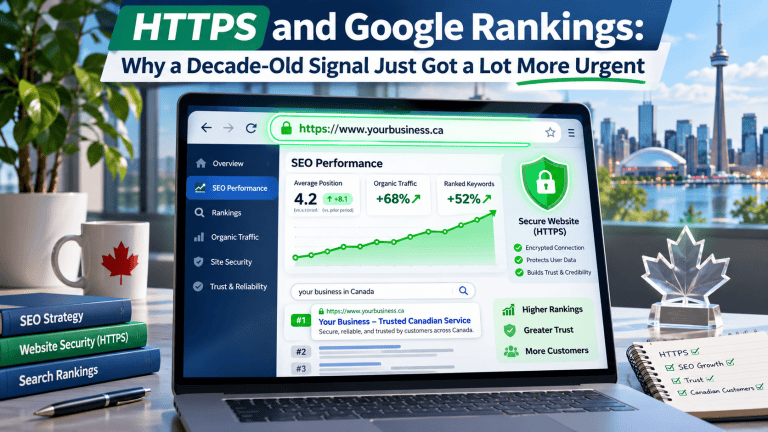
The idea that Google ranks HTTPS sites a little higher than HTTP ones isn't a rumour, a leak, or something Google is “suggesting” might happen — it's been official, confirmed policy since August 2014. Google's own Webmaster Central Blog announced it directly: after months of testing, encrypted connections would become a ranking signal, starting out, in Google's own words, as “a very lightweight signal,” affecting fewer than 1% of global queries at the time. So if the question is “will HTTPS help my rankings,” the honest answer is that this stopped being a forward-looking question over a decade ago. What's actually worth a business owner's attention right now isn't the original announcement — it's something that happened far more recently and matters a great deal more than a minor ranking nudge ever did: as of October 21, 2026, Chrome now warns users and asks for explicit permission before loading any public website that isn't on HTTPS, by default, for everyone. That's a meaningfully bigger deal than a ranking signal, and it's worth unpacking both halves of the story — what's actually old news here, and what just changed this fall — before getting into what a business running on HTTP should do about it. Let's Get the Timeline Right Google announced HTTPS as a ranking factor on August 6, 2014, describing it at the time as carrying less weight than signals like content quality, and explicitly noted that the weighting could increase over time as an incentive for site owners to make the switch. That proved true in practice: within two years, independent tracking found HTTPS adoption among top search results climbing from roughly 7% to well over 30% of page-one results, a shift directly tied to the incentive Google had created. By 2026, HTTPS isn't a differentiator at all — it's closer to a baseline expectation. The vast majority of public websites now run on HTTPS by default, to the point that Chrome's own data shows the typical user encounters a browser security warning rarely, if ever, in an ordinary week of browsing. A brief that frames HTTPS-as-ranking-signal as a current prediction is describing 2014, not 2026 — the...

You may find this interesting too.
4gh blog post pic.webp

Chrome ships browser updates constantly, and most of them never reach a business owner's radar — a new menu item, a redesigned settings page, a feature nobody outside Chromium's own team will notice. Every so often, though, an update changes something that actually touches how a website performs for mobile visitors, and two recent Chrome for Android changes fall squarely into that category. Neither one is a redesign or a new button. Both are changes to how the browser decides when to load content and how aggressively it tries to get ahead of what a visitor is about to do next — and both quietly shift more of the responsibility for a fast mobile experience onto the server the site is running on. That's the throughline worth paying attention to: as Chrome gets better at deciding what not to load yet and at guessing what to load early, the gap between a fast host and a slow one becomes more visible, not less. This isn't a full Core Web Vitals primer — that ground is covered elsewhere. This is specifically about these two updates, what they do, and what to actually check on the hosting side so a site benefits from them instead of getting caught out by them. Two Updates, One Pattern The first update, shipped in Chrome 148 (stable since early May 2026), adds native lazy-loading support for video and audio elements — the same deferred-loading behaviour Chrome has long supported for images, now extended to media. The second is the continued rollout of Speculation Rules–based prefetching and prerendering on Android, which lets Chrome request a page's content before a visitor has even tapped the link, based on signals that the tap is likely coming. Both features are, on paper, pure wins for the visitor: less data pulled down for content they haven't scrolled to yet, and pages that feel instant because they were already loading before the tap landed. The pattern underneath both of them is what matters for a site owner: Chrome is increasingly good at not asking for things until it needs them, and increasingly good at asking for things slightly before it needs them....

You may find this interesting too.
On This Page G
Explore 4GOODHOSTING
Copyright © 2026 4GoodHosting. All Rights Reserved.
.CA by CIRA
+1 866 708 4678
