4GoodHosting
Live Help
24/7 Support
Blog Menu G
Search
Categories
m
m

Day: September 9, 2026

chatgpt image sep 11 2026 12 33 44 am 768x432.webp
reading time Reading Time: 50 minutes

There is a piece of email marketing advice that appears in almost every list-building guide on the internet, and in Canada it is illegal. The advice is to email people to ask whether they would like to hear from you. Send a friendly note to the contacts in your address book, the business cards in your desk drawer, the addresses from that trade show, and invite them to subscribe. It sounds courteous. It sounds like the responsible alternative to just adding them. Under Canada's Anti-Spam Legislation, a message asking for consent to send commercial messages is itself a commercial electronic message. The CRTC states this directly in its guidance: a message containing a request for express consent is a CEM under CASL, and therefore is not a method through which express consent can be obtained. You need consent before you can ask for consent. The permission email is the violation. This is the single clearest illustration of why most list-building content is unsafe reading for a Canadian business. The overwhelming majority of it is written against the American CAN-SPAM Act, which is an opt-out regime: you may email people until they ask you to stop. CASL is an opt-in regime: you may not email people until they have agreed. Those are not two versions of the same rule with different paperwork. They are opposites, and a tactic that is entirely lawful in Illinois can carry a penalty of up to ten million dollars in Canada. The second thing most list-building advice ignores is that having a list and being able to reach it are now separate problems. Since February 2024 for Google and Yahoo, and May 2025 for Microsoft, the major mailbox providers have enforced technical authentication requirements on bulk senders. Fail them and your messages are rejected at the SMTP level. Not filtered into a spam folder where a diligent subscriber might find them. Rejected. The mail never arrives in any form. So this article covers list building as it actually works for a Canadian small business in 2026: what consent legally requires, what records you need to prove it, which acquisition tactics are both lawful and effective here,...

You may find this interesting too.
chatgpt image sep 10 2026 11 37 41 pm 768x432
reading time Reading Time: 56 minutes

Not deprecating it. Not reducing its features. Removing it. Google emailed users to say Assistant is being discontinued on compatible Android phones and tablets, with Wear OS devices, headphones, and Android Auto following. The rollout runs over several weeks, and once a device switches, there is no going back. Gemini becomes the assistant experience on Android. Assistant launched in 2016; ten years later, the product that most "voice search optimization" advice was written about is being decommissioned while that advice sits unrevised on hundreds of agency blogs. This matters more than a product retirement usually would, because Google Assistant was not incidental to voice search SEO. It was the mechanism. The specific technical recommendations that circulated for the better part of a decade — mark up your content with speakable structured data, add FAQPage schema to win the spoken answer, optimise for the featured snippet Assistant reads aloud — were all recommendations about how one product retrieved and read one answer. Two of those three recommendations no longer apply to anyone. The third applies to a product that is being turned off. So this is a reasonable moment to rebuild the topic from the ground up. What follows is not a refresh of the standard voice search checklist. It is an attempt to establish what is actually true about spoken and conversational search in 2026, what a Canadian business can genuinely act on, what cannot be measured, and where the real constraints sit. Some of those constraints turn out to be in your hosting infrastructure rather than your content, which is not where most of this conversation usually goes. A warning about the rest of this article: it will contradict a great deal of what you have read on this subject. Where it does, the reasoning and the source are given so you can check. What "voice search" actually means in 2026 The phrase has always been sloppy, and the sloppiness is the root of most bad advice about it. Three genuinely different things get bundled under one label, and they behave differently enough that treating them as one topic guarantees you optimise for the wrong one. Path one: voice...

You may find this interesting too.
chatgpt 22 768x432.webp
reading time Reading Time: 55 minutes

Black Friday falls on Friday 27 November this year, with Small Business Saturday on the 28th and Cyber Monday on the 30th. The six weeks that decide how that weekend goes for your website begin on 12 October — which, conveniently or otherwise, is Thanksgiving Monday. Realistically you start on the Tuesday. Most Black Friday advice for small businesses is about the offer. What to discount, when to email, how to segment the list, how to write a subject line that gets opened. That advice is useful and it is also everywhere. What gets far less attention is the thing all of it depends on. A promotion that works is, by definition, a promotion that sends more people to your website in a shorter window than at any other point in the year. The website is the part almost nobody stress-tests until it fails. And it usually does not fail in the way people expect. Sites rarely fall over on Black Friday. They get slow. Product pages still load, but the cart takes eleven seconds. Checkout times out on the third attempt and the customer gives up. Order confirmation emails arrive an hour late, so support spends the afternoon fielding "did my order go through" messages. Nothing registers as an outage, so your uptime monitor stays green and you never learn what it cost. You just have a disappointing weekend and no explanation for it. What follows is how to prepare your website for Black Friday, as distinct from how to prepare the promotion. This guide covers the other half of the job. Black Friday website preparation, in the sense that matters here, is the infrastructure and performance work that has to be finished before the marketing calendar takes over. Each of the six weeks below has one task, and the order matters, because the later weeks assume the earlier ones are done. Why this is the half that gets skipped Partly because it is less fun than designing a promotion, and partly because the consequences are invisible until they are not. But mostly because the numbers everyone quotes are the wrong numbers. The Canadian picture from last year is...


You may find this interesting too.
chatgpt 27 1 768x432.webp

A proxy server is a computer that makes requests on behalf of something else. That is the whole idea, and everything else is detail. The reason proxies confuse people is not that the concept is difficult. It is that one word has been stretched to cover several genuinely different technologies that happen to share that one behaviour. The software filtering web traffic on an office network, the service sitting in front of a busy website distributing traffic across servers, the thing someone buys to scrape product prices, and the layer terminating encryption at the edge of a content network are all called proxies. They do not do similar jobs. Most explanations of proxy servers make this worse rather than better. They list types without explaining what distinguishes them, they repeat the claim that a proxy encrypts your traffic (which is usually false), and they treat proxies and VPNs as near-synonyms (which they are not). By the end you know more words and no more mechanics. This guide takes the opposite approach. It explains what a proxy actually does at the level of the request, distinguishes the two fundamental directions a proxy can face, works through the types properly, is specific about what happens to encrypted traffic, and is honest about what proxies can and cannot protect. It also covers the parts that matter for a Canadian business in particular, including where a proxy sits relative to your data and what that means for the privacy commitments you may have made to your clients. The definition, and the request path A proxy server is an intermediary that receives a network request, forwards it to its destination on the requester's behalf, receives the response, and passes that response back. The two endpoints communicate through it rather than directly with each other. Walk through what happens without one first. You type an address into your browser. Your device resolves the hostname to an IP address, opens a connection to that address, sends an HTTP request, and receives a response. The web server sees your IP address, because your device is the thing talking to it. Now insert a proxy. Your browser is configured...

You may find this interesting too.
chatgpt 23 768x432.webp
reading time Reading Time: 35 minutes

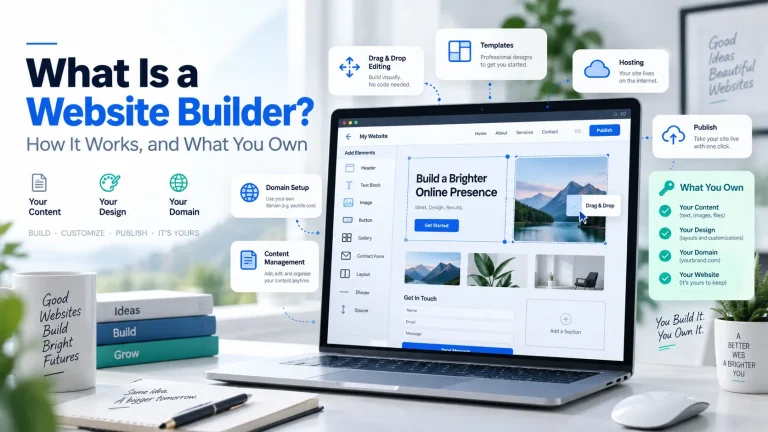
If you have spent an evening comparing website builders, you have probably noticed that almost everything written about them is published by a company that sells one. That does not make the advice wrong. It does mean one question rarely gets a straight answer: what happens to your website if you decide to leave? This article covers what a website builder is and how one actually works, which is the easy part. It also covers the parts that get skipped — what you own at the end of it, what a builder does to your search visibility, where your site physically lives, and the specific circumstances in which a builder is the wrong tool. Some of those answers argue against using one. What is a website builder? A website builder is software that lets you create and publish a website through a visual editor, instead of writing the code yourself. You start from a template, add your own text and images, arrange the layout by pointing and clicking, and publish. The builder generates the underlying HTML, CSS and JavaScript on your behalf. That is the whole concept. Everything else — templates, drag-and-drop, AI page generation, built-in stores — is a variation on it. It helps to be precise about what a builder replaces, because the term gets used loosely. A website builder replaces the act of writing front-end code. It does not replace design judgement, copywriting, product photography, or the decision about what your website is for. Those remain yours, and they are the parts that determine whether the site works. One more distinction worth making early, because it causes real confusion later: a website builder is a tool for making a site. Hosting is the service that keeps the site available on the internet. Some builders bundle the two so tightly that they look like one product. Others keep them separate. That difference turns out to matter a great deal, and it is the subject of the next two sections. How does a website builder work? A drag-and-drop website builder sits between you and the code, and it works in four stages. 1. The template establishes the structure You...

You may find this interesting too.
On This Page G
Explore 4GOODHOSTING
Copyright © 2026 4GoodHosting. All Rights Reserved.
.CA by CIRA
+1 866 708 4678