



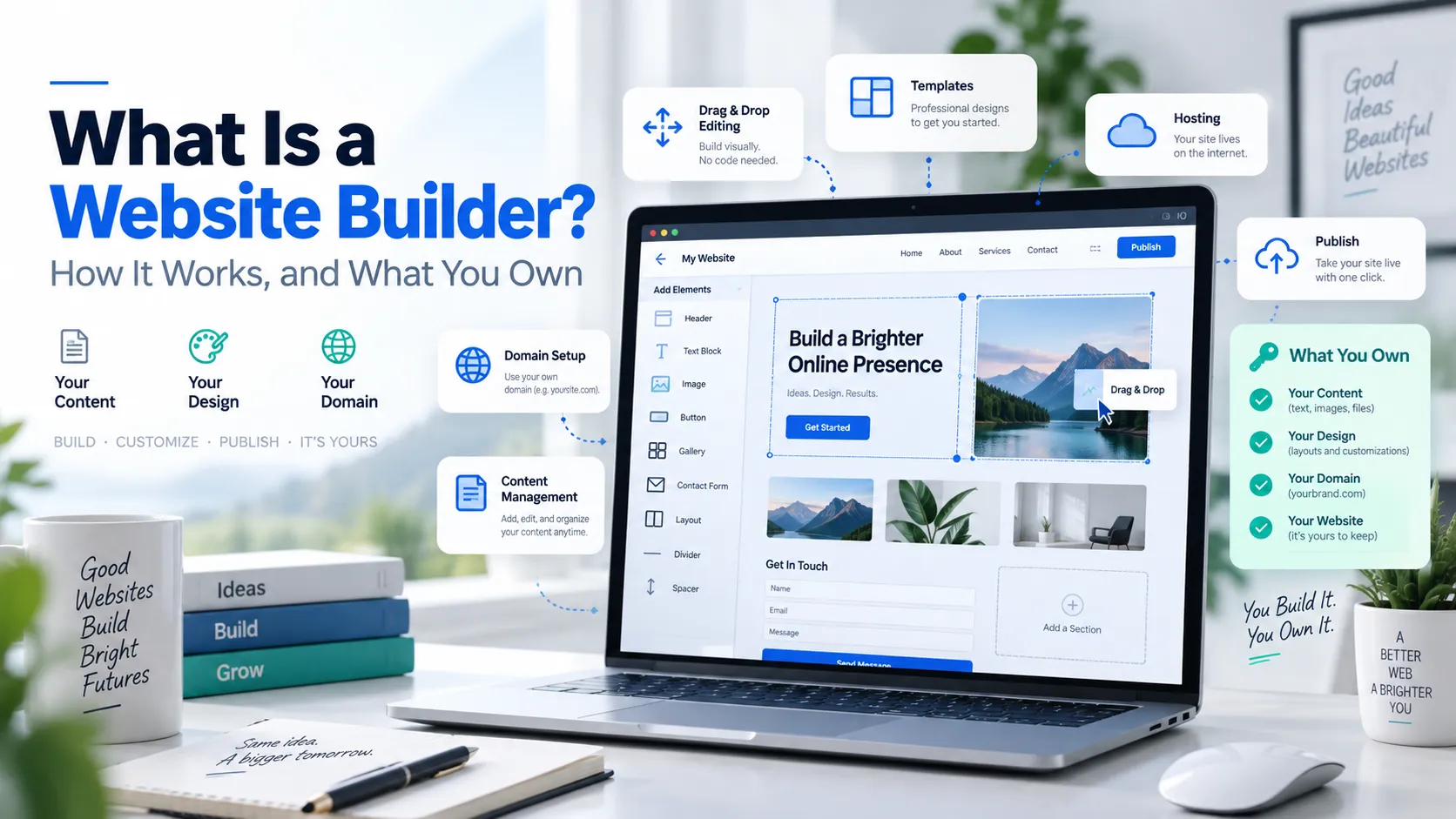
 If you have spent an evening comparing website builders, you have probably noticed that almost everything written about them is published by a company that sells one. That does not make the advice wrong. It does mean one question rarely gets a straight answer: what happens to your website if you decide to leave?
This article covers what a website builder is and how one actually works, which is the easy part. It also covers the parts that get skipped — what you own at the end of it, what a builder does to your search visibility, where your site physically lives, and the specific circumstances in which a builder is the wrong tool. Some of those answers argue against using one.
What is a website builder?
A website builder is software that lets you create and publish a website through a visual editor, instead of writing the code yourself. You start from a template, add your own text and images, arrange the layout by pointing and clicking, and publish. The builder generates the underlying HTML, CSS and JavaScript on your behalf.
That is the whole concept. Everything else — templates, drag-and-drop, AI page generation, built-in stores — is a variation on it.
It helps to be precise about what a builder replaces, because the term gets used loosely. A website builder replaces the act of writing front-end code. It does not replace design judgement, copywriting, product photography, or the decision about what your website is for. Those remain yours, and they are the parts that determine whether the site works.
One more distinction worth making early, because it causes real confusion later: a website builder is a tool for making a site. Hosting is the service that keeps the site available on the internet. Some builders bundle the two so tightly that they look like one product. Others keep them separate. That difference turns out to matter a great deal, and it is the subject of the next two sections.
How does a website builder work?
A drag-and-drop website builder sits between you and the code, and it works in four stages.
1. The template establishes the structure
You pick a template, which is a pre-built arrangement of pages, sections and styles designed for a particular kind of site — a services page and contact form for a trades business, a gallery layout for a photographer, product pages and a checkout for a shop.
The template is doing more than supplying a look. It has already made decisions about your heading hierarchy, how the layout reflows on a phone, and which elements appear above the fold. Those are the decisions that would otherwise take a designer a week, and they are also the decisions you will find hardest to change later.
2. The editor translates your clicks into code
Most builders use a WYSIWYG editor — what you see is what you get — so the editing view resembles the published page. You select a block, type into it, drag it somewhere else, change a colour.
Underneath, each of those actions writes to a structured description of your page held in the builder's own format: this section contains a heading of this size, then an image at this width, then a two-column block. The builder stores that description, not a file of HTML you could open in a text editor.
This is the single most important technical fact about website builders, and almost nothing written about them says it plainly. Your pages exist as data in the builder's proprietary structure. The HTML your visitors receive is generated from that data. Which means the thing you have spent three weekends building is not a set of web pages you possess — it is a set of instructions only that builder knows how to read. Everything in the portability section further down follows from this one fact.
3. Publishing generates the live site
When you publish, the builder renders your stored page descriptions into actual HTML, CSS and JavaScript, and makes those files available at your web address. Depending on the platform this happens on every save, on demand, or as a build step that takes a minute or two.
Some builders generate largely static pages, which are fast because the server has no work to do beyond handing over a file. Others generate pages dynamically on each request, which is slower but allows things like live inventory. Most sit somewhere in between, serving static pages with dynamic components for the cart, a login, or a booking calendar.
4. Your domain points at it
Last, your web address has to resolve to wherever the site now lives. In practice that means either registering the domain through the same provider, in which case it is configured for you, or updating DNS records at your registrar to point at the builder's servers.
This step is where first-time site owners most often get stuck, and it is worth understanding that the domain is a separate asset from both the builder and the hosting. You can move a domain between providers. Keeping it registered somewhere you control is quietly one of the better decisions you can make.
The three kinds of website builder
Most articles on this subject divide builders into online and offline — browser-based tools versus desktop software you upload by FTP. That distinction described the market reasonably well around 2010. Desktop builders are now a marginal category, and the split tells you almost nothing about the decision in front of you.
The division that actually matters is where your site lives and who controls it. On that basis there are three kinds.
| Proprietary platform builder | Builder bundled with hosting | Page builder inside a CMS | |
| Examples | Large all-in-one website platforms sold as a single subscription | A site builder included in a standard cPanel hosting plan | Visual editors that run inside WordPress |
| Where the site lives | On the vendor's infrastructure. Not accessible to you | On your own hosting account, in your own file space | On your own hosting account, inside your CMS |
| File access | None. No FTP, no file manager | Full — FTP, file manager, database | Full |
| If you leave | The site cannot come with you. Content must be re-entered | Files and database are yours to move to any host | Move the WordPress install; the builder plugin comes too |
| Ease of use | Highest. Everything is one product | High for the builder; hosting is a separate concept | Moderate. More power, more to learn |
| Ceiling | Whatever the platform offers | Modest for the builder — but you can outgrow it in place | Very high |
| Best for | Getting online fast with no technical involvement at all | A simple site now, without closing off later options | A site expected to grow in content or complexity |
AI site generation is often presented as a fourth category. It is better understood as a feature appearing across all three: you describe your business, and the tool drafts a layout and starter copy instead of handing you a blank template. It is a useful way past the empty page. It changes nothing about where the site lives or what you can take with you, which are the questions this table is actually about.
Why the middle column exists
The bundled builder is the option people understand least, so it is worth being clear about it. Providers of web hosting for small business in Canada, 4GoodHosting among them, include a site builder as a tool within an ordinary hosting account. 4GoodHosting bundles two of them with its Business Cloud and Advanced Cloud plans, and both can be tried before you commit.
This is worth understanding as a category, not as a vendor pitch: several providers of web hosting for small business in Canada bundle a builder this way, and the arrangement behaves differently from a platform subscription regardless of whose it is.
The practical consequence is structural rather than cosmetic. Because the builder writes into a normal hosting account, you also have cPanel, a file manager, FTP access, a database, and the ability to install WordPress or any of several hundred other applications alongside it. The builder is one option in the account rather than the account itself.
That matters at two moments. At the start, because a builder is the fastest way to get a real site published. And later, when a builder stops being enough — at which point you can build the replacement in the same account, on the same domain, without moving providers or re-registering anything. You outgrow the tool instead of outgrowing the arrangement.
What every builder does for you — and what none of them do
Builders are marketed on their feature lists, which tend to blur together. It is more useful to separate what the category reliably handles from what it reliably does not.
What you can expect any competent builder to handle:
- Responsive layout, so pages reflow sensibly on phones without separate work
- Basic on-page SEO fields — page titles, meta descriptions, image alt text
- An automatically generated sitemap
- HTTPS, usually configured for you
- Contact forms, with submissions emailed to you
- Image resizing and compression on upload
- Software updates and server maintenance, invisibly
What no builder does, regardless of price:
- Decide what your site is for. A builder will happily help you publish six pages that fail to say what you sell.
- Write your copy. AI drafting produces a starting point that reads like every other AI draft until you rewrite it in your own words.
- Supply photographs. Stock imagery is the most reliable signal that a business is smaller or newer than it claims. Real photographs of real work outperform it consistently.
- Earn you traffic. Publishing a site is not marketing. A builder gets you a site; it does not get you visitors.
- Make strategic judgements. Which services to lead with, what to charge, which objection to answer first — these are the things that determine whether the site earns anything.
The gap between those two lists is where most disappointing websites come from. The technical work gets handled, the judgement work does not get done, and the conclusion drawn is that the builder was the problem.
When a website builder is the right choice
A website builder for small business use is genuinely the correct answer more often than technically-minded people like to admit. Five situations where it clearly is.
You need a site this month, not this quarter
A capable builder gets a straightforward business site live in an afternoon or two. A designed and developed site is a project measured in weeks, with a brief, revisions and a launch date that moves. If you are opening in three weeks, the builder is not a compromise. It is the right tool.
The site is a few pages that rarely change
For a great many businesses the website has one job: explain what you do, establish that you are real, and make it easy to get in touch. Who you are, what you offer, some proof, contact details. That site does not need a content management system, and giving it one adds maintenance for no return.
You will be the one updating it
This is the most underrated reason. A site you can edit yourself gets edited. A site that requires emailing a developer to change your opening hours does not, and within eighteen months it says something untrue about your business. A builder trades some capability for the certainty that small updates actually happen.
You are testing whether the business works
If you are validating an idea, a builder is the honest choice. Spending several thousand dollars on a custom site for a business that may not exist in a year is a poor allocation of both money and attention. Publish something decent, find out whether anyone wants what you are selling, then invest.
You want a straightforward online store
For a modest catalogue with standard shipping and a conventional checkout, builder-based commerce is entirely adequate. The constraints appear at scale and at complexity — hundreds of variants, unusual tax handling, subscription billing, wholesale pricing tiers. Below that, the platform is not what limits your sales; your product pages and your traffic are.
When a website builder is the wrong choice
The reference material on this topic is mostly published by companies that sell builders, which makes this section the one that tends to go missing. There are clear cases where a builder is the wrong tool, and recognising yours early saves an expensive rebuild.
Your website is the product, not a description of it
If customers log in, see data specific to them, book against complex availability rules, configure something before buying, or interact with your internal systems, you are building an application rather than a website. Builders are designed for publishing pages. Stretching one into an application produces something fragile, slow and difficult to fix.
You are betting the business on organic search
If your plan involves publishing substantial volumes of content and competing in search — a comparison site, a resource library, a business whose customers arrive through Google — you need control that builders generally do not offer. The specifics are in the SEO section below, but the short version is that fine-grained control over URLs, redirects, crawl directives and structured data is exactly what content-led search strategies depend on.
You have a large or structured content library
Hundreds of pages that need categories, tags, cross-references, author attribution and a genuine editorial workflow are what a content management system exists for. Builders manage pages individually. At a few dozen pages this is fine. At several hundred it becomes unmanageable, and there is no clean point at which the builder tells you it has stopped coping.
You expect sharp, unpredictable traffic spikes
If your business has moments — a product launch, a media appearance, a seasonal peak — you will want to know your capacity limits and be able to do something about them. On a proprietary platform, both the diagnosis and the remedy are the vendor's to control. You cannot inspect a log file you have no access to. Businesses in this position should prepare the site for a traffic spike deliberately, and that requires access a bundled or self-hosted arrangement gives you and a closed platform does not.
Regulatory or contractual requirements dictate where data lives
If a client contract, a professional body, or your own risk assessment requires that personal information stay in Canada, the location of your site and its form submissions stops being a technical detail. Covered in full further down.
Website builder vs WordPress vs a custom build
These three options are not points on a single scale from simple to sophisticated. They make different trade-offs, and the right one depends on which trade-off you would rather live with.
| Website builder | WordPress | Custom build | |
| Time to launch | Hours to days | Days to weeks | Weeks to months |
| Skill needed to start | None | Some comfort with settings | A developer |
| Skill needed to maintain | Almost none | Updates, backups, plugin conflicts | A retainer or in-house capability |
| Design flexibility | Bounded by the template | High, via themes and code | Unbounded |
| Functional ceiling | Low to moderate | High | Whatever you specify |
| SEO control | Basic to moderate | Full | Full |
| Ongoing cost | Predictable subscription | Hosting plus your time or a maintenance fee | Hosting plus development retainer |
| Who fixes it at 2am | The vendor | You, or whoever you pay | Your developer, if contracted |
| Portability | Poor to good, depending on the type | Good — content and database export cleanly | Complete, but the code needs a developer |
WordPress deserves a note, because it is frequently mischaracterised in both directions. It is not difficult to use — publishing a page in WordPress is not harder than publishing one in a builder. What it does is transfer responsibility to you. Plugin updates, compatibility, security patching and backups become your problem, and they are ongoing rather than occasional.
That responsibility can be bought back. Managed WordPress hosting handles updates, backups, caching and security at the platform level, which removes most of the maintenance burden while keeping the flexibility and the clean export path. For a business that has outgrown a builder but has no appetite for server administration, that is usually the right next step rather than a custom build.
The question nobody answers: what happens if you leave?
Every article on this topic mentions portability in a sentence — content can usually be exported, moving platforms takes some work. That sentence is doing an enormous amount of concealing, and this is the section worth reading twice.
Recall the mechanism from earlier: your pages exist as data in the builder's proprietary format, and the HTML is generated from it. Nothing about that arrangement is designed to produce a portable website, because a portable website is not in the platform's interest.
What actually transfers
| Asset | Transfers? | What that means in practice |
| Your domain name | Yes | Domains are portable by design and by policy. Keep it registered somewhere you control and this is never at risk. |
| Written content | Yes, as text | You can copy it out, or export it if the platform allows. Formatting and layout will not survive; expect to paste plain text and rebuild. |
| Images | Yes, with effort | Often downloadable individually rather than in bulk. For a large site, budget real hours for this. |
| Page design and layout | No | This is the finding people are unprepared for. Your design is expressed in the builder's own system. On a new platform it must be rebuilt from scratch. |
| URL structure | Usually not | Different platforms construct addresses differently. Changed URLs break every existing link and every search ranking attached to them. |
| 301 redirects | Only if supported | This is the critical one. Without the ability to redirect old addresses to new ones, changed URLs mean lost rankings rather than moved rankings. |
| Forms and submission history | No | Forms get rebuilt. Past submissions rarely export in any useful format. Send submissions to email or a CRM from day one. |
| SEO settings | Partially | Titles and meta descriptions are usually recoverable manually, page by page. Structured data and crawl directives generally are not. |
| Blog posts | Often, partially | Some platforms export a feed. Categories, tags, images and internal links commonly need reconstruction. |
| Store products and orders | Products often, orders rarely | Product data may export as a spreadsheet. Order history and customer accounts usually stay behind. |
Why the URL row is the expensive one
Of everything in that table, the combination of changed URLs and unavailable redirects is what actually costs money.
Search engines associate a ranking with a specific address. When that address changes and nothing tells the search engine where the page went, the ranking does not move — it disappears, and the new address starts from nothing. A 301 redirect is the instruction that transfers the accumulated value from the old address to the new one. It is a small technical facility with disproportionate consequences.
Some proprietary platforms let you manage redirects. Some do not, or only within their own system, which is of no help when you are leaving. Any leading Canadian web hosting provider or platform should be able to tell you plainly whether you can set arbitrary 301 redirects and whether you can export a complete list of your current URLs. If nobody will answer that question directly, treat the non-answer as the answer.
Five things to do at the start, not at the end
None of this is an argument against using a builder. It is an argument for spending twenty minutes now on decisions that are cheap today and expensive in three years.
- Register your domain somewhere you control, separately from the site if possible. It is the one asset that carries your search history, your email, your printed materials and your reputation.
- Send form submissions to an email address or CRM you own, not only to the platform's inbox. Enquiry history is business data, and it is the asset most often lost.
- Keep the master copy of your written content somewhere else — a document, a folder, anywhere outside the builder. Writing is the expensive part of a website and it should never exist in only one place.
- Ask about export before you commit, and specifically ask what does not export. The first answer is usually "yes, you can export your content." The useful question is which of the ten rows above comes with it.
- Prefer arrangements where the site sits on hosting you hold. With a builder bundled into a standard hosting account, this is already true — the files and database are in your account, so growing out of the builder does not mean leaving the provider or rebuilding the domain setup.
Are website builders good for SEO?
The usual answer is that modern builders are fine for SEO because they let you edit page titles and meta descriptions and generate a sitemap. That is true, and it addresses perhaps a quarter of the question.
Builder-made sites can rank perfectly well. Most small-business sites are not held back by their platform — they are held back by having four pages of vague copy and no links. But there are specific capabilities that determine whether a site has a ceiling in search, and they are worth checking before you choose rather than after.
The seven things to check
| Capability | Why it decides whether you have a ceiling |
| Editable URLs | If you cannot choose your addresses, you cannot organise the site logically or fix a bad structure later. |
| Arbitrary 301 redirects | Required whenever a page moves or a URL changes. Without it, every restructure costs you rankings. |
| Canonical tag control | Prevents duplicate versions of a page competing with each other. Matters as soon as you have filters, parameters, or similar pages. |
| robots.txt and meta robots | Determines what search engines crawl and index. Needed to keep thin or duplicate pages out of the index. |
| Custom structured data | FAQ, product, local business and article markup is how you become eligible for rich results and easier for AI answer engines to quote accurately. |
| Server response time | Feeds directly into Largest Contentful Paint. On a closed platform you cannot influence it and often cannot even measure it. |
| Access to server logs | The only reliable way to see what search engine crawlers actually did on your site rather than what a tool estimates. |
A builder offering the first five is genuinely capable for a small-business site. One offering only editable titles and descriptions will serve a simple brochure site and will frustrate any serious content effort.
Page speed, honestly
Builders get blamed for slow sites more than they deserve. Both sides of that argument are usually wrong.
Builders generally handle the things most likely to make a small site slow: image compression, responsive image sizing, minification, and a content delivery network for static files. A builder site is often faster than a neglected WordPress site running fourteen plugins.
What you cannot control on a closed platform is how quickly the server responds in the first place — and since Core Web Vitals are measured on real visits rather than in a testing tool, that response time is part of your score whether you can see it or not. Templates also tend toward heavy hero images and animation, which the platform will not stop you using.
This is also where the hosting decision and the builder decision stop being separable. Server response time is a hosting property, not a builder property, so a Canadian web hosting provider serving your pages from Vancouver or Toronto is contributing to a metric Google measures on every real visit — while a closed platform simply hands you whatever its infrastructure produces.
The practical position: if search traffic is a nice-to-have, builder performance is a non-issue. If search traffic is the plan, you want the ability to measure and change server response time, and that argues for a bundled or self-hosted arrangement, where hosting choices are yours to make.
What Canadian businesses should check that most guides skip
Almost every article on website builders is written for a general international audience. Four things matter specifically here, and none of them appear in the reference material for this topic.
Where your website actually lives
With a proprietary platform, your site runs on the vendor's infrastructure — which, for most of the large platforms, means primarily the United States. Your pages, your images, your form submissions and your customer records sit on servers outside Canada, and you generally cannot choose otherwise.
That has two consequences. The first is performance: distance costs time on every request that cannot be served from a cache, and form submissions and checkouts are exactly the requests that cannot be cached. The second is jurisdictional, and it is the one businesses notice only when a client asks.
There is a straightforward test here. Any leading Canadian web hosting provider will tell you which city your server sits in without having to check; a platform that answers only at the level of a region is telling you the choice is not yours to make.
A Canadian web hosting provider with domestic infrastructure removes both. 4GoodHosting runs its servers in Vancouver and Toronto, which keeps a Canadian audience close to the site and keeps the answer to "where is our data" short. It is worth asking any provider or platform to name the facility rather than the country.
PIPEDA and cross-border data
The federal Personal Information Protection and Electronic Documents Act applies to personal information your business collects regardless of where it is stored — so hosting abroad is not a way around it. What PIPEDA does require is that you be transparent about your practices, including that information may be transferred outside Canada and could be accessible to foreign courts and authorities. You also remain accountable for information handled by a third party on your behalf.
In practice, that means the location of your website is a disclosure obligation, not merely a preference. If your privacy policy is silent about where customer data goes, and it goes to another country, that is a gap worth closing. Keeping the data in Canada is one straightforward way to close it.
Quebec, Law 25 and French
Two separate requirements catch businesses out here.
Quebec's Law 25 adds obligations beyond the federal regime, including designating someone responsible for privacy and conducting assessments before transferring personal information outside the province. If you have Quebec customers, it applies to you whether or not you are based there.
Separately, the Charter of the French Language governs commercial communication in Quebec, and a business with a Quebec presence generally needs its commercial website available in French. That is a builder-selection question rather than an afterthought: check that your chosen tool handles multiple languages properly, with correct language tags and separate addresses for each version, rather than bolting on machine translation later.
.ca domains
A .ca domain signals a Canadian business more clearly than any badge you can put in a footer, and Canadian customers read it that way. Eligibility is administered by CIRA under its Canadian Presence Requirements, which most Canadian individuals and businesses meet without difficulty.
One practical note: registering a .ca alongside a .com and pointing both at the same site is inexpensive insurance against somebody else taking the version your customers will guess at. Registering a .ca domain and connecting it works the same way with a builder as with any other site.
What a website builder actually costs
Advertised prices for this category tend to be misleading in a particular way, and it is worth knowing where the gap sits.
The four costs that are not in the headline price
- The renewal price. Introductory pricing is standard across the industry. The number that matters is what you pay in year two, and it is frequently double the first-year figure. Find it before you sign up, not on the renewal invoice.
- The domain after year one. "Free domain" almost always means free for the first year, then charged at the standard rate. At 4GoodHosting, custom domains are listed from $14.95 per year, and a free domain is included with business and advanced accounts.
- Feature gating. The tier you are shown is rarely the tier that includes the thing you need — a store, more pages, removal of platform branding, or the ability to add a custom domain at all. Price the plan that has what you actually need.
- Your own time. Rarely counted and usually the largest line. Two weekends of your attention has a real value, and it is the cost most affected by whether the tool suits the job.
A verified Canadian reference point
Rather than quote industry averages that cannot be substantiated, here is what one provider of web hosting for small business in Canada actually charges, read from 4GoodHosting's published pricing in September 2026. The website builder is included with the Business and Advanced Cloud plans.
| Plan | Price (CAD) | Builder included | What you get |
| Personal Cloud | $2.95/mo | No | 50 GB transfer, 5 GB storage, cPanel, domain name, 1 website, 300+ one-click apps |
| Business Cloud | $6.95/mo | Yes | Unlimited transfer, 10 GB storage, cPanel, domain name, 2 websites, 300+ one-click apps |
| Advanced Cloud | $14.95/mo | Yes | Unlimited transfer, unlimited storage, cPanel, domain name, 5 websites, 300+ one-click apps |
| Managed WordPress | From $19.95/mo | Not applicable | Automated installation and updates, daily backups, firewall, malware removal, free migration |
Prices as published in September 2026 and subject to change — check the current figures before relying on them.
Read that table as a floor rather than a benchmark. It shows what web hosting for small business in Canada costs when a builder is bundled into a plan you would need regardless, which is a different purchase from a standalone builder subscription at a comparable monthly figure.
The comparison worth making is not builder against builder. It is the bundled arrangement against a standalone platform subscription. With the bundled version you are paying for hosting and getting the builder included, which means you are also paying for the file access, the database and the ability to install something else later. With a platform subscription you are paying for a builder and receiving hosting you cannot inspect or move. At similar monthly figures those are materially different purchases.
Common mistakes
| The mistake | Why it costs you |
| Registering the domain through the platform and forgetting about it | The domain is the one asset carrying your search history and your email. Keep it where you control it. |
| Choosing on template appearance | You will replace the placeholder images and text within a week. Judge the tool on editing, support and export instead. |
| Never asking what does not export | "You can export your content" is technically true and materially incomplete. Ask about design, URLs and redirects specifically. |
| Letting form submissions live only in the platform | Enquiry history is business data. Route it to an email address or CRM you own from day one. |
| Publishing five pages of stock photos and generic copy | The platform is almost never why a site underperforms. Vague copy and no real photographs usually are. |
| Assuming a builder site cannot rank | Most small-business sites are limited by thin content and no links, not by their platform. |
| Assuming a builder site can rank for anything | If content-led search is the strategy, check redirect, canonical and structured-data control before committing. |
| Outgrowing the builder and rebuilding from scratch elsewhere | If the builder sits in a normal hosting account, you can build the replacement in place on the same domain. |
| Ignoring where the data physically sits | A disclosure obligation under PIPEDA, and a question your clients may eventually ask in writing. |
How to decide, in six questions
Answer these honestly and the choice usually makes itself.
- Is my website a set of pages, or an application? Pages point to a builder. Anything with logins, complex booking rules or configuration points away from one.
- Will search traffic be a nice-to-have or the plan? Nice-to-have, any capable builder will do. The plan, and you need redirect, canonical and structured-data control.
- How many pages will exist in two years? Under about thirty, a builder is comfortable. Several hundred wants a content management system.
- Who updates it? If the answer is me, weight ease of editing heavily. It is the difference between a current site and a stale one.
- Does personal information need to stay in Canada? If a contract, a professional body or your own risk assessment says yes, that narrows the options before anything else does.
- What is the exit route? Ask what does not export, and prefer an arrangement where the site sits on hosting you hold.
If most answers point to a builder, use one without apology — for web hosting for small business in Canada, a bundled builder on a plan you already need is close to the shortest path to a working website. If several point away, the honest conclusion is that the builder would save you a fortnight now and cost you a rebuild later.
FAQ
What is a website builder?
A website builder is software that lets you create and publish a website through a visual editor rather than by writing code. You start from a template, add your own text and images, arrange the layout by pointing and clicking, and publish — and the builder generates the underlying HTML, CSS and JavaScript for you. Builders come in three forms: proprietary platforms where the site lives on the vendor's infrastructure, builders bundled into a standard hosting account, and page builders that run inside a content management system such as WordPress.
How does a website builder work?
In four stages. A template establishes your page structure and styling. A visual editor translates your clicks into a structured description of each page, stored in the builder's own format. Publishing renders that description into real HTML, CSS and JavaScript at your web address. Finally your domain is pointed at wherever the site now lives. The important detail is the second stage: your pages exist as data in the builder's proprietary structure rather than as files you hold, which is why moving a site off a builder is harder than people expect.
Do I need coding skills to use a website builder?
No. Avoiding code is the entire purpose of the category, and no mainstream builder requires it. Some allow custom HTML, CSS or JavaScript for people who want it, which is useful for adding a tracking script or a third-party widget, but nothing about a normal small-business site needs it. The skills that actually determine whether the site succeeds are writing clearly about what you sell and taking decent photographs.
Can I move my website off a website builder later?
Partly, and less than you would hope. Your domain and your written content come with you. Your page design does not — it is expressed in the builder's own system and must be rebuilt on any new platform. Form submission history rarely transfers, and URL structures usually change, which breaks existing links and any search rankings attached to them unless you can set 301 redirects. Ask what does not export before you commit, keep your domain registered somewhere you control, and route form submissions to an email address or CRM you own. A builder bundled into a standard hosting account avoids most of this, because the files and database are already in your own account.
Are website builders bad for SEO?
No, but they vary, and the differences matter more than the marketing suggests. Any capable builder handles page titles, meta descriptions, image alt text, a sitemap and HTTPS. The capabilities that determine whether you have a ceiling are editable URLs, arbitrary 301 redirects, canonical tag control, robots directives, custom structured data, and some influence over server response time. A builder offering the first five is fine for a small-business site. One offering only titles and descriptions will frustrate any serious content strategy. In practice most small sites are limited by thin content and a lack of links rather than by their platform.
Website builder vs WordPress — which should I use?
Use a builder if you want a handful of pages live quickly, will maintain the site yourself, and have no appetite for updates and backups. Use WordPress if you expect substantial content growth, need functionality beyond publishing pages, or intend to compete seriously in search. WordPress is not harder to use day to day; what it does is transfer responsibility for updates, security and backups to you. Managed WordPress hosting buys most of that responsibility back while keeping the flexibility and a clean export path, which is usually the right step for a business that has outgrown a builder.
Where is my website actually hosted when I use a website builder?
It depends which kind you use. With a proprietary platform, on the vendor's infrastructure — most commonly in the United States — with no file access and no choice of location. With a builder bundled into a hosting plan, on your own hosting account, wherever that provider's servers are; 4GoodHosting, for example, runs servers in Vancouver and Toronto. With a page builder inside WordPress, wherever you host WordPress. If data residency matters to your business, this is the question to ask first, and a provider should be able to name the facility rather than just the country.
How much does a website builder cost in Canada?
It depends whether you are buying a builder or buying hosting that includes one. Standalone platform subscriptions are billed monthly, usually with introductory pricing that rises substantially at renewal. A bundled builder comes with a hosting plan you would be paying for anyway — at 4GoodHosting the website builder is included with the Business Cloud plan at $6.95 per month and the Advanced Cloud plan at $14.95 per month, both with a free trial, with domains from $14.95 per year. Whichever route you take, check three numbers before signing up: the renewal price, the domain cost after the first year, and which tier includes the features you actually need.
Key Takeaways
- A website builder is software that creates and publishes a site through a visual editor, generating the code on your behalf. It replaces writing front-end code — not design judgement, copywriting or strategy.
- Your pages exist as data in the builder's proprietary format, not as files you hold. Almost every practical limitation follows from this one fact.
- The useful distinction is not online versus offline but where the site lives: on a vendor's platform, in your own hosting account, or inside your own CMS.
- A builder bundled with standard hosting lets you outgrow the tool without leaving the provider, because the files, database and domain setup stay put.
- Builders are the right call for a small site you will maintain yourself, launched quickly, especially while you are still testing whether the business works.
- They are the wrong call for applications, large content libraries, and businesses betting on organic search.
- Content and domains transfer when you leave. Design never does, and URL structures usually change — which costs rankings unless you can set 301 redirects.
- For SEO, the capabilities that decide whether you have a ceiling are editable URLs, redirects, canonical control, robots directives and custom structured data.
- With a proprietary platform your site and your customers' data typically sit outside Canada, which is a disclosure obligation under PIPEDA rather than just a preference.
- Four costs sit outside the headline price: the renewal rate, the domain after year one, feature gating, and your own time.
Conclusion
Website builders get discussed as though the question were whether they are any good. They are good, at a specific job: getting a small number of pages published quickly, by someone who would rather run their business than learn to code. Judged on that job they succeed more often than not.
The question worth more attention is the one this article has circled back to repeatedly. Not what the tool can do, but what you hold at the end — the domain, the content, the ability to redirect an address, the option to build something different without starting over. Those are cheap to secure at the beginning and expensive to recover later, and they are almost never part of the comparison when people are choosing.
So choose a builder if the answers point that way, and plenty of the time they will. Just ask what does not export before you spend three weekends inside it, and prefer the arrangement where the site is sitting on hosting you actually hold.
Want a builder without the one-way door? The website builder on 4GoodHosting's Business Cloud and Advanced Cloud plans sits inside an ordinary hosting account — so you get the fast route to a published site, and you also get cPanel, file access, a database and 300-plus one-click applications in the same place. If you outgrow the builder, you build the replacement in the same account, on the same domain, without moving anything. Both builders are free to try.
As a Canadian web hosting provider we run our servers in Vancouver and Toronto, which keeps a Canadian audience close to your site and makes the answer to "where does our customer data live" a short one — useful when a client eventually asks in writing. Support is available 24/7 by phone, live chat and email.
If you are weighing a builder against WordPress and would rather not guess, tell us what the site needs to do and we will tell you honestly which one fits — including when the answer is neither.
Compare plans and try the website builder at 4goodhosting.com.











