

4GoodHosting
Live Help
24/7 Support
Blog Menu G
Search
Categories
m
m

Category: WordPress

dall·e 2025 01 22 19.50.51 a modern visually appealing digital image representing the topic the ultimate guide to boost wordpress speed performance. the image features a sl 768x768.webp
reading time Reading Time: 21 minutes

Online users depend on fast website speed to access information and services. A website that takes too long to load makes users quit and stops them from visiting again. Research proves website speed matters because conversion rates decrease by 7% when users wait one second to see content. Businesses need to improve website loading speed because it helps both users and search engines rank their sites higher. WordPress provides the most frequently used content management system software worldwide which manages about 40% of all internet websites. Although the platform provides many useful functions and adaptability it may slow down when users neglect its maintenance. Getting professional guidance helps you make the best choices to deliver a faster WordPress website experience. Having your WordPress site load speedily helps users experience better results and gains SEO benefits no matter what you use WordPress for. Picking the proper hosting service plays the most powerful role in optimizing your WordPress platform's performance. The hosting service focuses on WordPress requirements to support users who work with that platform. Managed WordPress hosting brings automatic updates, daily backups and advanced security services that speed up your website performance. Our managed WordPress hosting solutions at 4GoodHosting were created to ensure fast website delivery. Our guide shares 27 professional strategies to help your WordPress website run faster. Why is site speed so important? Google uses website speed as an important factor to determine a website's position. The speed of your website affects your search engine optimization results which decreases your chances of customers finding you. Fast loading websites build better user interactions that lead people to continue visiting your pages. A quality website setup lets servers handle large traffic increases without slowing down. Our tutorial is here to show you how to boost your WordPress website speed. We will discuss 27 professional ways to boost your website speed in this detailed explanation. Managed WordPress web hosting makes performance better than standard web hosting options. What Is Slowing Down My WordPress Site? Here are the top reasons for slow WordPress sites: Inadequate web hosting: Low-quality hosting services limit server resources, leading to slow load times. Unoptimized or large images: High-resolution...
You may find this interesting too.
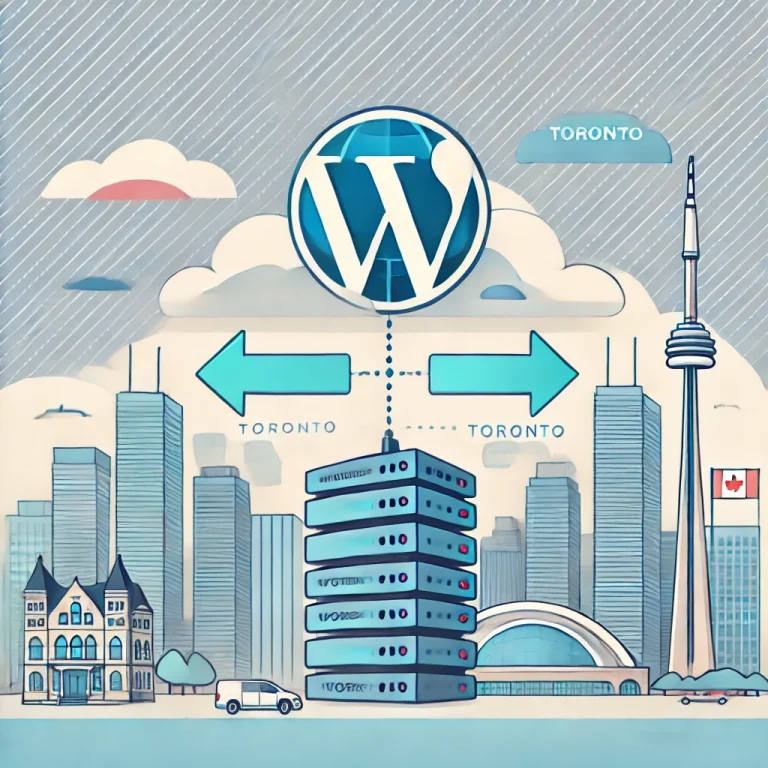
dall·e 2025 01 27 19.51.23 a visually engaging illustration depicting the process of migrating a wordpress site to a toronto based hosting provider. the image features a wordpre 768x768.webp

Indeed, migrating a WordPress site is quite a task, especially if you are shifting from one hosting provider to another. This usually causes a combination of fear and anticipation because the process involves not only technical steps but also considerable investment in time and resources. Whether you are looking to improve your site's performance, reduce your hosting costs, or simply shift to a more reliable service, making the switch can open doors to a host of opportunities for your online presence. The reasons for migration will be diverse from the need to have better features on security enhancements to a call for better support on customers. Maybe your present host is usually experiencing frequent downtimes, giving frustrating interruptions on service that really can negatively influence user experience as well as go down to hit your site's reputation. Or it may be so that your needs have outgrown the plan which your existing host offers and would require you seeking a provider capable of offering great scalability. You are not alone if you are considering moving your WordPress site to a host in Toronto. More and more website owners realize the numerous benefits of using a local hosting provider, especially concerning performance, support, and SEO advantages. The data will also load faster for Canadian users due to lower latency, as it does not have to travel as far across the globe. Moreover, having a Toronto-based host means that you benefit from localized customer support. With a local provider like 4GoodHosting, a trusted provider of WordPress hosting solutions in Canada you can expect prompt, reliable support from a team that understands the unique challenges and needs of Canadian website owners. This assurance can alleviate some of the stress associated with migration and ongoing management of your hosting environment. In this step-by-step guide, we will lead you through every process of transferring your WordPress site to a host based in Toronto. We'll detail each of the steps in transferring files and databases, from what you should do before the move to how to check everything works well on the new host. Knowing how to efficiently manage such a transition is key to reducing...

You may find this interesting too.
dall·e 2025 01 14 21.27.36 a visually appealing illustration depicting canadian businesses benefiting from managed wordpress hosting. the scene includes a modern office environm 768x768.webp

In the current digital world, no business can hope to be successful if it does not have any kind of online presence. For the business in Canada, it is amplified by the level of competition in the market and the upsurge of preference for the consumers to interact with brands online. For this reason, a well-optimised, secure, and fast-loading website becomes more important in attracting visitors and keeping them. A strong website can easily influence user experience, conversion rates, and, most importantly, revenue. Being one of the most widely-used content management systems around the globe, WordPress represents a great ground for developing and maintaining a business website. It can sometimes, however, turn out to be a hassle in itself to work with a WordPress site. Managed WordPress hosting comes to address this issue. For that reason, the ideal solution is managed WordPress hosting because it is aimed at maximizing performance and making it quite easier for any business in Canada without the need to manage all that technical stuff on their own. It would give businesses their exclusive specialized services specially meant for WordPress. We are going to explore numerous benefits of WordPress hosting for Canadian businesses , look at what is uniquely available through Canadian web hosting services within the country, and see why scalability matters to every size company. To end, we shall share practical tips on why choosing managed WordPress hosting is what takes your business to a new level of performance in the digital world. The Rise of Managed WordPress Hosting The concept of hosting has been around since the inception of the internet. However, with changing technology comes changing demands on hosting solutions. Traditional hosting services usually do not meet the precise requirements of the users of WordPress. This is where managed WordPress hosting comes in, offering an optimized environment for WordPress sites, providing a better performance, security, and support in contrast to what traditional hosting can provide. Managed WordPress hosting ensures that your website not only runs perfectly but is also equipped to cope up with new traffic spikes and more with dedicated server resources and expert support. With automated updates, daily backups and...

You may find this interesting too.
dall·e 2025 01 07 20.56.19 a visually appealing and professional digital illustration showcasing the concept of calgary wordpress hosting. the image features a modern server roo 768x439.webp

Choosing the right WordPress hosting provider in Calgary is like picking the perfect foundation for your dream home. It needs to be sturdy, reliable, and tailored to your specific needs. Your website is a reflection of your business, and its performance can make or break your online presence. Whether you're a blogger, small business owner, or e-commerce entrepreneur, the hosting service you choose can impact everything from loading speeds to security and overall user experience. In Calgary’s bustling digital landscape, having a fast and responsive website isn’t just a bonus—it’s a necessity. A laggy website could drive potential customers away faster than you can say "404 error." This is where WordPress hosting steps in to save the day, providing you with a platform that's optimized, secure, and ready to handle whatever traffic comes your way. But how do you find the best hosting provider in Calgary? With countless options available, it's easy to feel overwhelmed. Fear not! This guide is here to help you navigate the world of Calgary WordPress hosting and find a provider that fits your business like a glove. Spoiler alert: 4GoodHosting stands out as one of the best-managed WordPress hosting providers in Calgary, offering top-notch services that cater to businesses of all sizes. We’ll dive deeper into why they’re a great choice later in this post. What is WordPress Hosting? WordPress hosting refers to a type of web hosting service specifically optimized for websites built on the WordPress content management system (CMS). WordPress is a popular and widely used platform for creating websites, ranging from simple blogs to complex e-commerce sites. WordPress hosting typically offers features and configurations that are tailored to enhance the performance, security, and management of WordPress websites . These hosting services often include one-click WordPress installations. Also, they include automatic updates and specialized customer support for WordPress-related issues. Moreover, they include pre-installed themes and plugins. Lastly, they can include caching mechanisms and optimized server configurations. While it is possible to install WordPress on various types of hosting platforms. It’s best to opt for specialized WordPress hosting and gain several advantages. Some of these benefits include improved website speed and performance along with...

You may find this interesting too.
adobestock 88343553
reading time Reading Time: 17 minutes

Some people will pay little heed to the insistence that you shouldn’t have even so much as one type or grammar mistake in the text of your website or blog. Others will disagree, suggesting that there’s a good number of viewers who’ll think less of you in as far as being an authority with your subject matter, or caring insufficiently about your marketing efforts. This is particularly true for anyone who offers a professional service of any kind and uses their website to promote themselves. Many people choose the simplicity and up-n-running quick appeal of WordPress for creating their basic website. Like any Canadian web hosting provider, we’re sure that it’s the same way for a good many of our customers and, as the author of this blog myself, my first foray onto the web was with a WordPress blog hosted right here at 4GoodHosting. But enough about that and back to topic, it is important to have text with words that are spelled correctly uniformly along with perfect readability for your viewers. Considering how easy it is nowadays with all of the extensions and plug-ins available to check your spelling and grammar for you, why wouldn’t you take 10 minutes or so to go over your site and make sure everything’s reading smoothly? Yes, all browsers do include an in-built spelling check tool, but it does not check for readability or grammar. So let’s have a look at those best grammar checker plugins for your WordPress websites in below: Grammarly Grammarly is definitely the most well-known of them, a widely-used grammar checker plugin which is available as an add-on for popular browsers like Google Chrome, Microsoft Edge and Firefox. Grammarly scans over your posts’ spelling and grammar mistakes and prompts you to edit them correctly. An indicator appears at the bottom right of editing field. Click on it and then the tool will display all the errors in your post, highlighted with a red underline. Grammarly does require you to switch your content to text editor to proofread. Ginger Here’s another easy-to-use grammar and spelling checker plugin, which assists with boosting your productivity and promoting your writing skills. Like...

You may find this interesting too.
On This Page G
Explore 4GOODHOSTING
Copyright © 2026 4GoodHosting. All Rights Reserved.
.CA by CIRA
+1 866 708 4678
