
Portal Home  /  Knowledgebase  /  Parallels Plesk Panel 10 reseller series  /  How to change a subscription's Plan and…

How to change a subscription's Plan and Add-ons in Plesk

Guide from Parallels Plesk Panel 10 reseller series — written for Canadian customers. Billing always in CAD.

Parallels Plesk Panel 10 reseller series

After you have created a subscription, you can easily change the plan and add-ons associated with it.

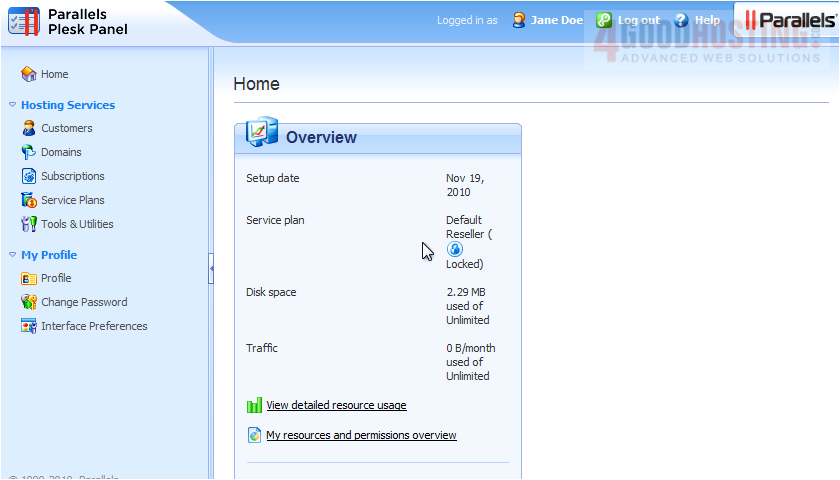
1) Go to Subscriptions.

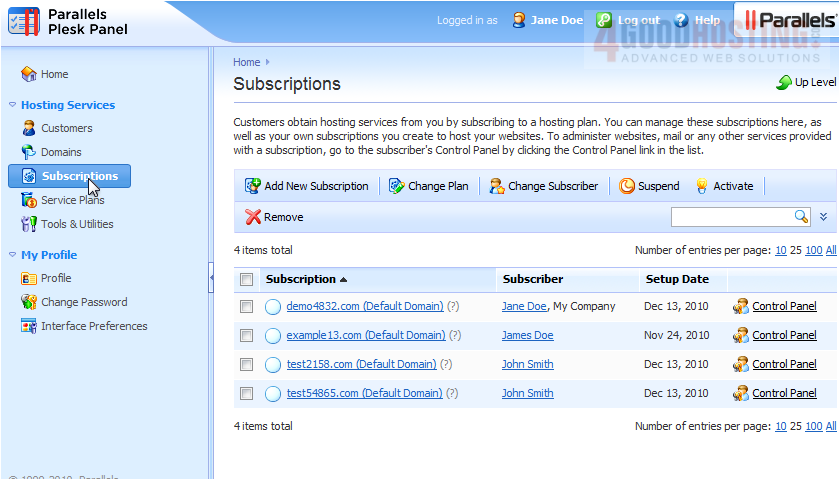
2) Click the subscription.

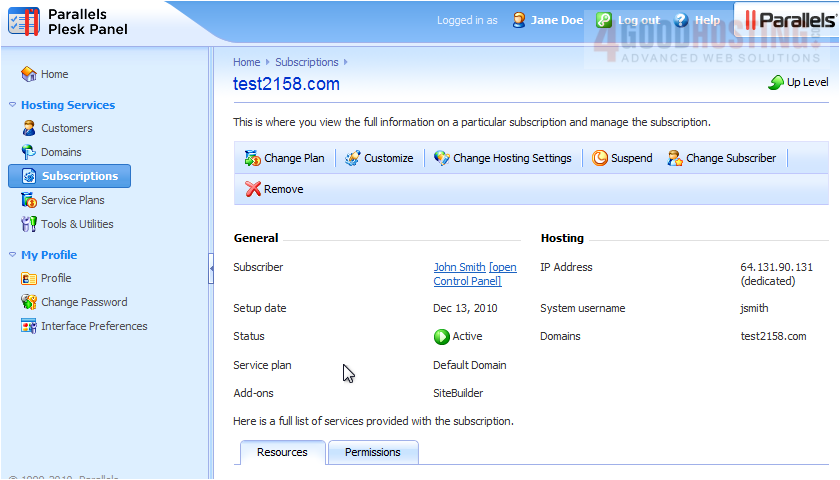
3) Click Change Plan.

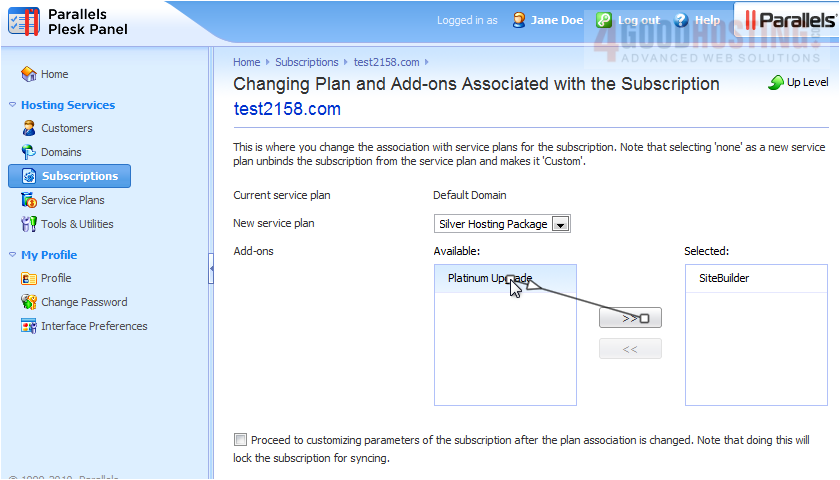
4) Choose the new service plan from the menu. If you select "None", the subscription will be unbound from its plan and you will be given the opportunity to create a completely custom set of resources and services instead.


5) Add or remove add-ons here.

6) Click OK.


That's it! Now you know how to change a subscription's plan and add-ons.

Was this answer helpful?

🇨🇦 Canadian support that answers

Chat or ticket — Vancouver & Toronto team, same timezone as most of our customers. Billing always in CAD.

Open a support ticket

Live chat

Quick questions while you’re working through this guide.

Start chat

More in this category

Browse other guides in Parallels Plesk Panel 10 reseller series .

Parallels Plesk Panel 10 reseller series →