
The Event Manager lets you run scripts whenever certain events occur in Plesk. You create a script to be executed upon a certain control panel event, and then create an event handler that triggers the event processing. You can assign several handlers to a single event.
1) Go to Tools & Utilities.
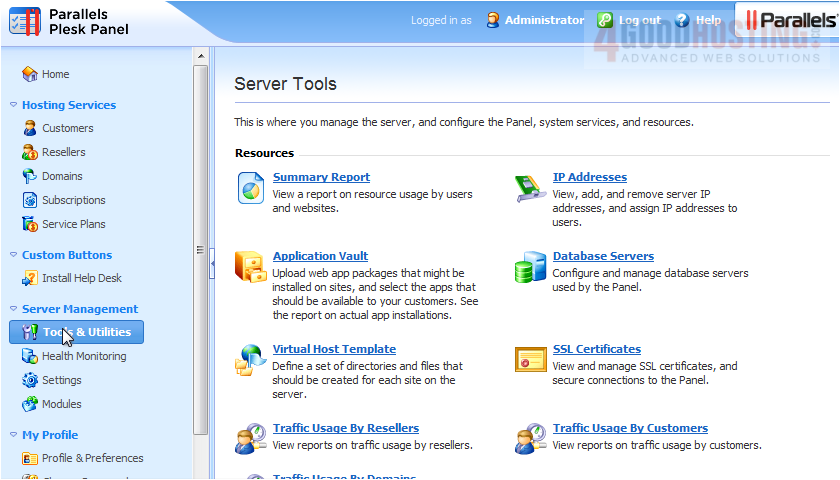
2) Click Event Manager.
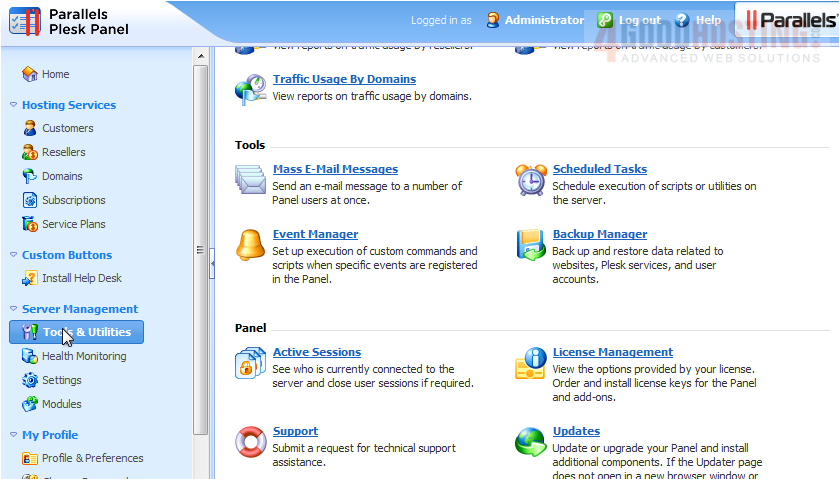
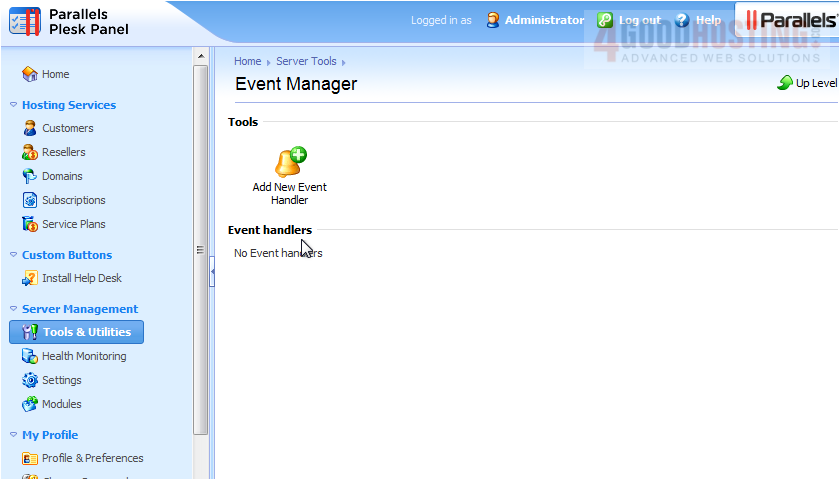
3) Click this icon to create a new Event Handler.
4) Choose the event that will trigger the command.
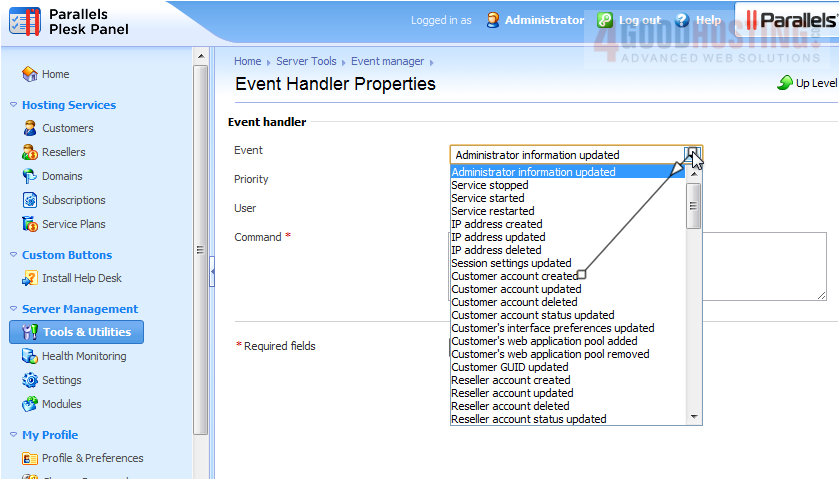
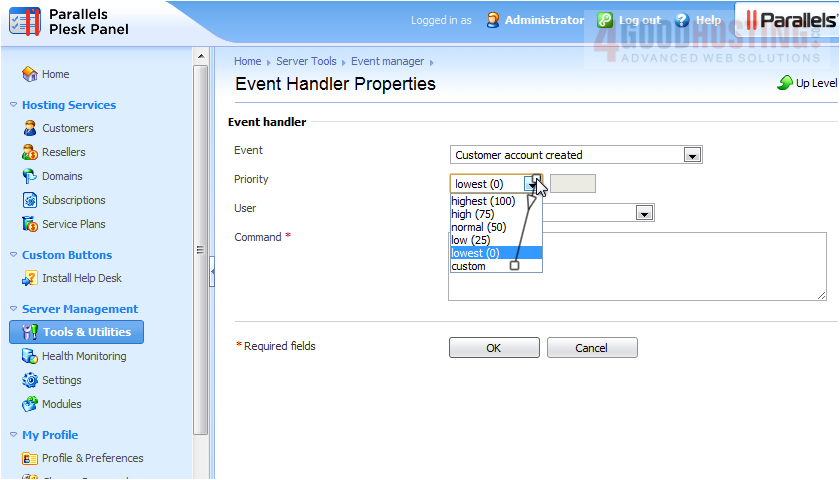
5) Set the priority. This controls the execution order if you have multiple handlers assigned to the same event.
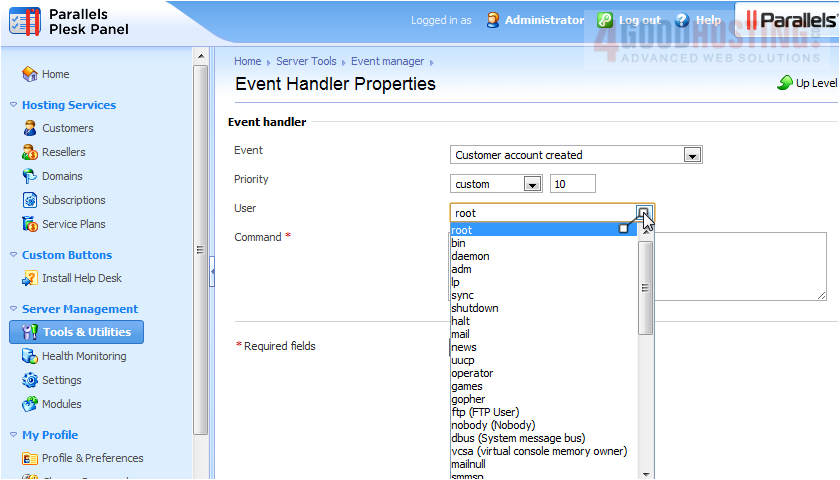
6) Select the system user with which the command will be executed.
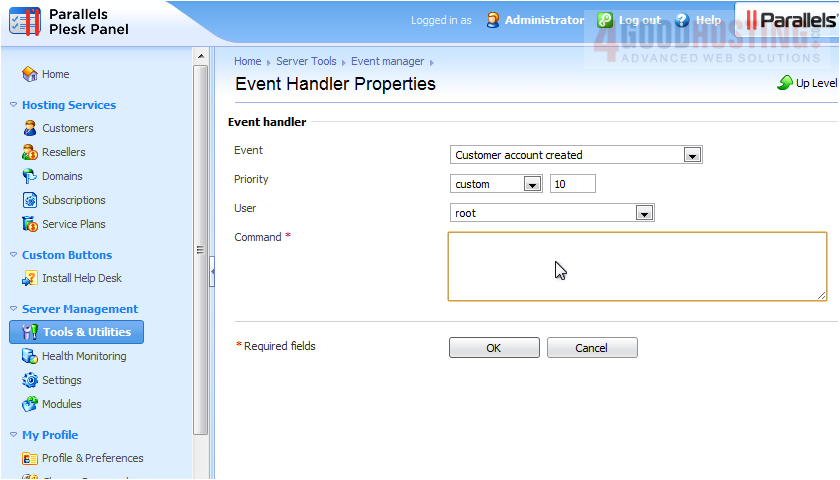
7) Specify a command to be executed when the selected event occurs. Click OK.
That's it! The event handler has been created successfully.
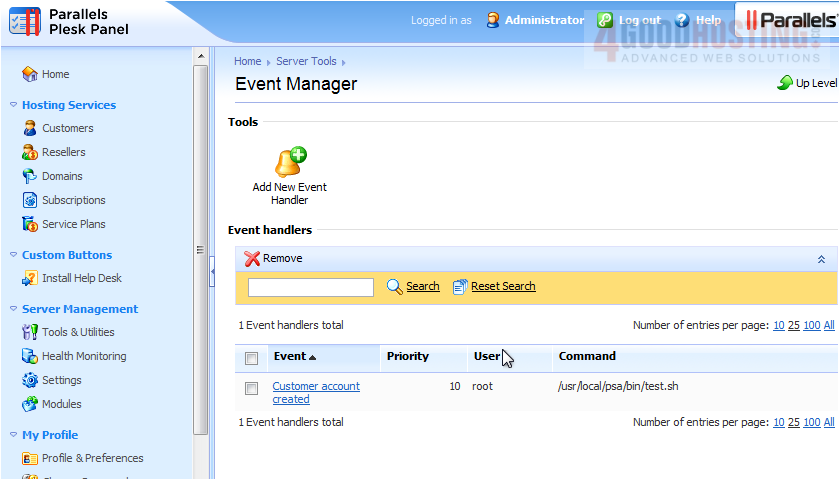
This is the end of the tutorial. Now you know how to use the Event Manager in Plesk.

 WGS AI Assistant