
Portal Home  /  Knowledgebase  /  Parallels Plesk Panel 10 admin series  /  How to adjust the System Time in Plesk

How to adjust the System Time in Plesk

Guide from Parallels Plesk Panel 10 admin series — written for Canadian customers. Billing always in CAD.

Parallels Plesk Panel 10 admin series

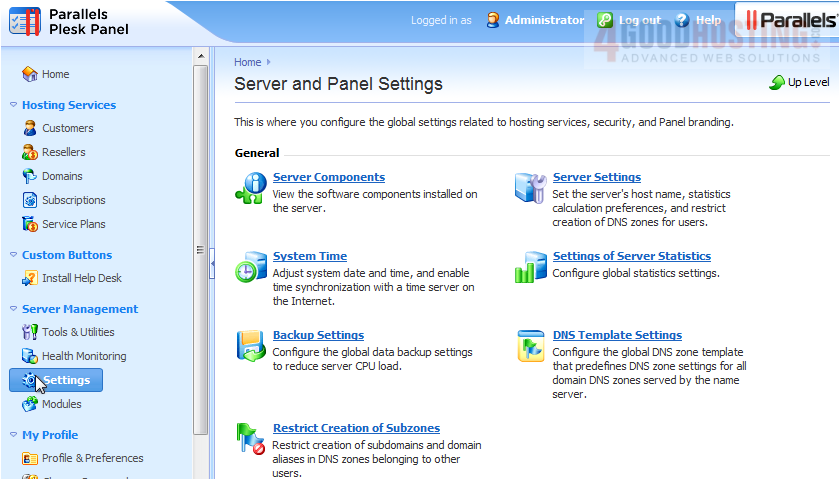
1) To change your system time, begin by going to Settings, then click System Time.


Note that if Plesk is running on a VPS, you will not be able to change the date and time or network time. The options will be greyed out as shown here.
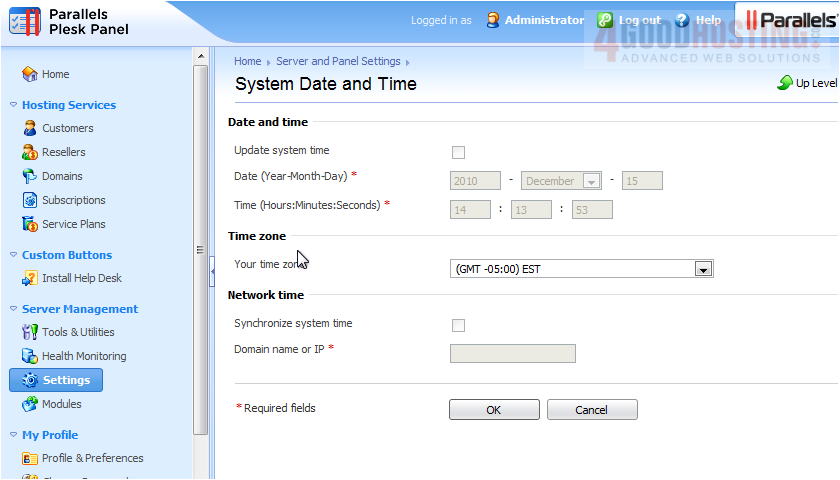

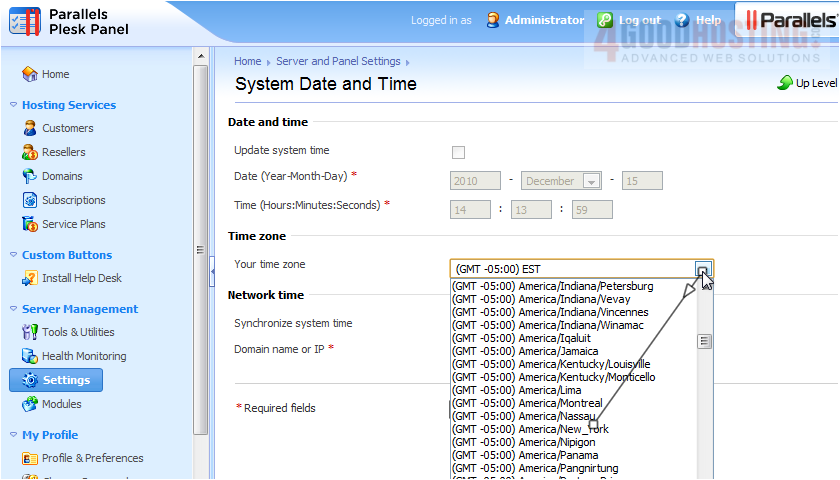
2) However, you can change your time zone.

3) Click OK.
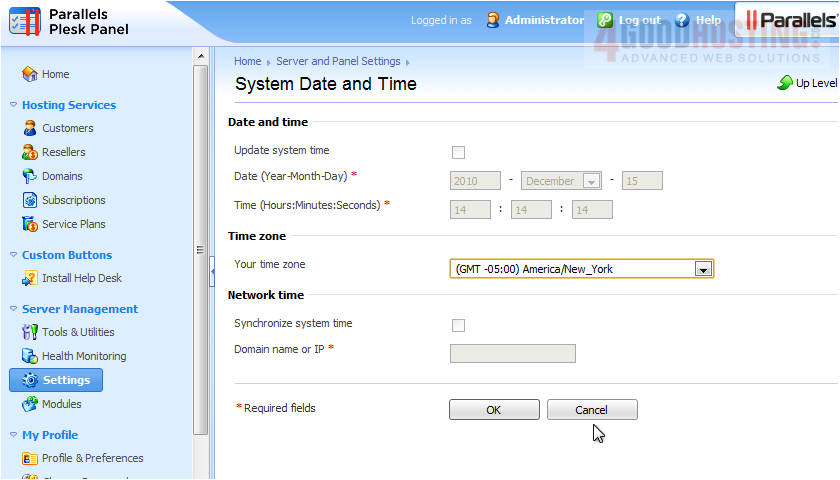


That's it! Now you know how to change your system time and timezone.

Was this answer helpful?

🇨🇦 Canadian support that answers

Chat or ticket — Vancouver & Toronto team, same timezone as most of our customers. Billing always in CAD.

Open a support ticket

Live chat

Quick questions while you’re working through this guide.

Start chat

More in this category

Browse other guides in Parallels Plesk Panel 10 admin series .

Parallels Plesk Panel 10 admin series →