
When you need to inform your customers of scheduled server maintenance, or to introduce new service offerings, you can use the mass e-mail function to send notices to all of your customers at once.
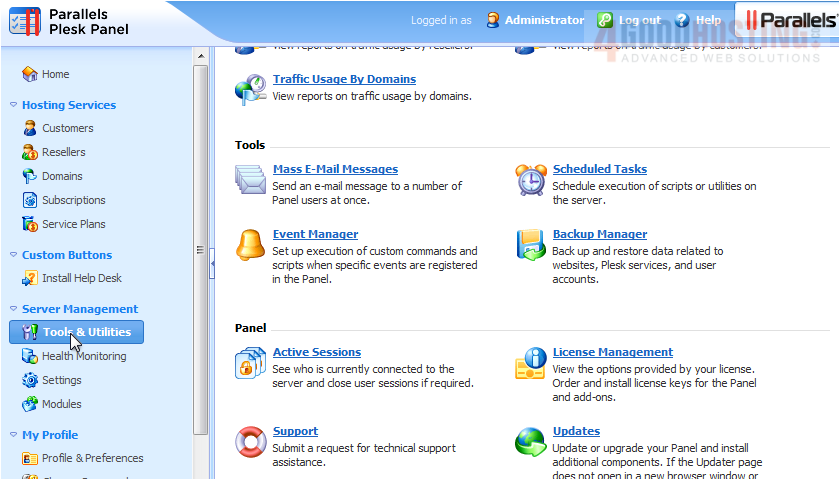
1) To do so, go to Tools & Utilities.

2) Click Mass E-Mail Messages.
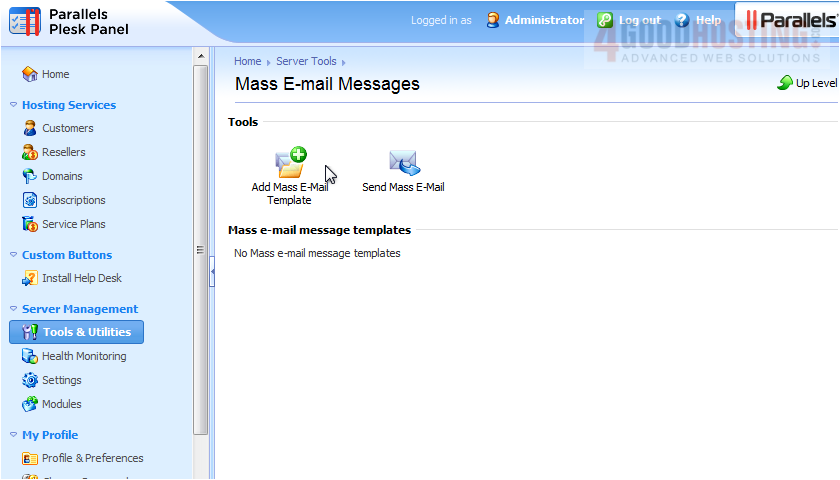
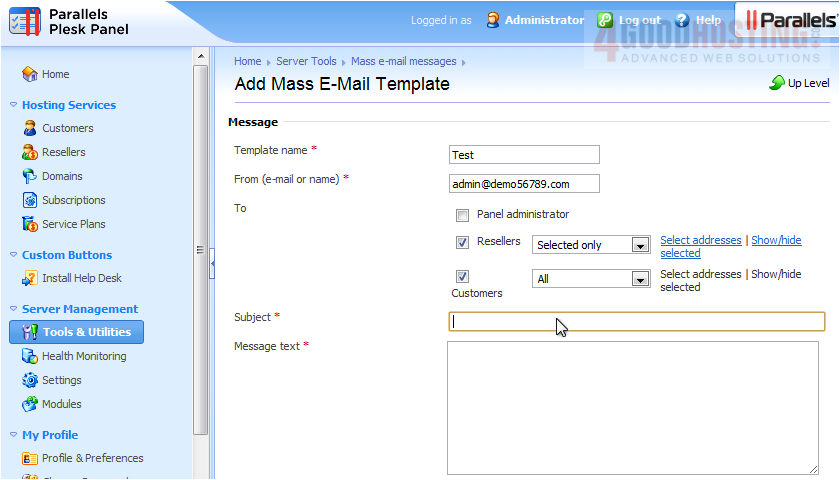
3) Before we can send an e-mail, we must create a template to use. Click the Add Mass E-Mail Template icon.
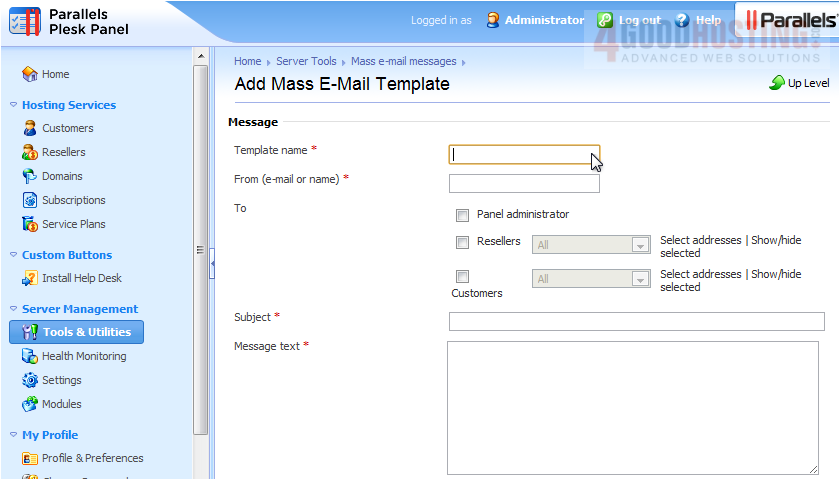
4) Enter a name to use.
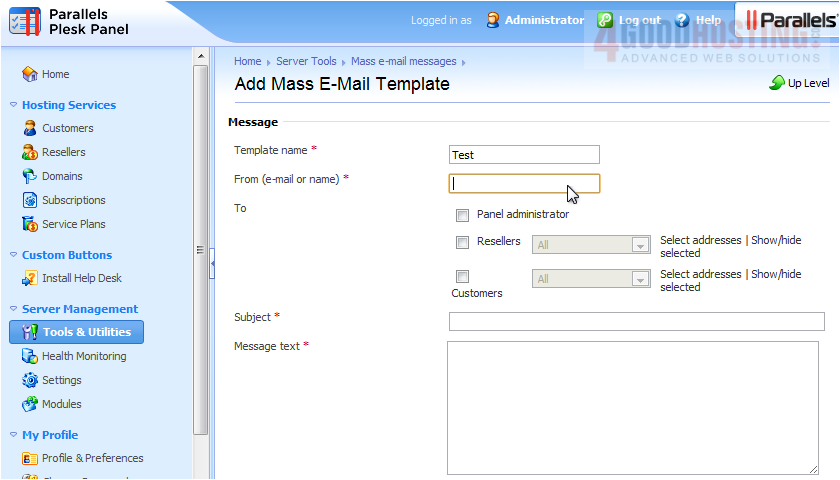
5) Type the From e-mail or name.
6) Select the groups that should receive this e-mail.
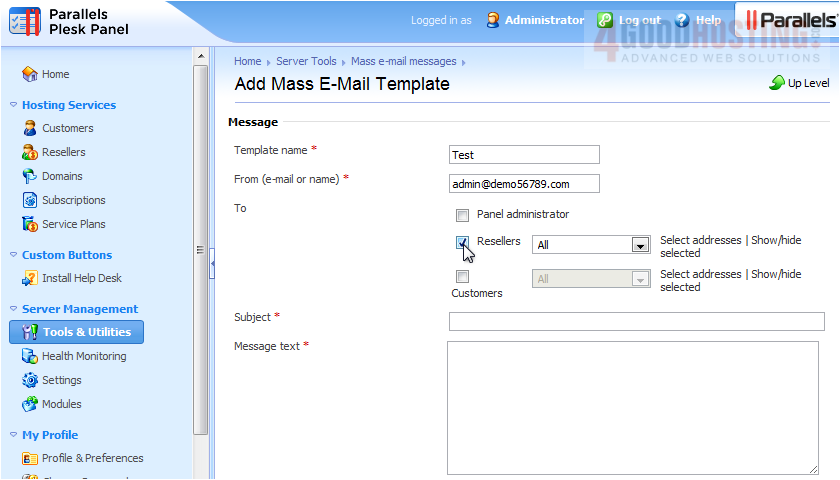
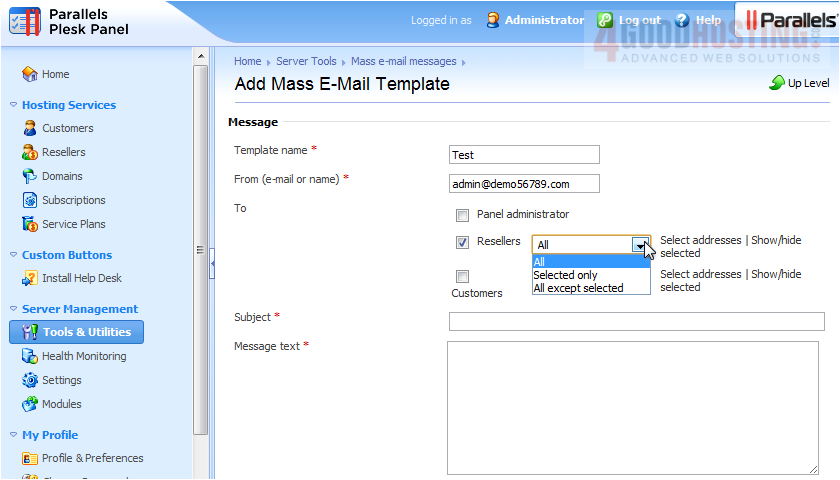
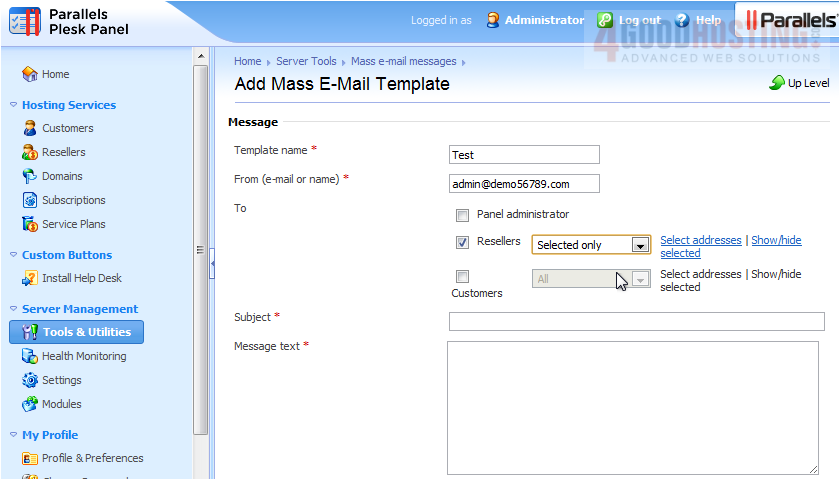
7) Choose to send mail to All resellers, selected only, or all except selected.
This link will now be available for you to select addresses.
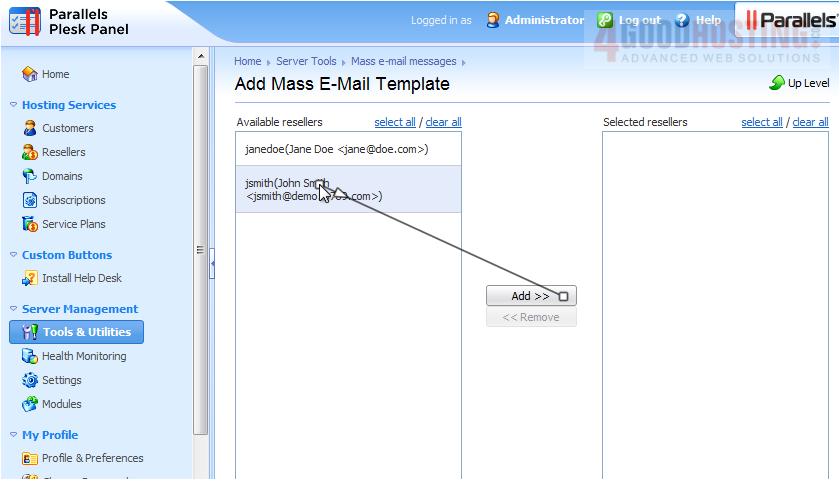
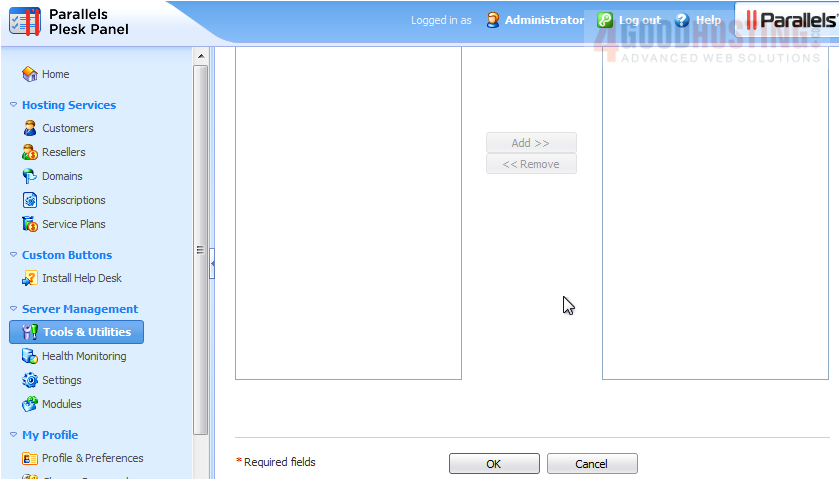
8) Select recipients and click Add.
9) Click OK.
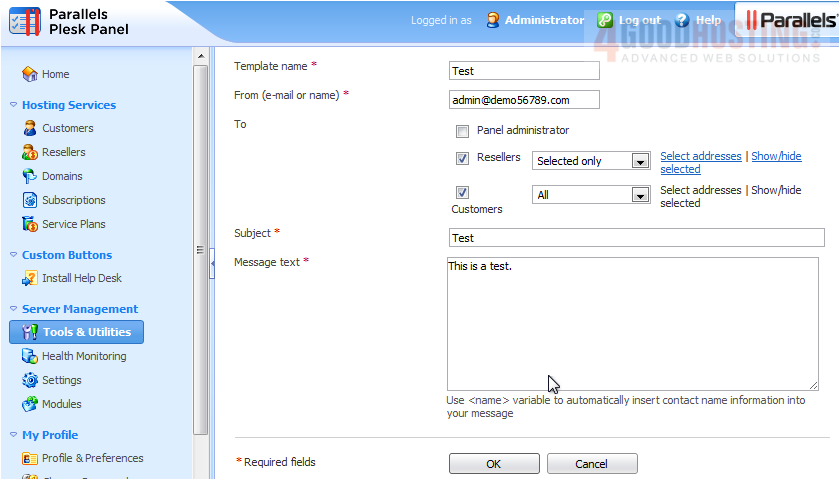
10) Now enter a subject and message text.
11) Click OK.
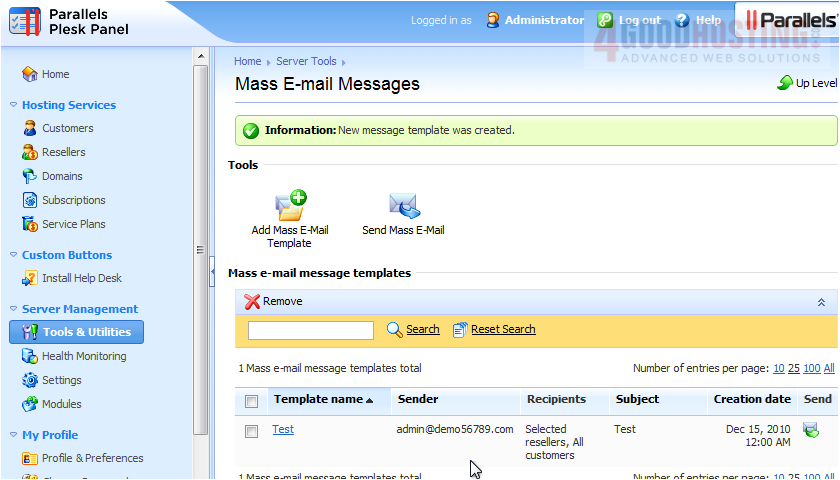
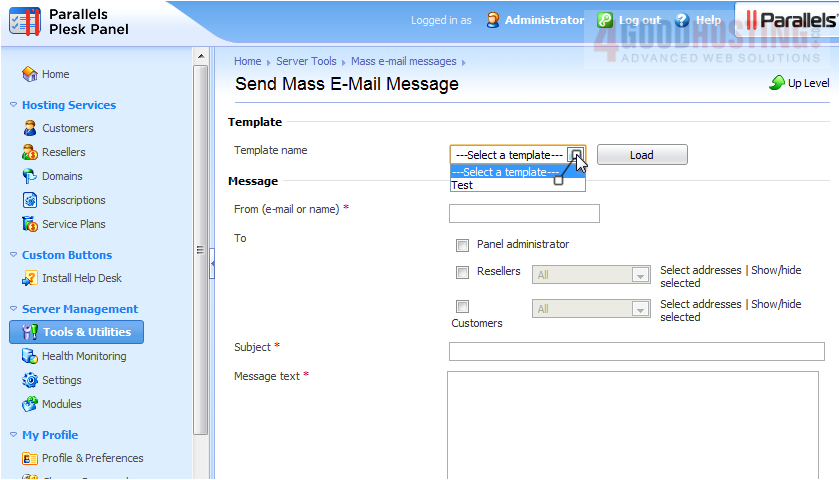
Now that we have a template, we can send it.
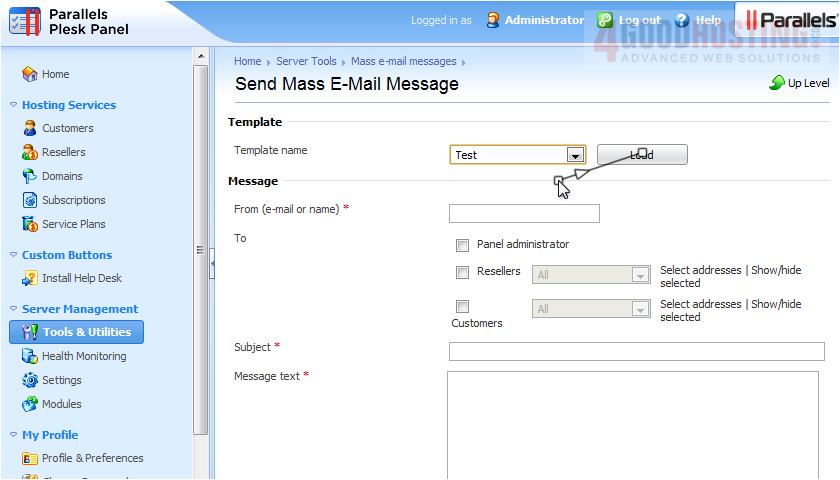
12) Choose a template and click Load.
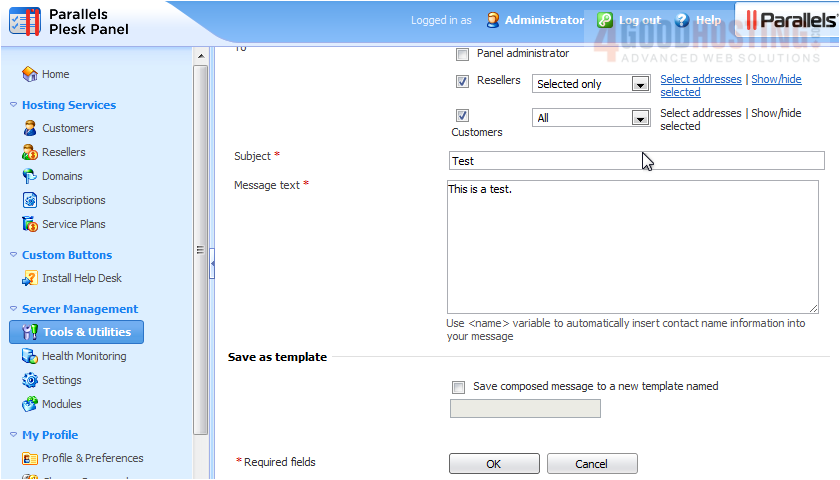
13) Review the information then click OK to send.
That's it! Now you know how to mass e-mail your customers.

 WGS AI Assistant