
This demo assumes you've already logged in to cPanel
Now let's learn how to setup email forwarding
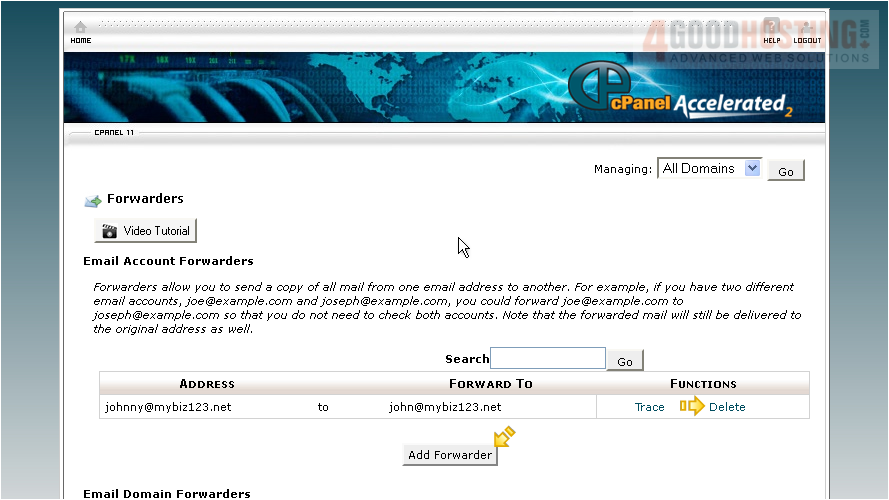
1) Click the Forwarders icon
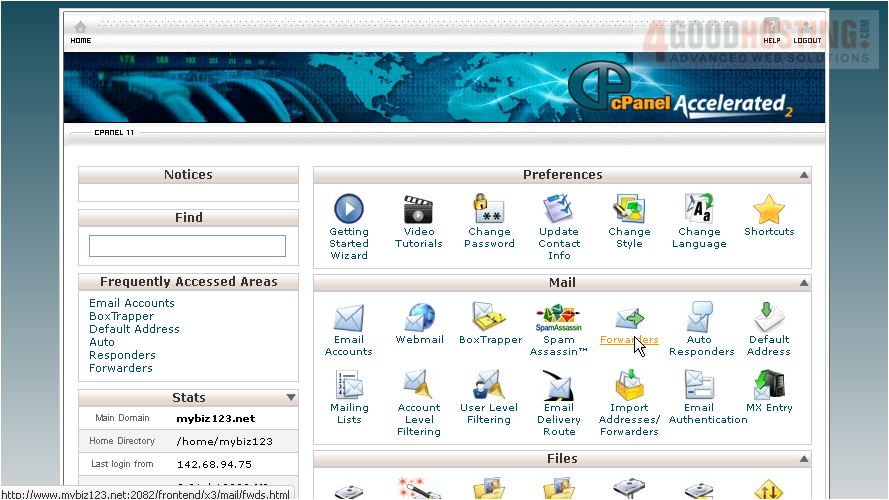
An email forwarder allows you to send a copy of all email from one address to another. This is handy when you have multiple addresses, but only want to have to check one of them
2) Click the Add Forwarder button
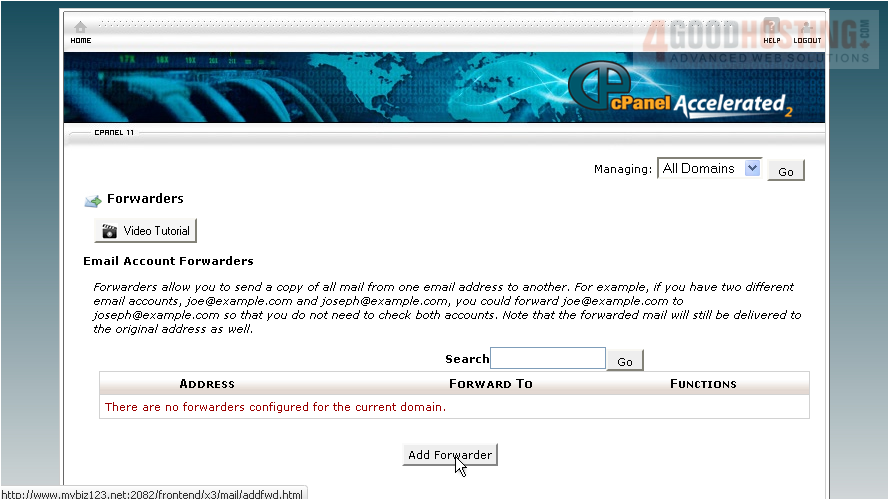
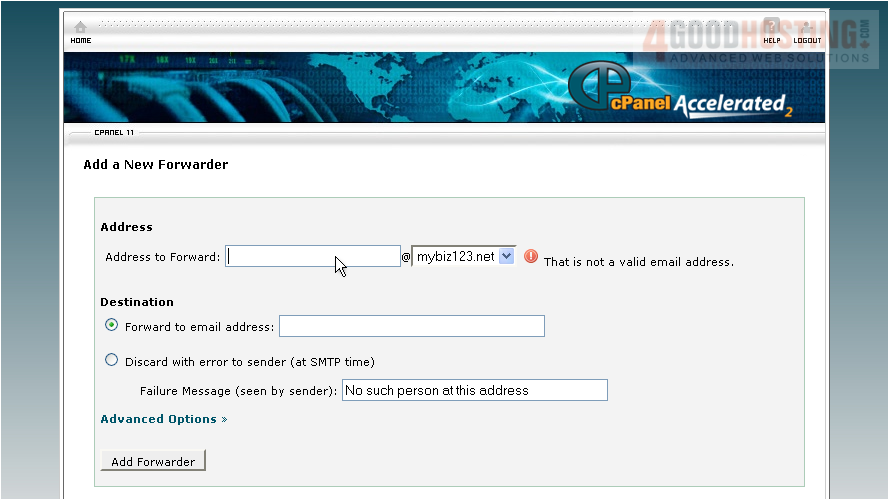
3) Enter the email address you want to forward
4) Then enter the address you want the messages forwarded to
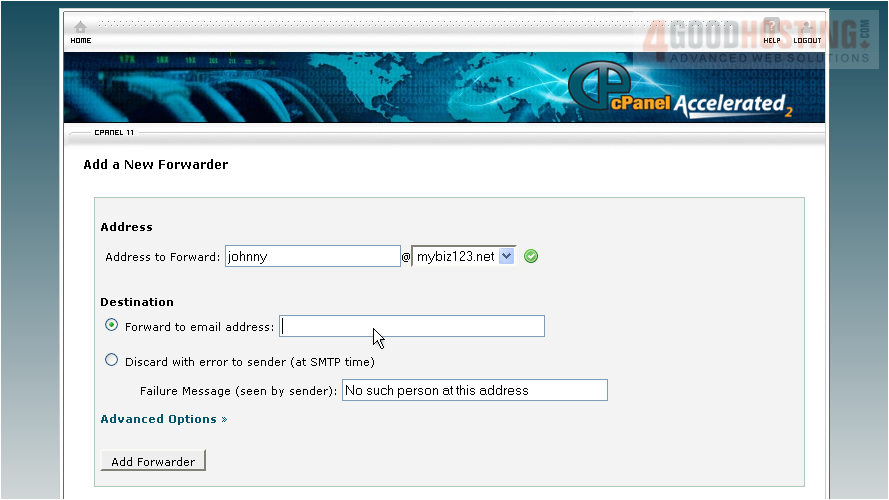
5) Click Add Forwarder
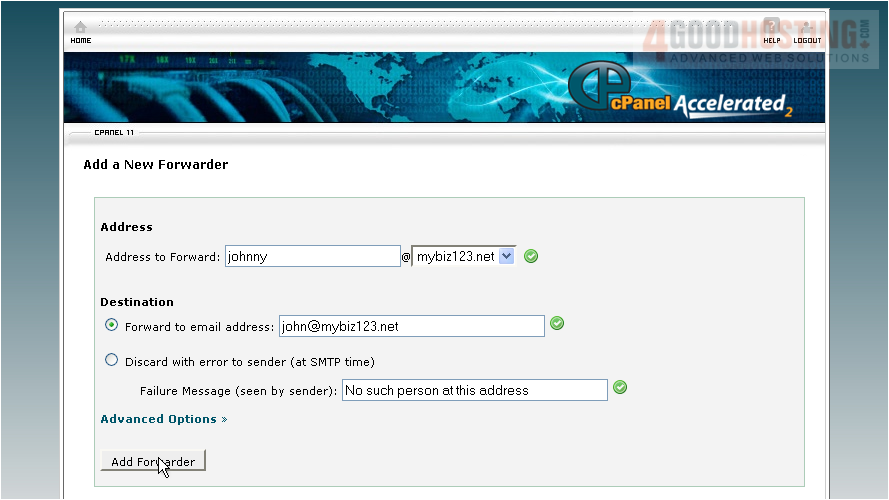
That's all there is to it! The email forwarder has been setup and will start working immediately
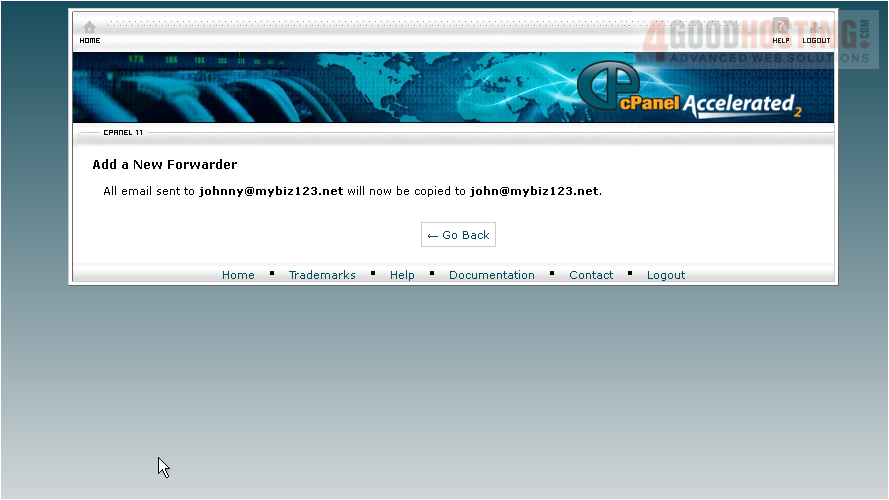
You can return to this page to create additional forwarders, or delete existing ones
You can also create "domain" email forwarders, where all email sent to a specific domain will be forwarded to another
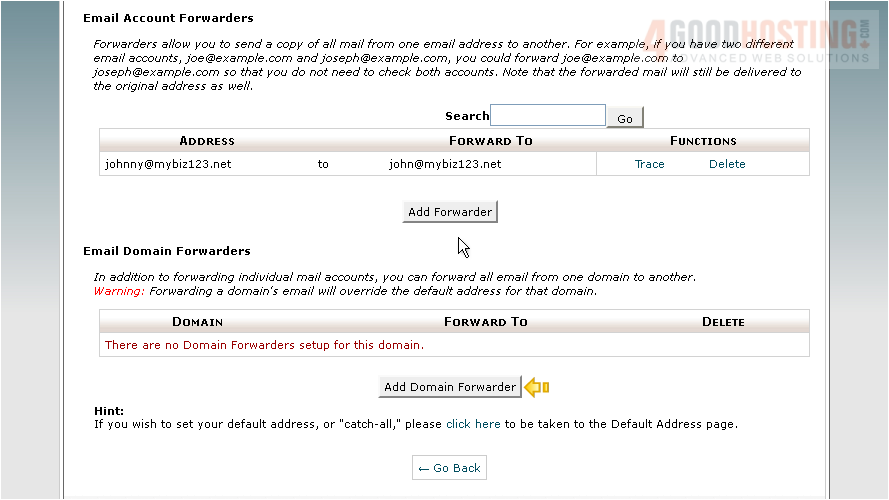
This is the end of the tutorial. You now know how to create email forwarders for automatically forwarding email from one address to another

 WGS AI Assistant