
Portal Home  /  Knowledgebase  /  Softaculous series  /  How to upgrade a script installed by Sofaculous

How to upgrade a script installed by Sofaculous

Guide from Softaculous series — written for Canadian customers. Billing always in CAD.

Softaculous series

It's recommended to keep your scripts updated as new versions may fix security risks and other bugs.

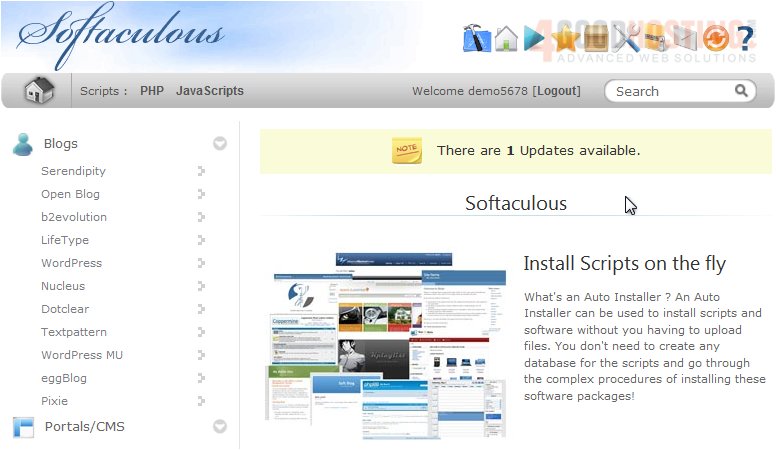
1) Select this box icon.


Here is a list of all scripts we currently have installed through Softaculous.


If there is a new version of a script, it will be indicated by this icon.
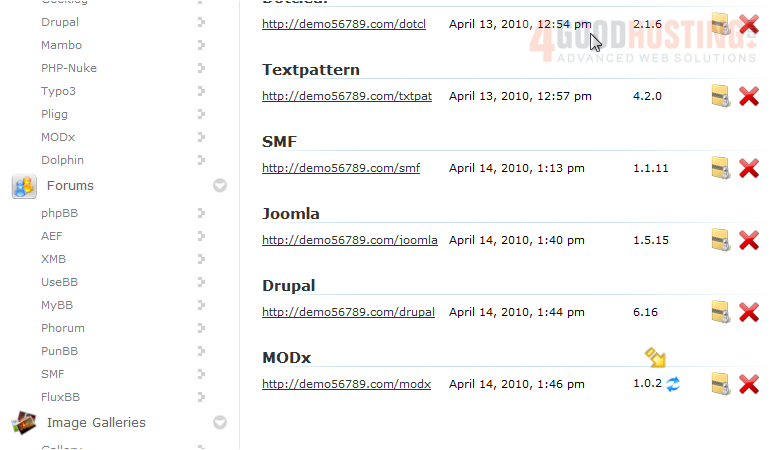

2) Click it to begin.


3) Click Upgrade.
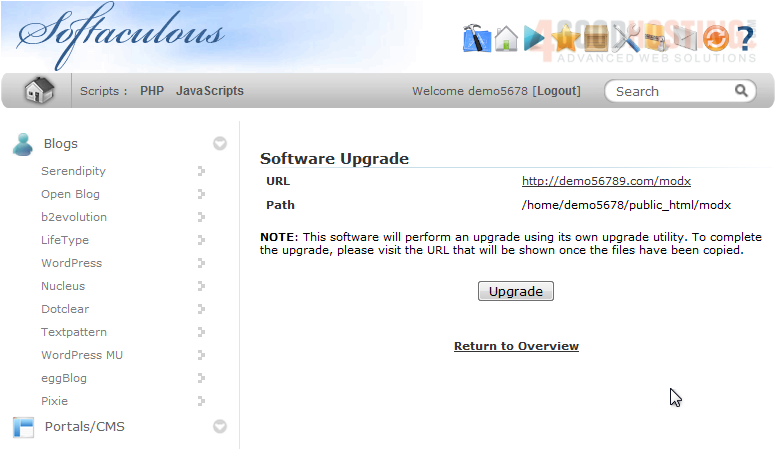

4) After a moment, the new files will be copied over. To complete the installation, use this link and follow the instructions for each installer.
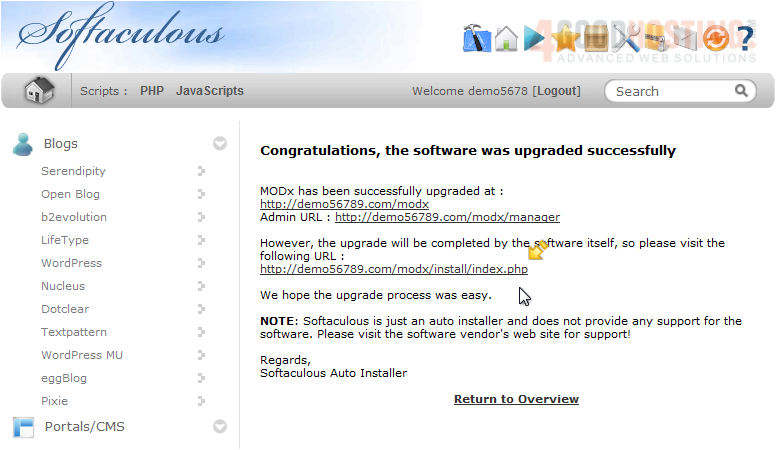


That's it! You now know how to upgrade a script installed in Softaculous.

Was this answer helpful?

🇨🇦 Canadian support that answers

Chat or ticket — Vancouver & Toronto team, same timezone as most of our customers. Billing always in CAD.

Open a support ticket

Live chat

Quick questions while you’re working through this guide.

Start chat

More in this category

Browse other guides in Softaculous series.

Softaculous series →