
This tutorial assumes you've already logged in to WHMCS
Now let's learn how to pay our invoices
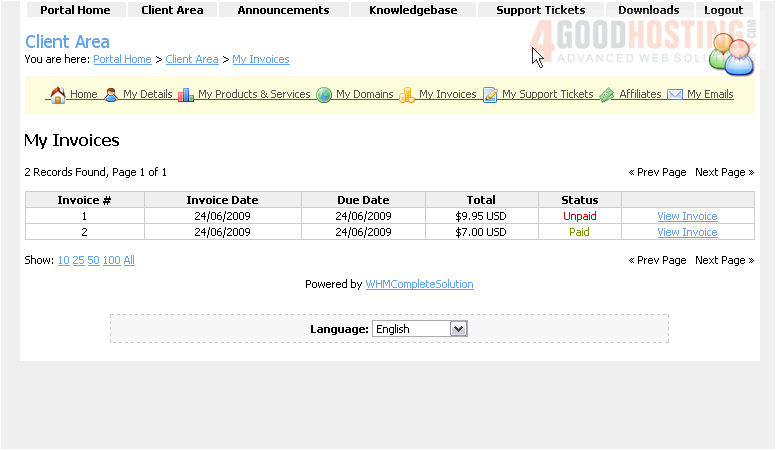
1) Click the My Invoices link
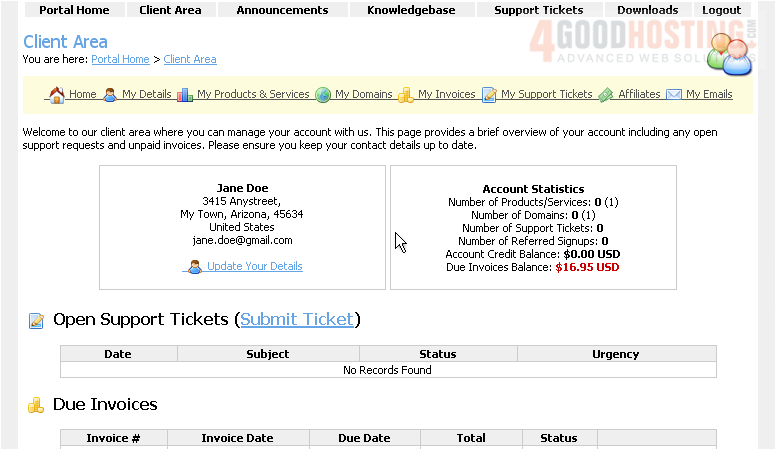
This page has a list of all of our invoices
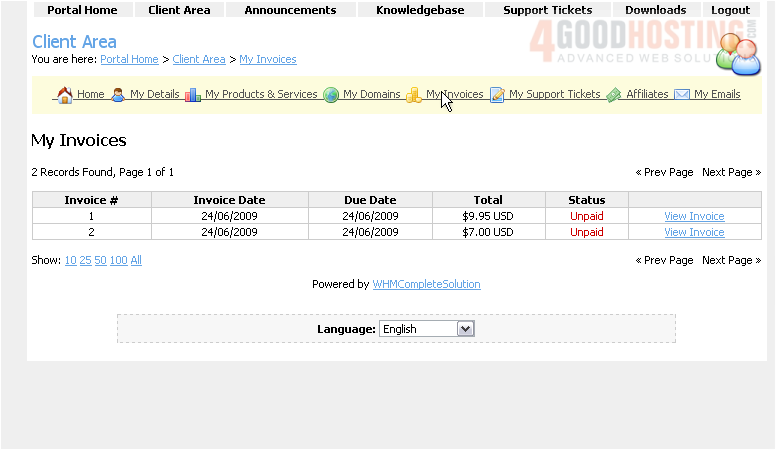
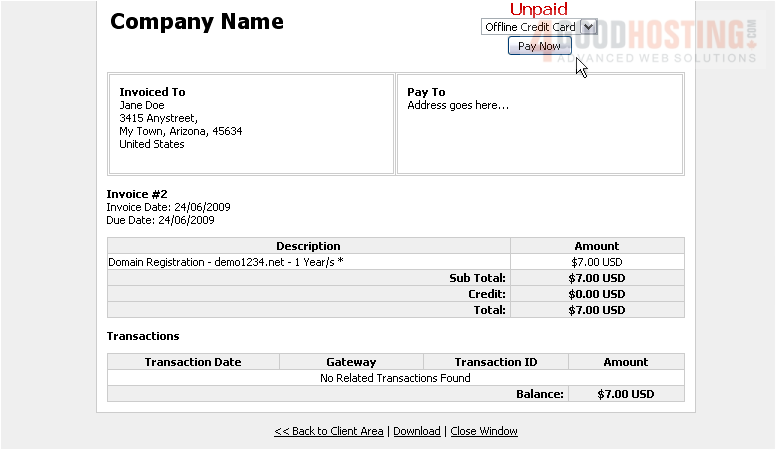
2) Click the View Invoice link for an unpaid invoice
We can see here that this invoice has not yet been paid
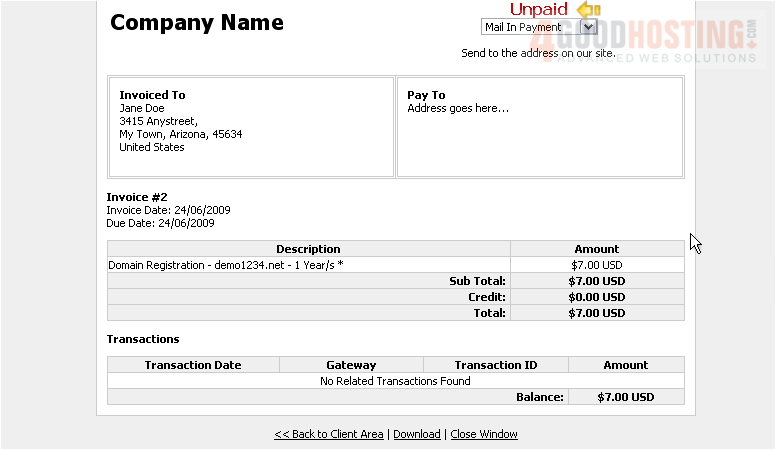
3) Choose your payment method from this drop-down menu
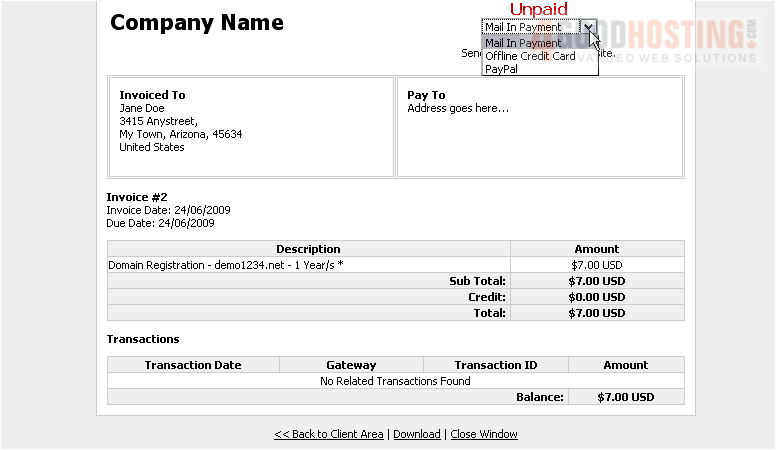
4) Then click Pay Now
After you have completed the payment process, your invoice will be marked as paid. Note that some payment methods will require the invoice to be manually marked as paid
This is the end of the tutorial. You now know how to pay invoices in WHMCS

 WGS AI Assistant