
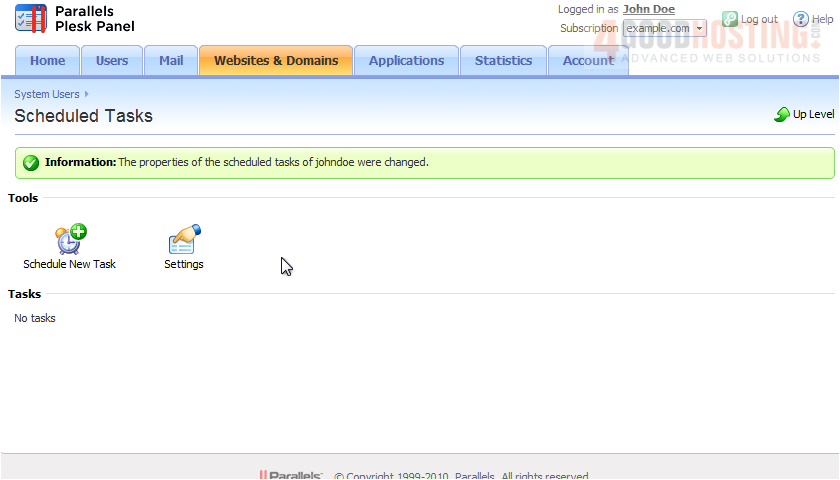
Scheduled tasks allow you to set up scripts to run automatically on your server.
1) Let's go to Websites & Domains.
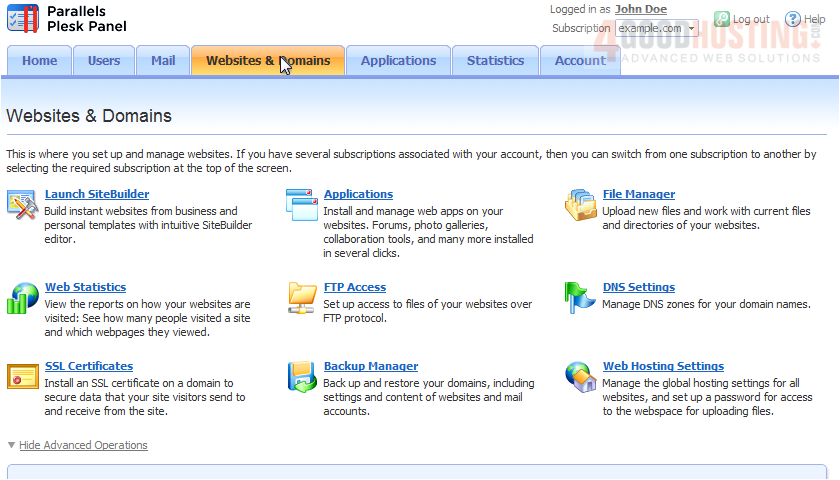
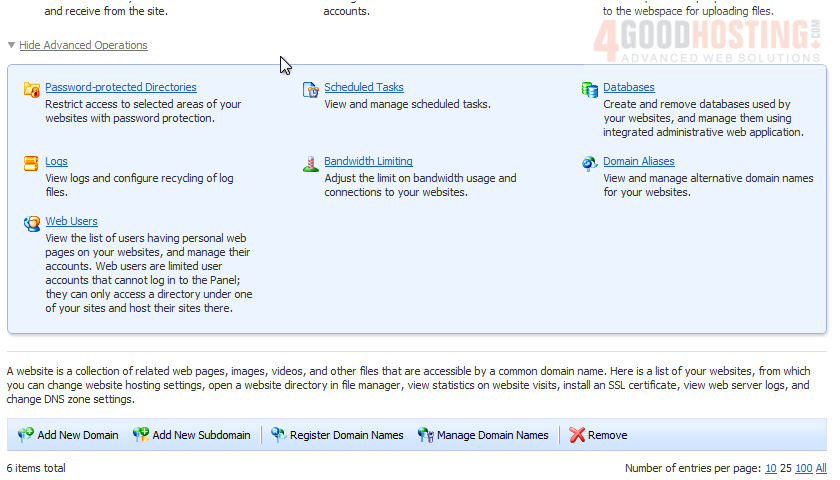
2) Click Scheduled Tasks.
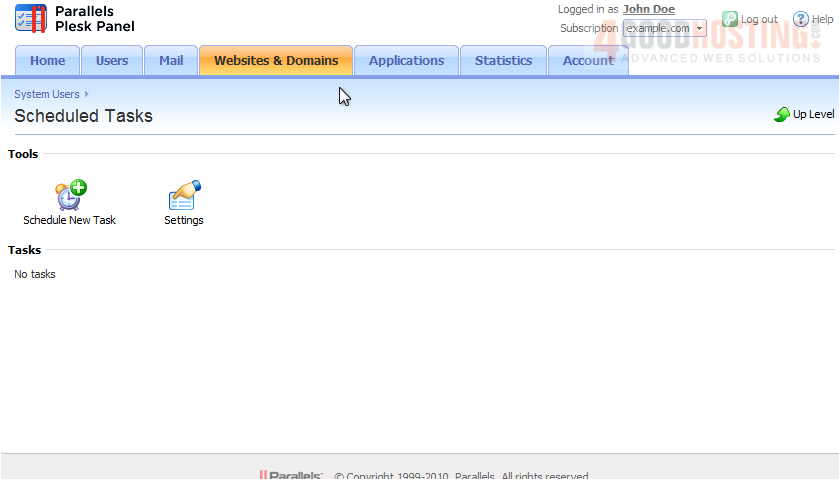
3) We'll adjust the Settings first by clicking this icon.
4) Enter an e-mail address here to send notifications from the scheduler each time a task runs.
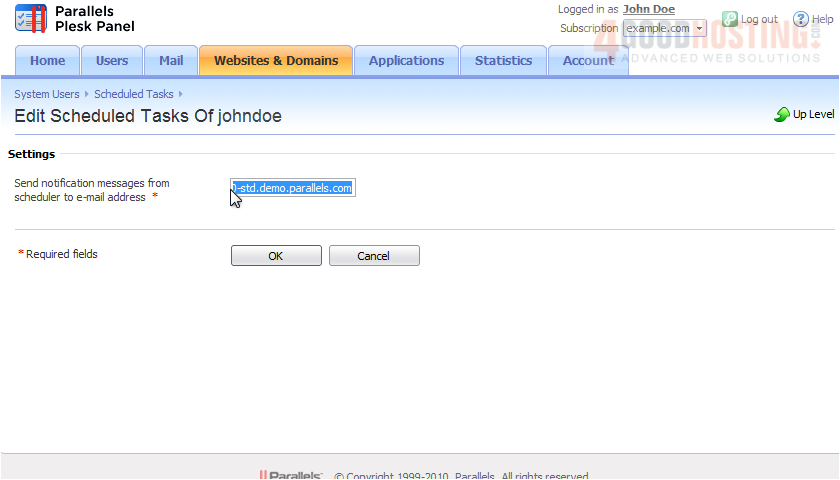
5) Click OK.

Now let's Schedule a New Task.
6) Click the Schedule New Task icon.
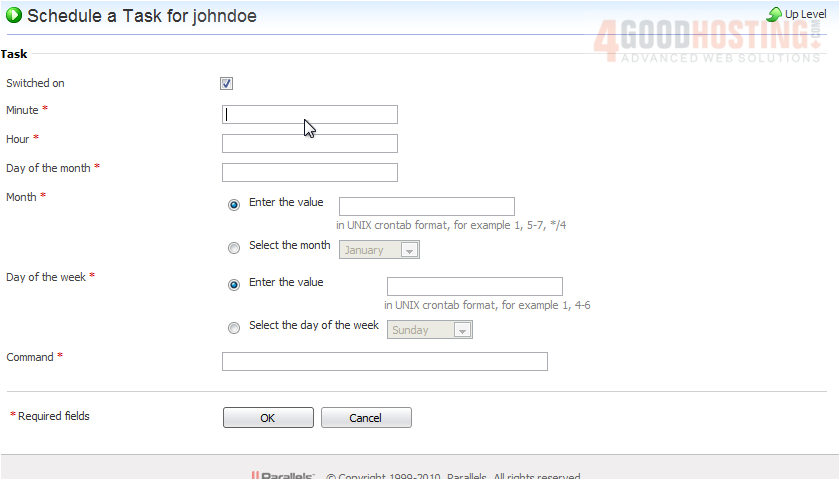
7) Enter the date and time you want this task to run.
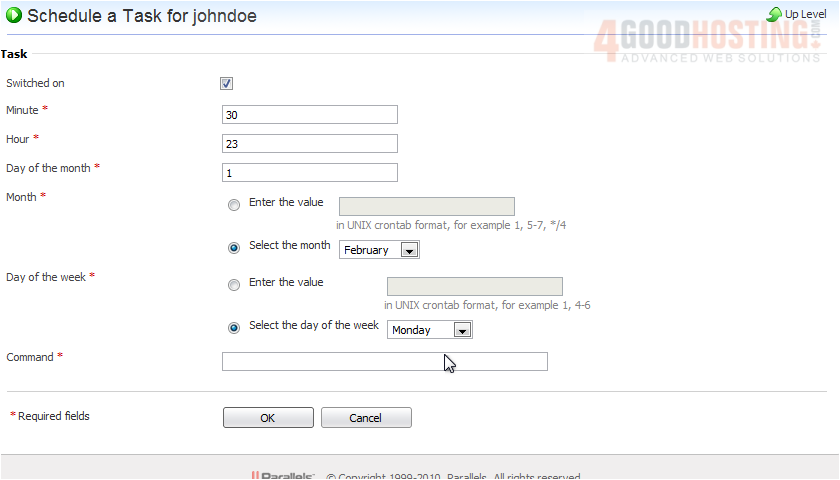
8) Now enter the command you want to execute.
9) Click OK.
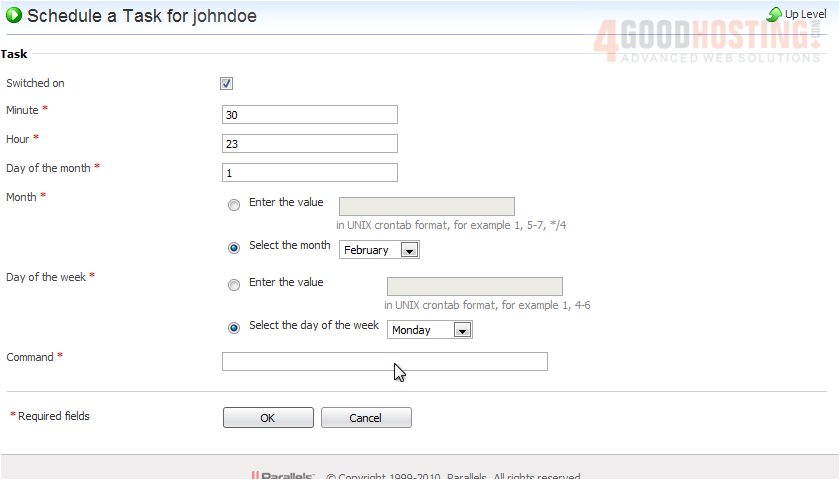
The task has been created and automatically switched on.
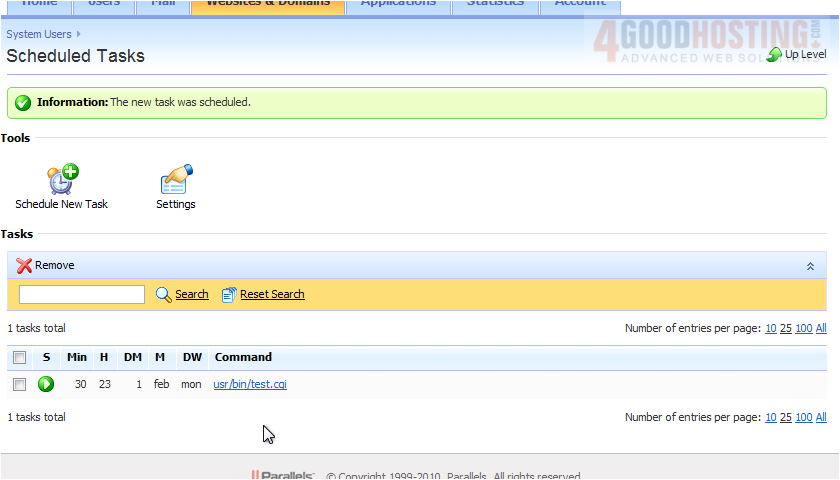
10) To switch off a task, click the green arrow.
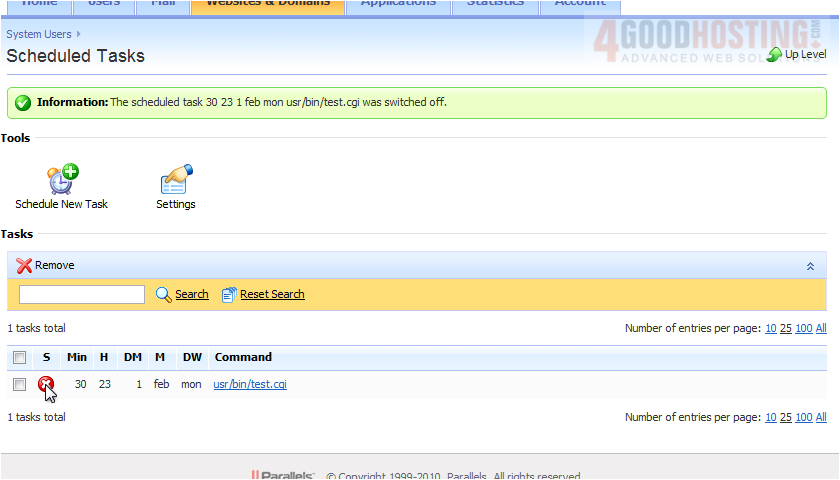
That's it! Now you know how to create scheduled tasks in Plesk.

 WGS AI Assistant